
🔹 About
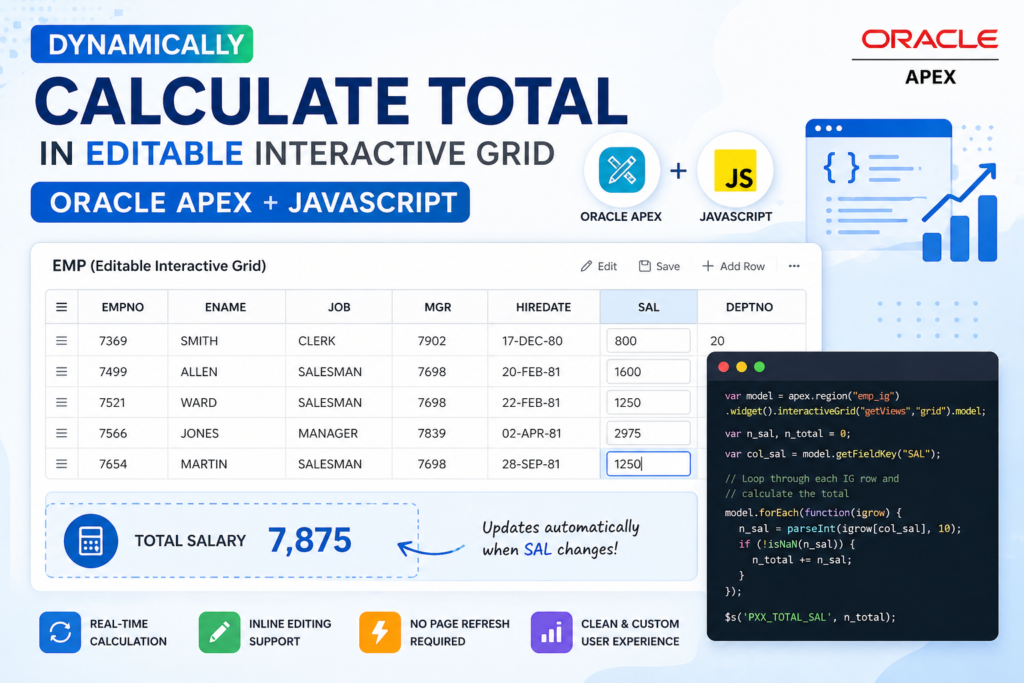
This step-by-step blog explains how to dynamically calculate and display the total (SUM) of a column in an Editable Interactive Grid (IG) using Oracle APEX and JavaScript.
Instead of relying on the default footer aggregation, we will:
✔ Hide the IG footer
✔ Create a custom display region
✔ Calculate total dynamically on change
✔ Show real-time updates
🛠️ Tools and Technologies
- Oracle APEX
- JavaScript
🚀 Step-by-Step Implementation
✅ Step 1: Create Editable Interactive Grid
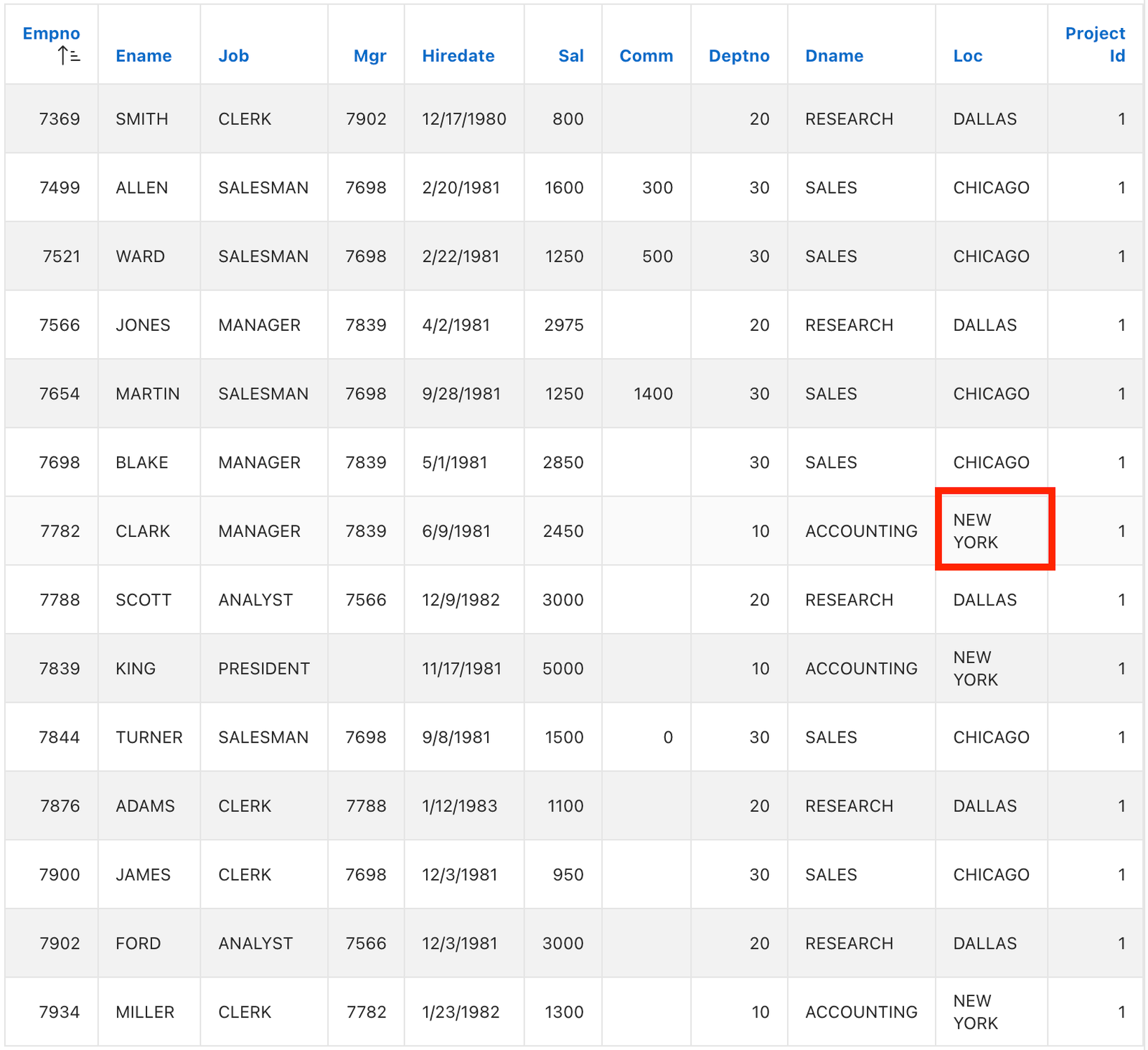
Create an Editable Interactive Grid based on the EMP table.
✅ Step 2: Assign Static ID
Go to your IG region → Advanced → Static ID
emp_ig✅ Step 3: Hide Footer Using Initialization Code
Go to:
IG Region → Attributes → Initialization JavaScript Function
Add:
function ( config ) {
   config.defaultGridViewOptions = { footer: false }; // Hides Footer
   return config;
}
💡 This removes the default total row so we can build a custom one.
✅ Step 4: Create Display Region
Create a Static Content Region:
Display Total
Display TotalSet Template Options:
- ✔ Remove Body Padding
- ✔ Header → Hidden but Accessible
- ✔ Item Spacing → Slim
- ✔ Top Margin → None
- ✔ Bottom Margin → None
✅ Step 5: Create Page Item
Create a Display Only Item:
PXX_TOTAL_SALSet Properties:
- Send on Page Submit → Off
- Column → 9
- Warn on Unsaved Changes → Ignore
✅ Step 6: Create Dynamic Action (On SAL Change)
🔹 Event Details
- Column → SAL
- Event → Change
🔹 True Action 1: Set Value
- Set Type → PL/SQL Expression
- Expression →
:SAL- Items to Submit → SAL
- Affected Item → PXX_TOTAL_SAL
🔹 True Action 2: Execute JavaScript
var model = apex.region("emp_ig").widget().interactiveGrid("getViews", "grid").model;

var n_sal, n_total = 0;

var col_sal = model.getFieldKey("SAL");

// Loop through IG rows
model.forEach(function(igrow) {
   n_sal = parseInt(igrow[col_sal], 10);
   if (!isNaN(n_sal)) {
      n_total += n_sal;
   }
});

console.log(n_total);

// Set value to page item
$s('PXX_TOTAL_SAL', n_total);
🔹 Client-side Condition
- Type → Item/Column is not null
- Column → SAL
✅ Step 7: Dynamic Action on Page Load
Create another Dynamic Action:
🔹 Event
- Event → Page Load
🔹 True Action: Execute JavaScript
Use the same code:
var model = apex.region("emp_ig").widget().interactiveGrid("getViews", "grid").model;

var n_sal, n_total = 0;

var col_sal = model.getFieldKey("SAL");

model.forEach(function(igrow) {
   n_sal = parseInt(igrow[col_sal], 10);
   if (!isNaN(n_sal)) {
      n_total += n_sal;
   }
});

$s('PXX_TOTAL_SAL', n_total);
🎯 Final Output
✔ Real-time total calculation
✔ Updates when SAL column changes
✔ Clean UI (no footer clutter)
✔ Fully dynamic without page refresh
💡 Why This Approach?
Instead of using default IG aggregation:
❌ Limited customization
❌ Footer clutter
We use:
✅ JavaScript model API
✅ Custom UI region
✅ Real-time updates
🚀 Pro Tips
✔ Use parseFloat() if dealing with decimals
✔ Add formatting using toLocaleString()
✔ Extend for multiple columns (Bonus)
🔥 Use Cases
- Salary calculations
- Invoice totals
- Order summaries
- Financial dashboards
🎉 Conclusion
This approach gives you full control over Interactive Grid calculations and improves user experience with real-time updates and clean UI.

A dedicated, highly conscientious and proactive Senior Oracle Developer with a strong technical background who possesses self-discipline and the ability to work with the minimum of supervision. My expertise spans in relation to the Oracle Database and it’s tool sets, say, SQL, PL/SQL, Oracle APEX, Forms, Reports and other web technologies like HTML, Javascript, jQuery and CSS. For me, each day is a challenge and an opportunity to learn new things. My aim is to share new things and knowledge to the world of APEX development and enlight the features of Oracle APEX.