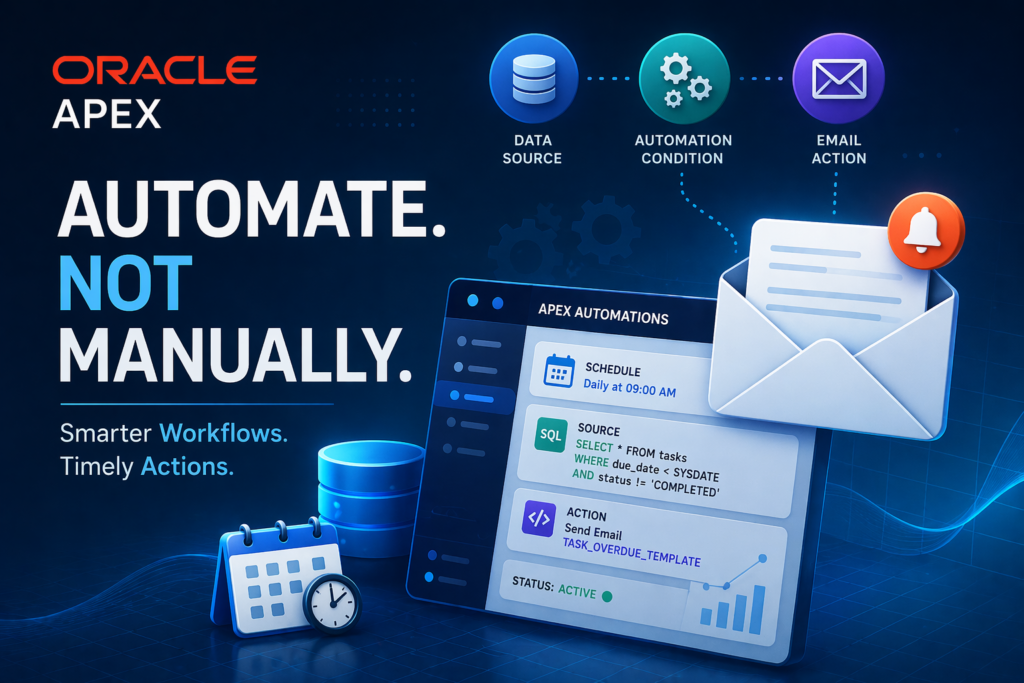

In today’s fast-paced application landscape, relying on manual monitoring is outdated. What if your application could automatically track data, send alerts, and take actions—without any manual effort?
That’s where Oracle APEX Automations come in.
🔍 What is Oracle APEX Automation?
APEX Automations are background processes that run automatically based on:
- ⏰ Schedule (e.g., daily, hourly)
- 📊 Data conditions (e.g., overdue records)
They eliminate the need for complex jobs using DBMS_SCHEDULER by providing a low-code, declarative approach.
⚙️ How It Works
An automation typically follows 3 simple steps:
1️⃣ Query Data
Fetch records from:
- Local tables
- SQL queries
- REST APIs
2️⃣ Evaluate Conditions
Example:
- Is an invoice overdue?
- Is a task pending beyond due date?
3️⃣ Execute Actions
- Send emails
- Run PL/SQL
- Call APIs
💡 Use Case: Overdue Task Email Notification
We’ll build a solution where:
👉 Users automatically receive email alerts for overdue tasks
✉️ Step 1: Create Email Template (First)
Before creating automation, always define your email template.
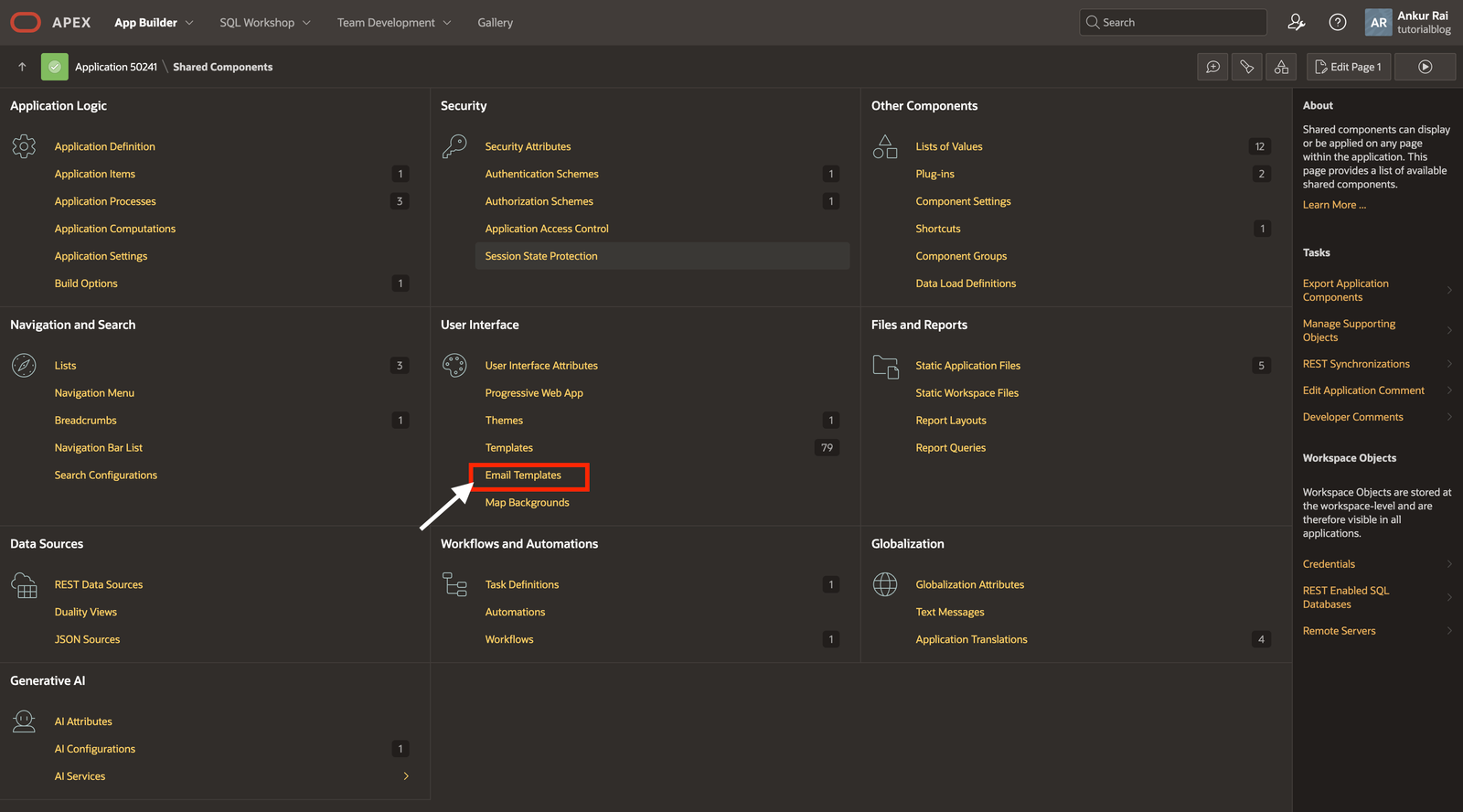
👉 Navigate to:
Shared Components → Email Templates → Create
👉 Template Details:
- Name: Task Overdue Notification
- Static ID: TASK_OVERDUE_TEMPLATE
📌 Subject:
Task Overdue: &TASK_NAME.📌 HTML Body:
<p>Hello,</p>

<p>This is a reminder that the following task is overdue:</p>

<p><strong>Task Name:</strong> &TASK_NAME.</p>

<p>Please take necessary action as soon as possible.</p>

<p>Regards,<br>
Your Team</p>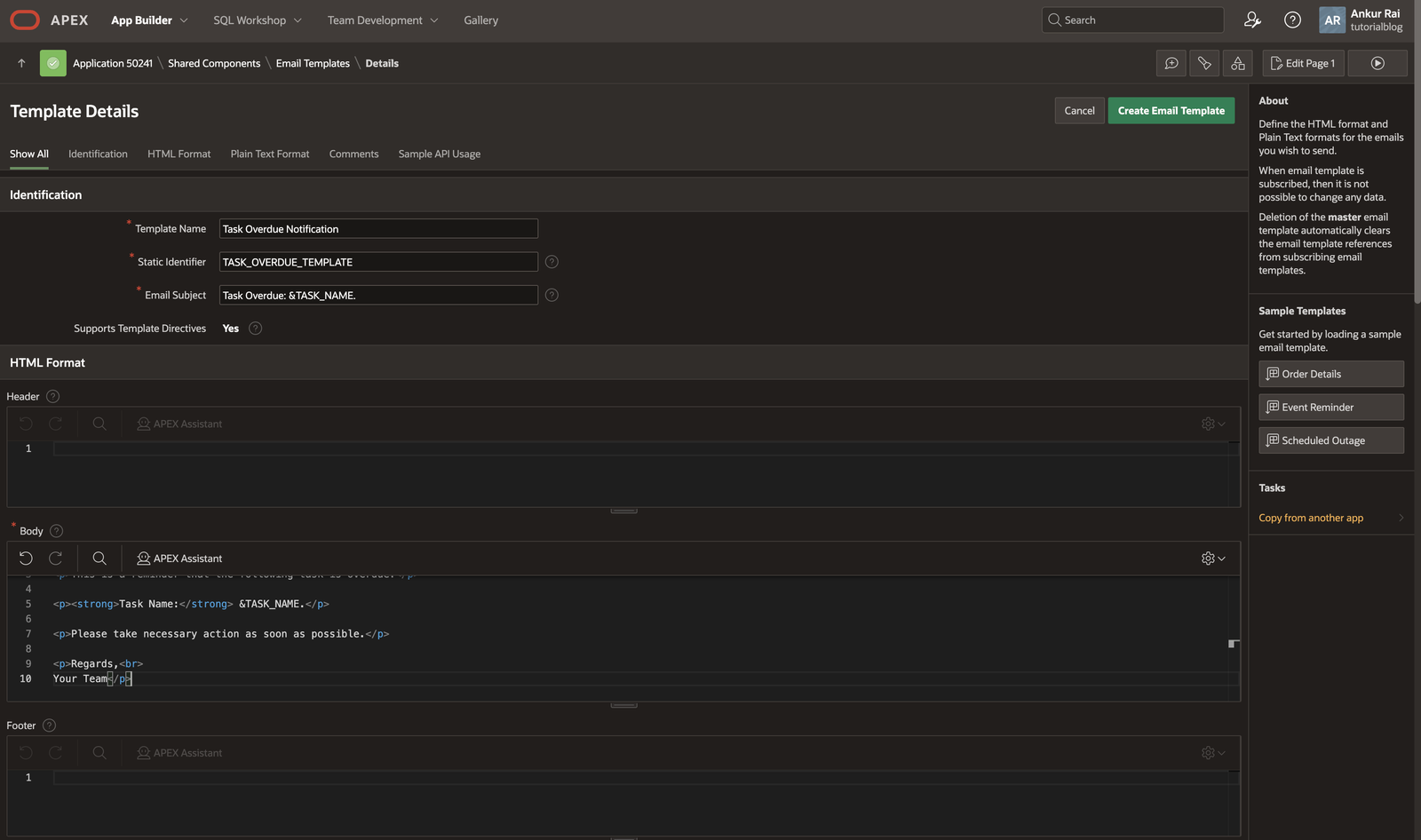
🔹 Placeholder Used:
- TASK_NAME → dynamic value from automation
⚙️ Step 2: Create Automation
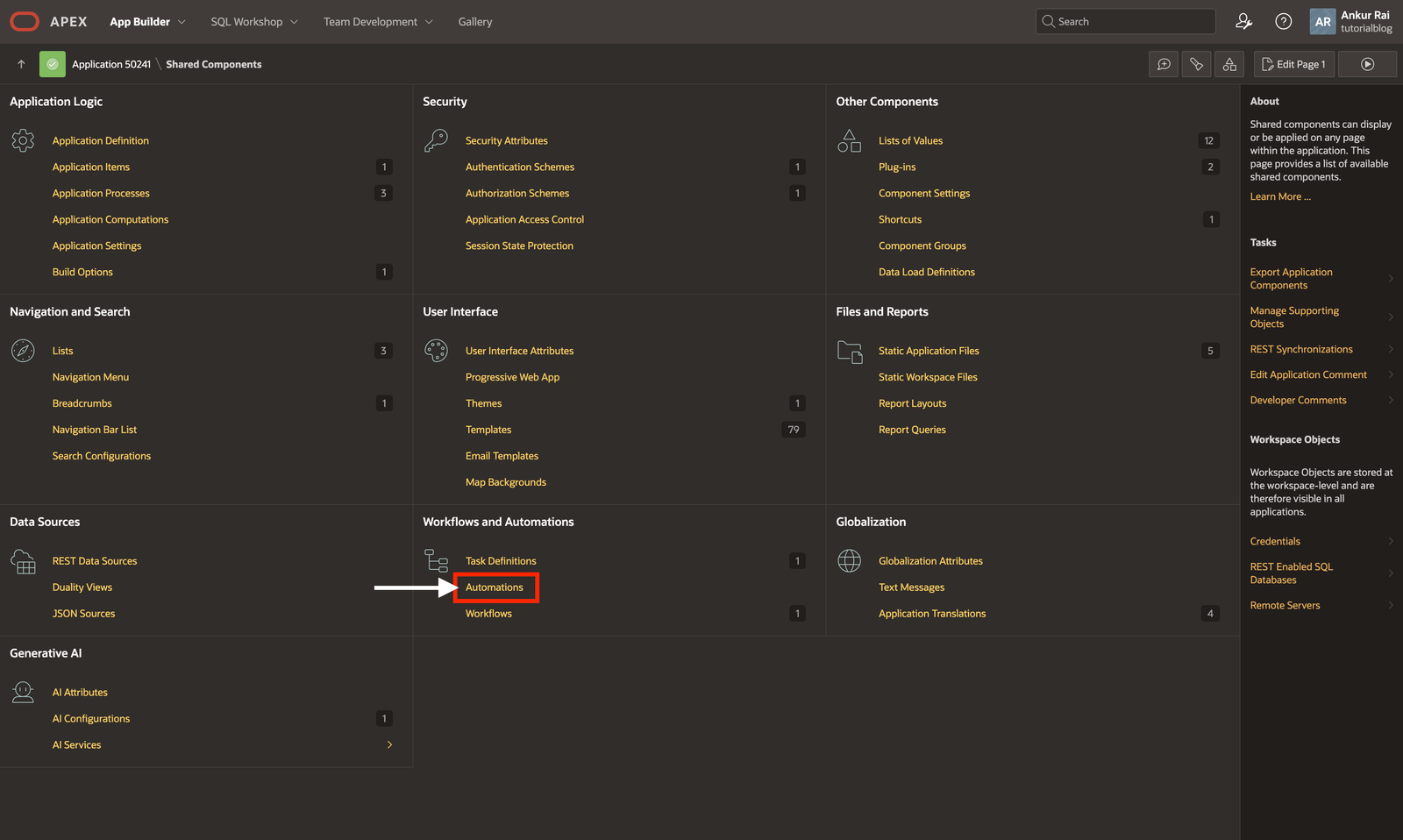
👉 Navigate to:
Shared Components → Automations → Create
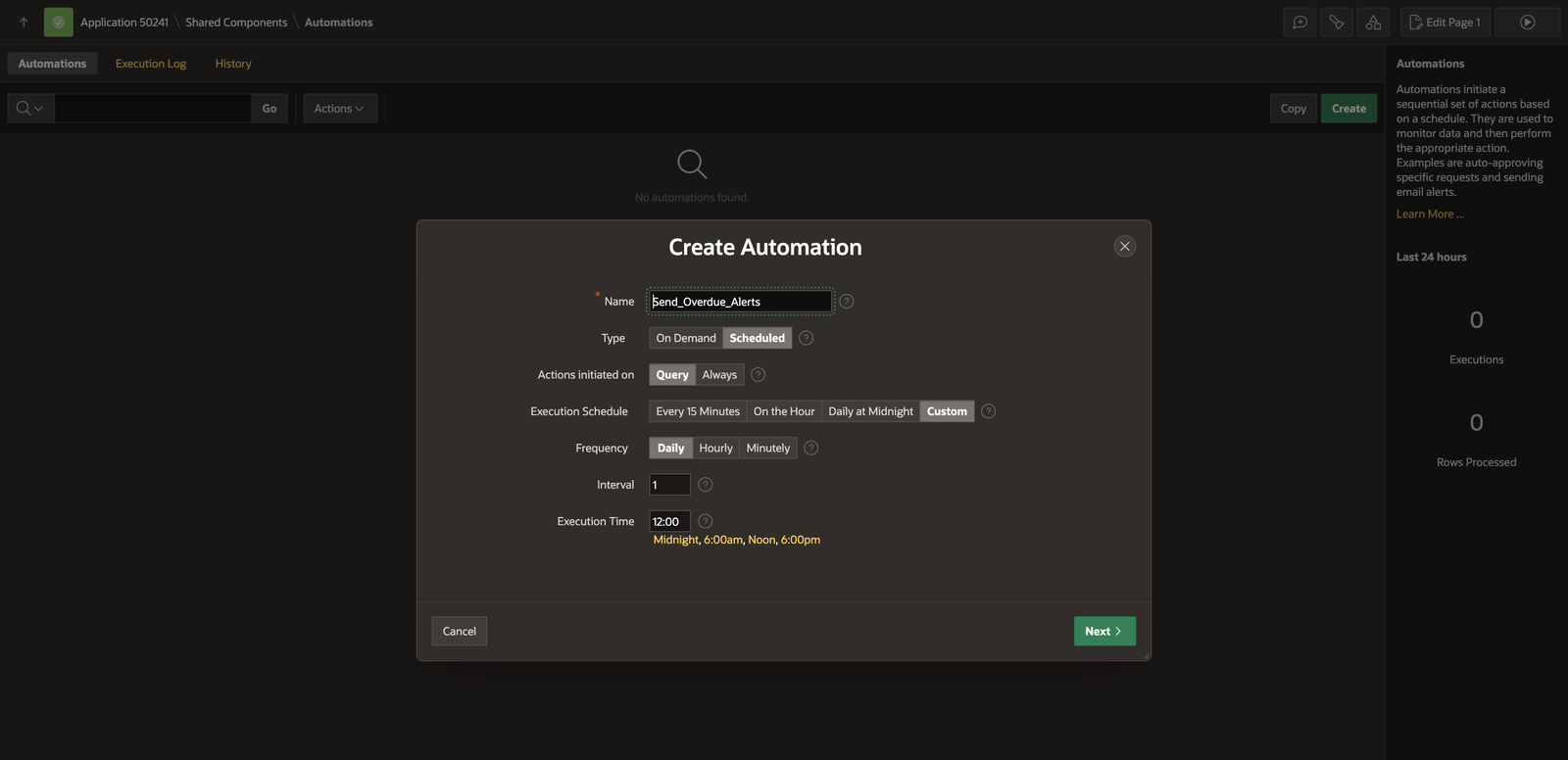
👉 Basic Configuration:
- Name: Send_Overdue_Alerts
- Type: Scheduled
- Execution: Daily at 9:00 AM
- Initiated On: Query
📊 Step 3: Define Data Source
SELECT task_name, assignee_email, due_date
FROM tasks
WHERE due_date < TRUNC(SYSDATE)
AND status != 'COMPLETED';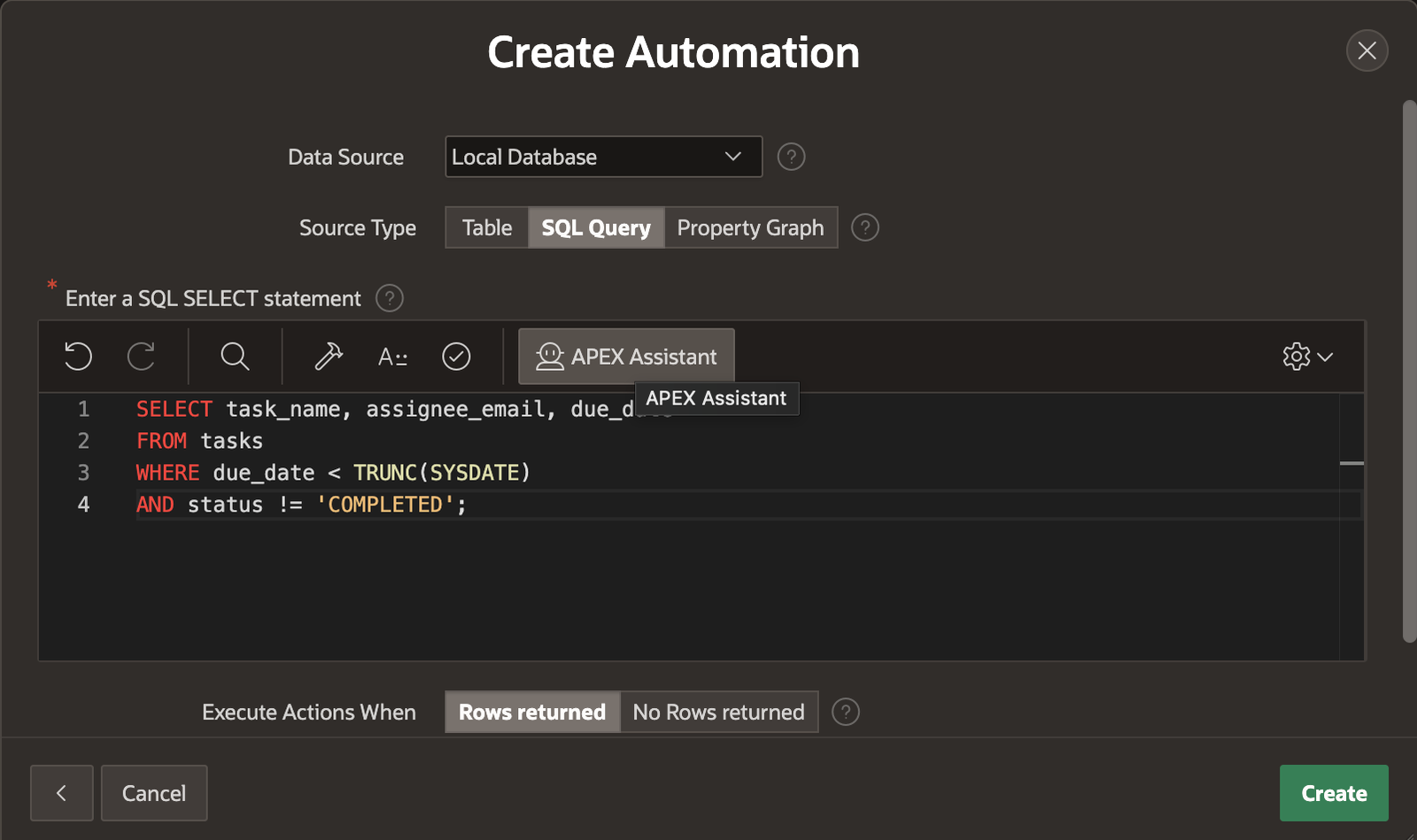
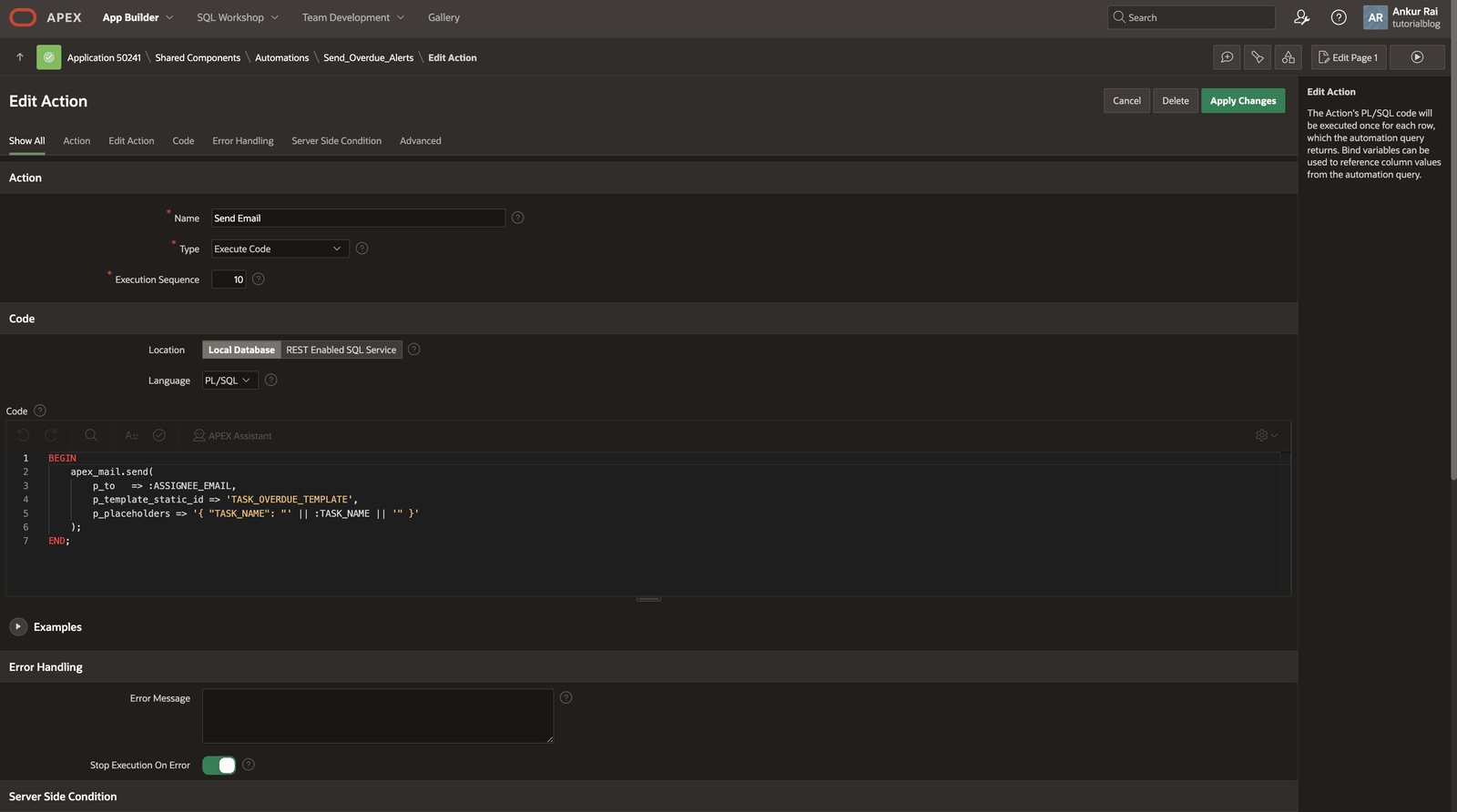
🔧 Step 4: Add Action (Send Email)
BEGIN
    apex_mail.send(
        p_to   => :ASSIGNEE_EMAIL,
        p_template_static_id => 'TASK_OVERDUE_TEMPLATE',
        p_placeholders => '{ "TASK_NAME": "' || :TASK_NAME || '" }'
    );
END;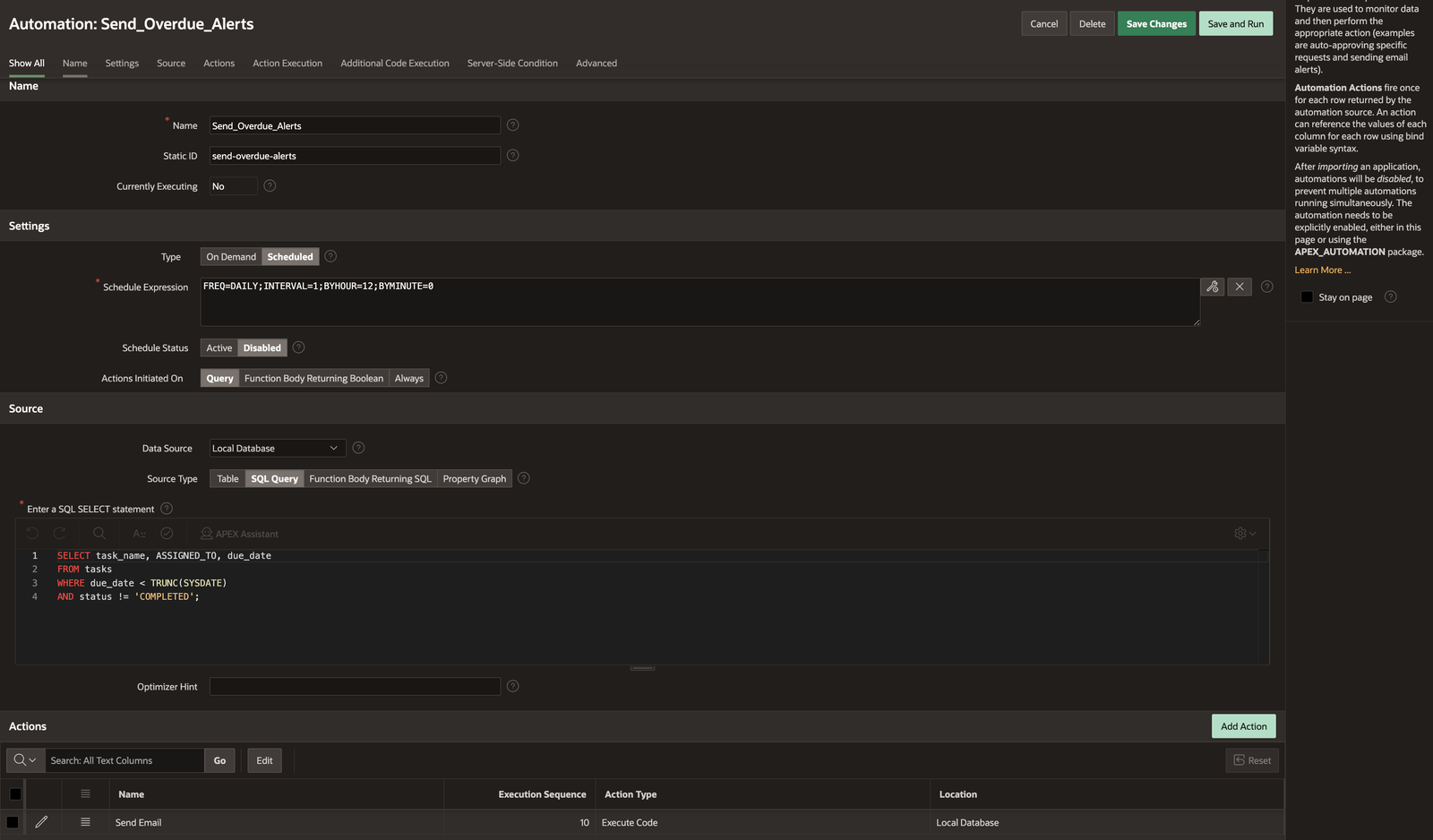
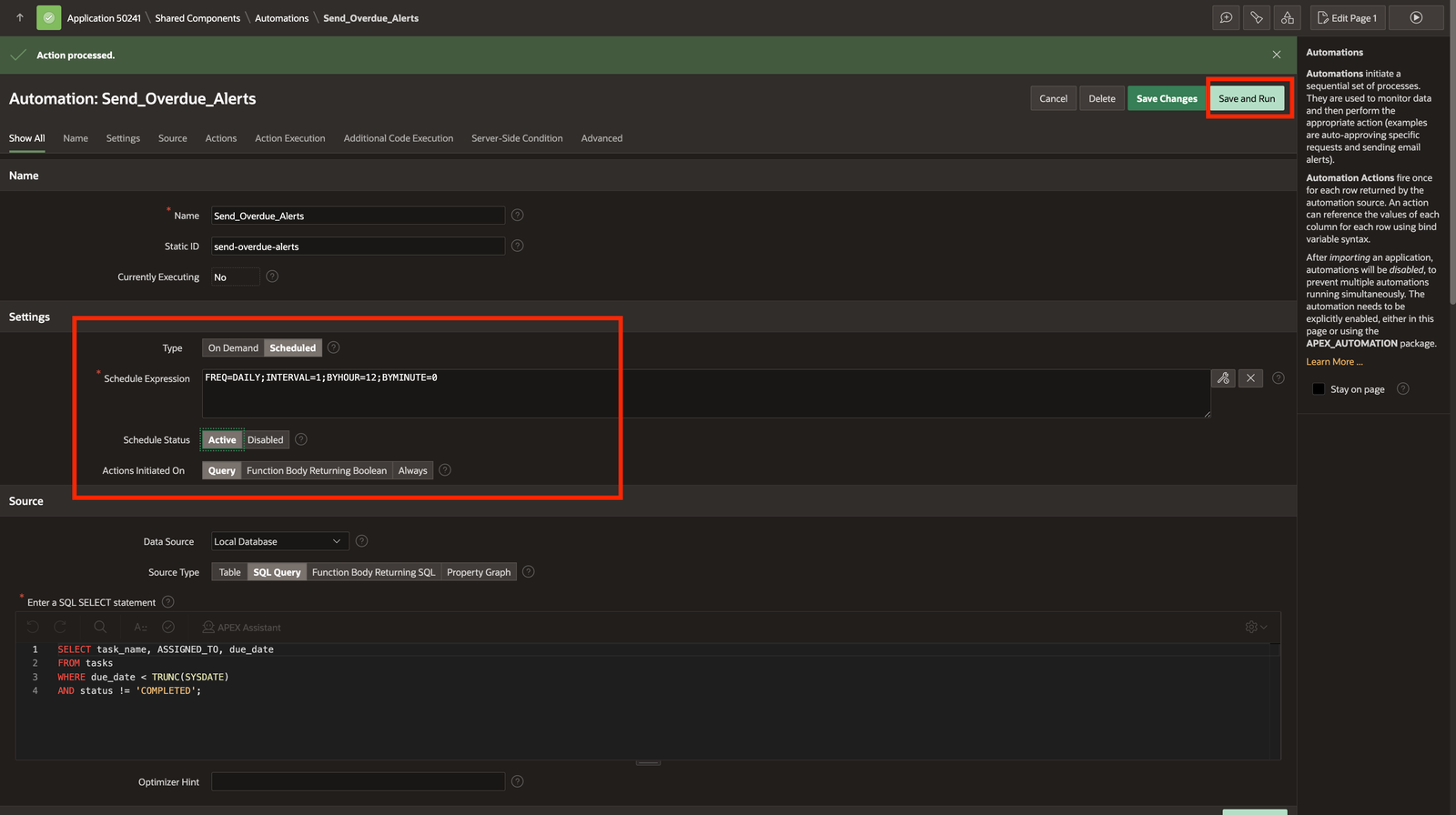
▶️ Step 5: Activate & Monitor
- Set Status = Active
- Use Execution Log to track:
- Execution time
- Rows processed
- Errors
🚀 Key Benefits
✔ Fully automated workflow
✔ Clean separation of email & logic
✔ Easy to maintain and scale
✔ No need for manual scheduling
🧠 Best Practices
🔹 Always create Email Template first
🔹 Avoid hardcoding email content in PL/SQL
🔹 Use modular PL/SQL procedures
🔹 Enable proper error handling
🔹 Monitor execution logs regularly
🏁 Conclusion
By combining Email Templates + Automations in Oracle APEX, you can build smart, self-operating applications that handle tasks automatically.
This approach not only improves efficiency but also enhances user experience significantly.

Hi, I’m Ankur Rai, an Oracle APEX Developer with 6+ years of professional experience in building enterprise applications. I specialize in creating scalable and efficient solutions using Oracle APEX, PL/SQL, and SQL to solve real-world business challenges.
I am a 3X Oracle APEX Professional Certified Developer and also an Oracle ACE Associate Member, actively contributing to the Oracle community by sharing knowledge, insights, and best practices. Through my blogs, I aim to help developers learn, grow, and build better Oracle APEX applications together.