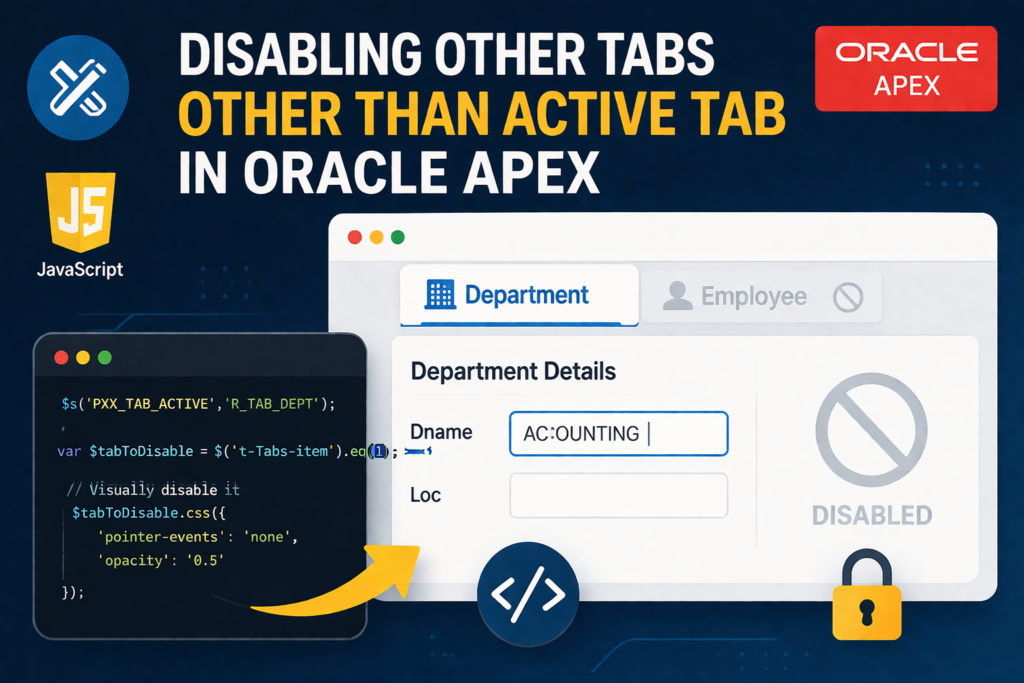

In modern web applications, improving user experience and preventing unintended data loss is critical. One common requirement is to restrict users from navigating to other tabs once they start entering data in the current tab.
In this blog, we’ll walk through a simple yet effective approach to disable inactive tabs dynamically using JavaScript in Oracle APEX.
📌 🔍 Use Case
In one of our recent projects, the client required:
👉 When a user starts entering data in one tab (e.g., Department),
👉 All other tabs (e.g., Employee) should be disabled
This ensures:
- No accidental navigation
- No partial/inconsistent data entry
- Better focus and usability
🛠️ Technologies Used
- Oracle APEX
- JavaScript (for UI control)
⚙️ Step-by-Step Implementation
🔹 Step 1: Create Tabs Container
- Create a Static Content Region
- Name: R_TABS
- Template: Tabs Container
🔹 Step 2: Create Hidden Item
- Item Name: PXX_TAB_ACTIVE
- Type: Hidden
- Protection Level: Unrestricted
👉 This will track which tab is active
🔹 Step 3: Create Tab Regions
Under R_TABS, create two sub-regions:
📁 Department Tab
- Region Name: R_TAB_DEPT
- Static ID: R_TAB_DEPT
- Template Option: Hidden
👨💼 Employee Tab
- Region Name: R_TAB_EMP
- Static ID: R_TAB_EMP
- Template Option: Hidden
🔹 Step 4: Create Forms Inside Tabs
Department Form
- Region Name: R_DEPT
- Based on: DEPT table
- Static ID: R_DEPT
Employee Form
- Region Name: R_EMP
- Based on: EMP table
- Static ID: R_EMP
🔹 Step 5: Add Dynamic Action (Department Tab)
Create a Dynamic Action:
- Event: On Click
- Selection Type: Region → R_DEPT
- True Action: Execute JavaScript Code
$s('PXX_TAB_ACTIVE', 'R_TAB_DEPT');

var $tabToDisable = $('.t-Tabs-item').eq(1);

// Disable visually and functionally
$tabToDisable.css({
   'pointer-events': 'none',
   'opacity': '0.5'
});
🔹 Step 6: Add Dynamic Action (Employee Tab)
- Event: On Click
- Selection Type: Region → R_EMP
$s('PXX_TAB_ACTIVE', 'R_TAB_EMP');

var $tabToDisable = $('.t-Tabs-item').eq(0);

// Disable visually and functionally
$tabToDisable.css({
   'pointer-events': 'none',
   'opacity': '0.5'
});
💡 How It Works
- PXX_TAB_ACTIVE stores the current active tab
- .t-Tabs-item selects all tab elements
- .eq(N) targets a specific tab (index starts from 0)
- CSS:
- pointer-events: none → disables click
- opacity: 0.5 → visually indicates disabled state
🔄 Handling Multiple Tabs
If you have more than 2 tabs:
$('.t-Tabs-item').eq(N);👉 Replace N with tab index:
- 0 → First tab
- 1 → Second tab
- 2 → Third tab
You can also loop through tabs and disable all except active one.
🔹 Step 7: Add Reset Button
Create a RESET button:
- Action: Redirect to same page
- Clear Cache: Yes
👉 This restores:
- All tabs enabled
- Page state reset
🎯 Output Behavior
✅ Scenario 1: Department Tab Active
- User starts typing in DNAME
- Employee tab becomes disabled
✅ Scenario 2: Employee Tab Active
- User starts typing in ENAME
- Department tab becomes disabled
🚀 Benefits of This Approach
✔ Prevents accidental tab switching
✔ Improves data integrity
✔ Enhances user experience
✔ Easy to implement (no backend changes required)
⚠️ Important Notes
- This is client-side control (JavaScript)
- For critical validations, always enforce rules on the server side (PL/SQL)
- Ensure accessibility considerations if required
🏁 Conclusion
Disabling inactive tabs based on user interaction is a powerful UX enhancement in Oracle APEX applications.
With a combination of:
- Dynamic Actions
- JavaScript
- Smart UI handling
you can easily implement this functionality without complex logic.

A dedicated, highly conscientious and proactive Senior Oracle Developer with a strong technical background who possesses self-discipline and the ability to work with the minimum of supervision. My expertise spans in relation to the Oracle Database and it’s tool sets, say, SQL, PL/SQL, Oracle APEX, Forms, Reports and other web technologies like HTML, Javascript, jQuery and CSS. For me, each day is a challenge and an opportunity to learn new things. My aim is to share new things and knowledge to the world of APEX development and enlight the features of Oracle APEX.