
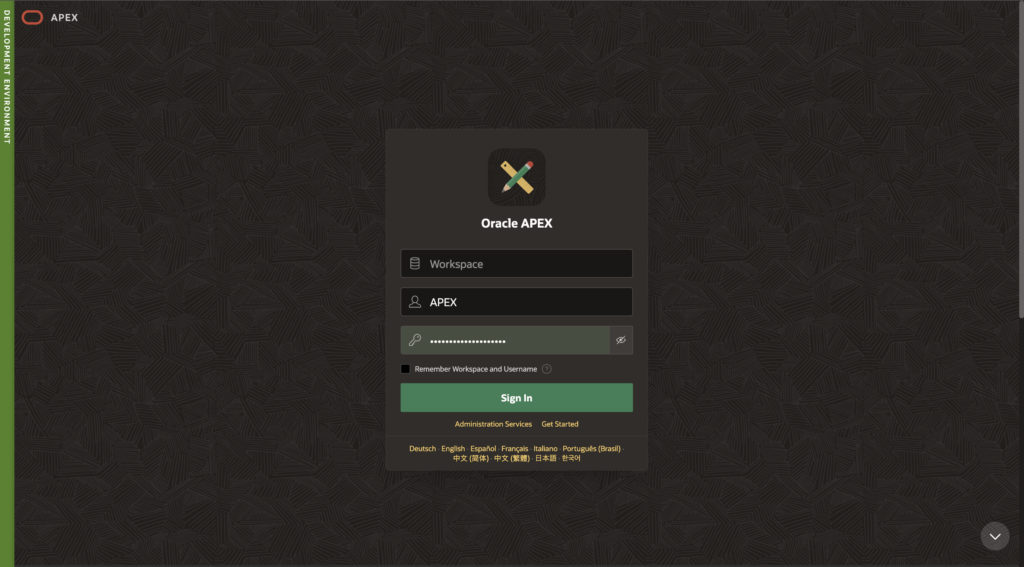

When working with multiple Oracle APEX environments such as Development, Test, and Production, it is very easy for developers or users to accidentally perform actions in the wrong environment.
For example:
- Updating data in Production instead of DEV
- Running test processes in UAT
- Making configuration changes in the wrong workspace
To avoid these issues, Oracle APEX provides a simple but powerful feature called Environment Banner.
This banner visually displays the environment name at the top of the application so users immediately know where they are working.
In this guide, we will learn:
- What an Environment Banner is
- Why it is important
- How to configure it in Oracle APEX
- Best practices for using environment banners
🎯 What is an Environment Banner in Oracle APEX?
An Environment Banner is a colored label displayed at the top of the Oracle APEX interface that indicates the current environment.
Common examples:
🟢 DEV Environment
🟡 TEST / UAT Environment
🔴 PRODUCTION Environment
This helps developers and users quickly identify which environment they are working in.
💡 Why Do We Use Environment Banners?
Environment banners are extremely useful in real-world enterprise projects.
1️⃣ Prevent Accidental Changes
Developers often work with multiple environments.
The banner helps prevent mistakes like modifying production data during testing.
2️⃣ Improve Visibility
The banner clearly shows the environment name, making it easy for:
- Developers
- QA teams
- Business users
to understand where they are working.
3️⃣ Support DevOps Practices
Environment banners are commonly used in CI/CD pipelines where applications are deployed across:
DEV → QA → UAT → PRODEach environment can have a different banner color.
⚙️ How to Define Environment Banner in Oracle APEX
Follow these simple steps to configure an environment banner.
Step 1️⃣ Open Instance Settings
Log in to Oracle APEX with an Instance Administrator account.
Navigate to:
Administration → Manage Instance → Messages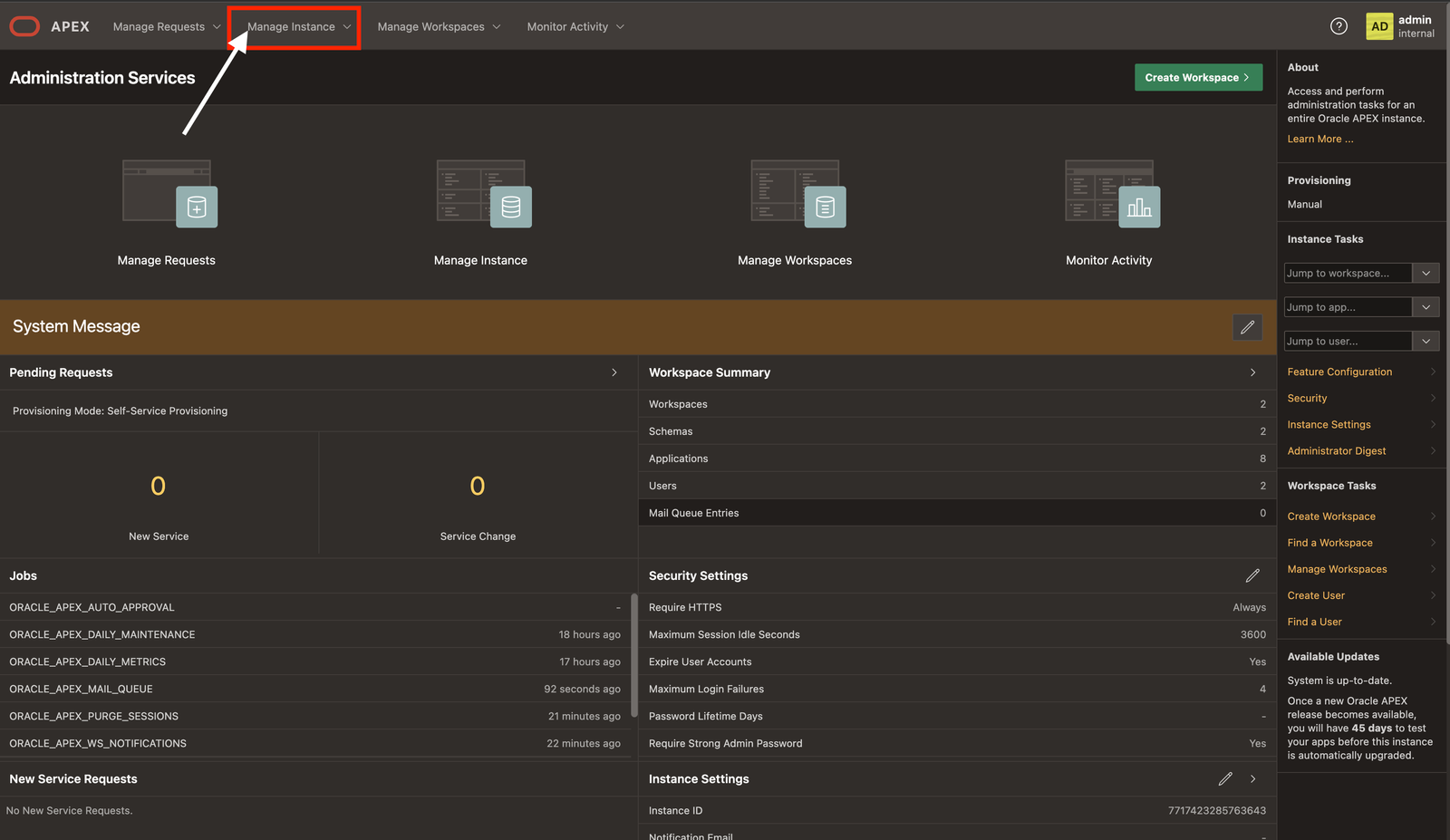
Step 2️⃣ Open the Environment Section
Inside Instance Settings, locate the Messages.
Here you will find the option to configure:
Environment Banner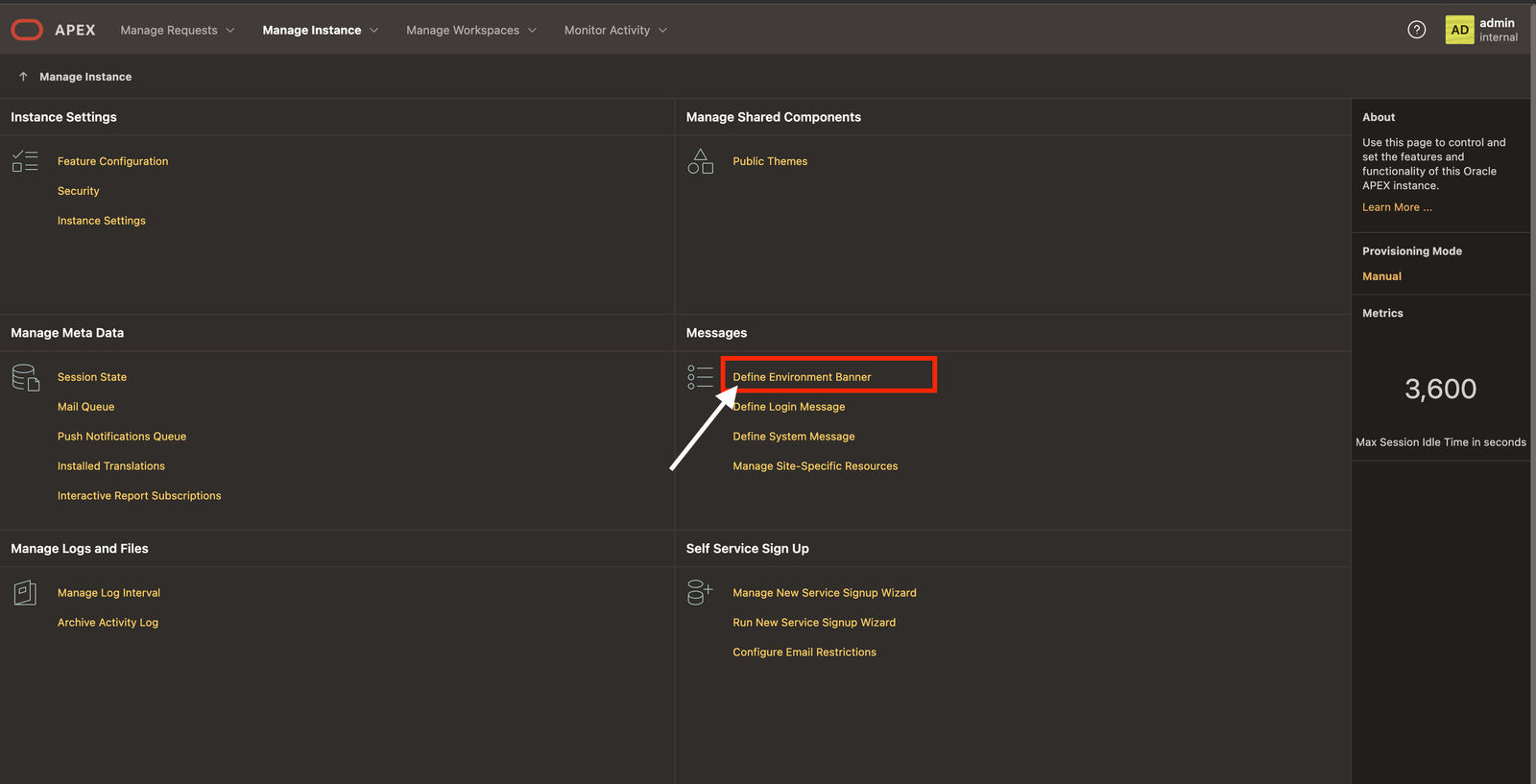
Step 3️⃣ Define the Banner Text
Enter the name of your environment.
Example:
Development Environmentor
UAT Environmentor
Production Environment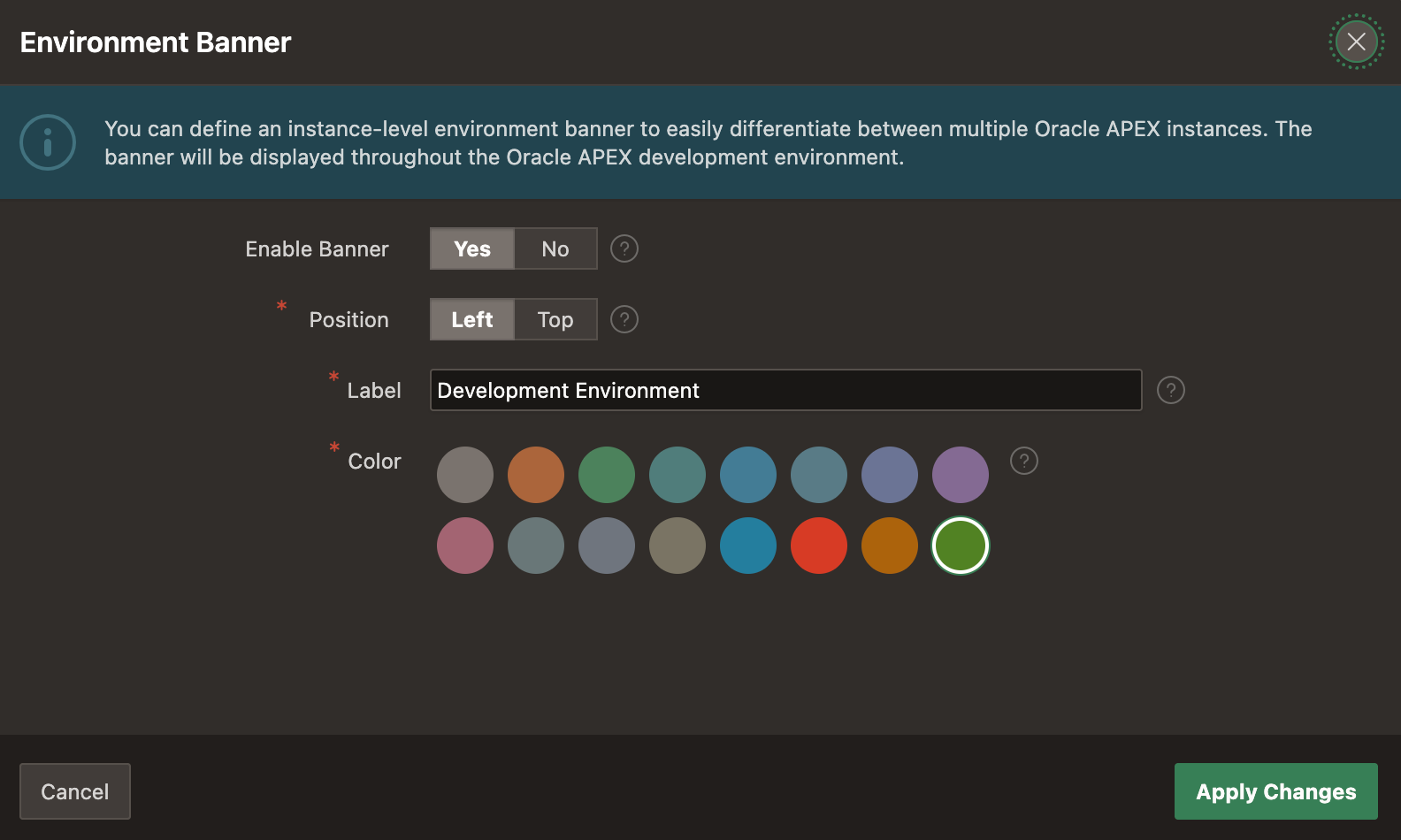
Step 4️⃣ Choose Banner Color
You can customize the banner color using a hex color code.
Example:
| Environment | Color |
|---|---|
| DEV | Green |
| TEST | Orange |
| UAT | Blue |
| PROD | Red |
Example color codes:
#28a745  → Green (DEV)
#ffc107  → Yellow (TEST)
#dc3545  → Red (PROD)
Step 5️⃣ Apply the Changes
Click Apply Changes.
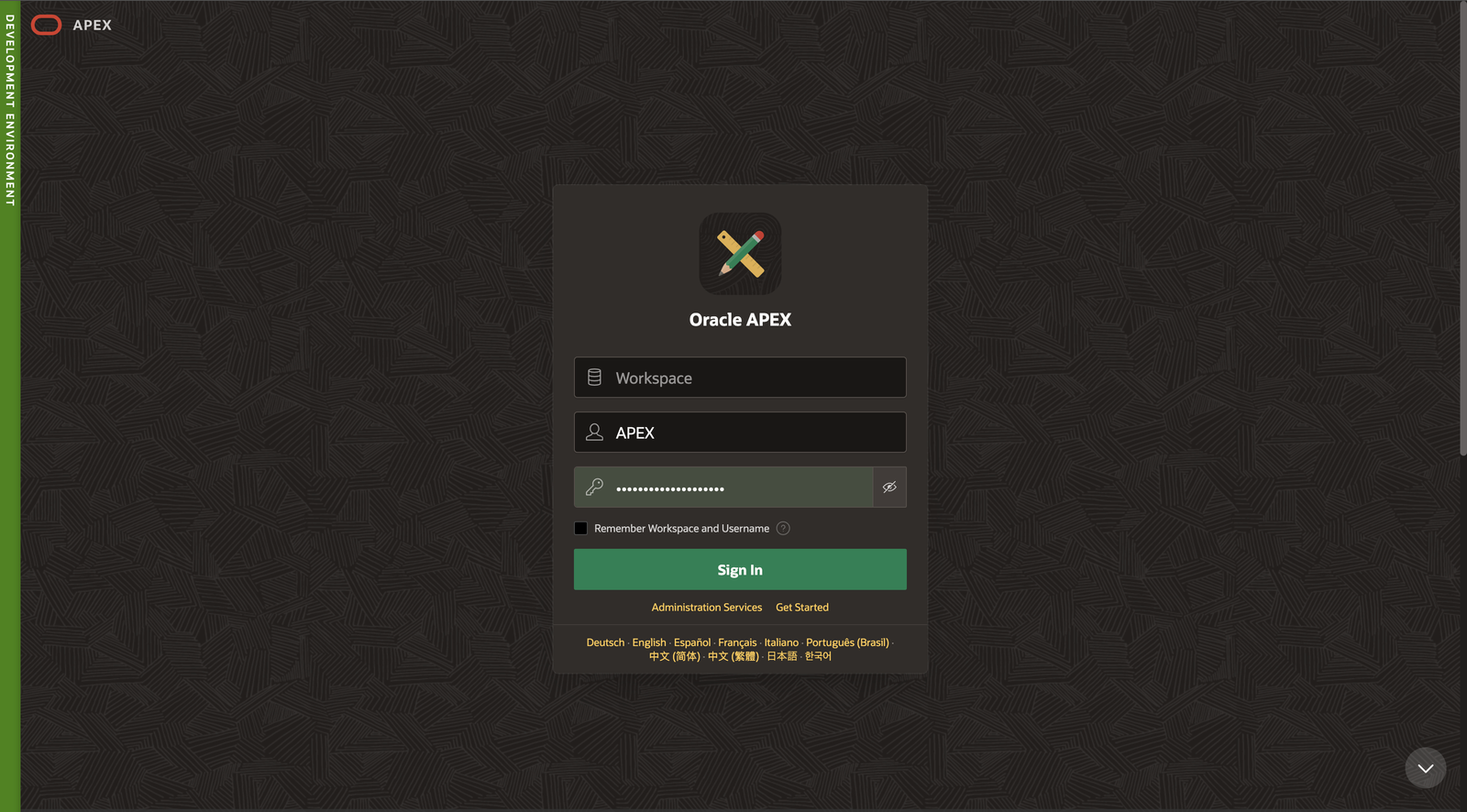
Now the environment banner will appear at the top of the Oracle APEX interface.
🖥 Example Environment Banner Setup
Typical enterprise configuration:
DEV  → Green Banner
TEST → Yellow Banner
UAT  → Blue Banner
PROD → Red Banner
This makes it immediately clear which environment you are working in.
🧠 Best Practices for Environment Banners
To make the most of this feature, follow these best practices.
✅ Use Clear Environment Names
Avoid generic labels like:
Server 1
Server 2
Use meaningful names:
Development
Testing
UAT
Production
✅ Use Strong Color Differences
Ensure the colors are visually distinct.
Example:
DEV   → Green
TEST  → Yellow
PROD  → Red
✅ Always Highlight Production
Production should always have a strong color like red to warn users.
🚀 Bonus Tip
You can also display environment labels inside the application UI using:
- Application Items
- Global Page banners
- Custom CSS
This provides additional visibility for users.
🏁 Conclusion
Environment banners are a simple but essential feature in Oracle APEX environments.
They help:
- Prevent accidental production changes
- Improve environment visibility
- Support DevOps workflows
- Enhance developer productivity
If you are managing multiple APEX environments, enabling the Environment Banner should be one of the first configurations you implement.
📢 Final Thought
A small visual indicator like an environment banner can save hours of debugging and prevent critical production mistakes.
Always make sure your environments are clearly identified.

Hi, I’m Ankur Rai, an Oracle APEX Developer with 6+ years of professional experience in building enterprise applications. I specialize in creating scalable and efficient solutions using Oracle APEX, PL/SQL, and SQL to solve real-world business challenges.
I am a 3X Oracle APEX Professional Certified Developer and also an Oracle ACE Associate Member, actively contributing to the Oracle community by sharing knowledge, insights, and best practices. Through my blogs, I aim to help developers learn, grow, and build better Oracle APEX applications together.



is it possible to display the environment banners based on database names?
Yes We can display Environment banner on the bassis of Database name.
Can this be done using PLSQL?