
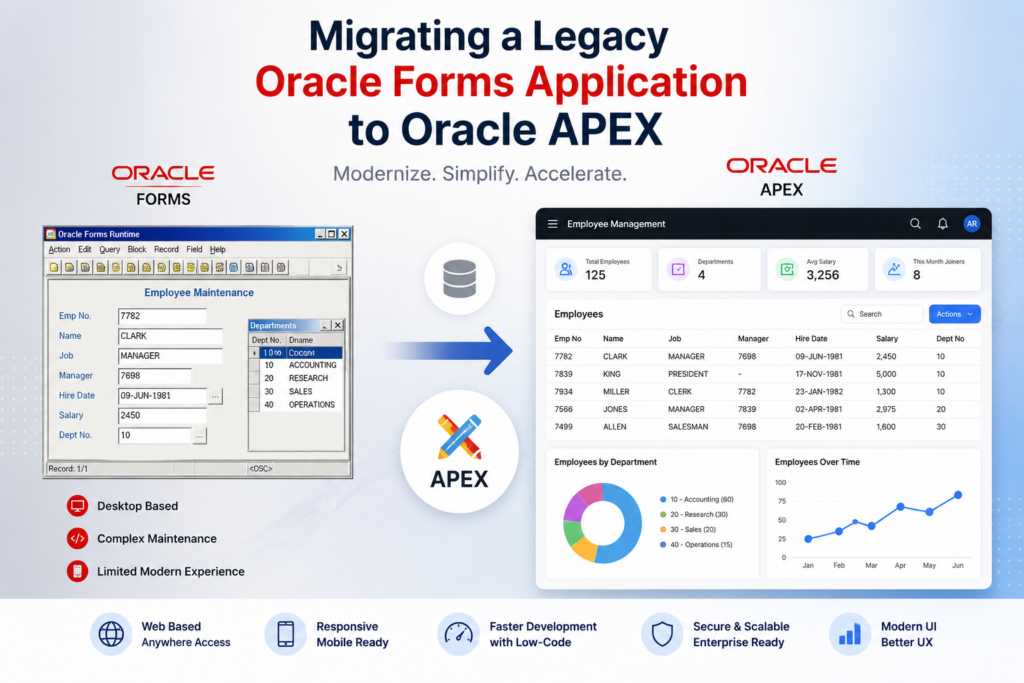

📌 Introduction
Many organizations still run critical business applications built using Oracle Forms. While Oracle Forms has been a reliable enterprise technology for years, modern business requirements demand:
- Responsive UI
- Web accessibility
- Mobile support
- Better user experience
- Cloud readiness
- Faster development cycles
This is where Oracle APEX becomes a game changer.
Oracle APEX allows organizations to modernize legacy Oracle Forms applications into modern, scalable, browser-based applications with minimal infrastructure changes because both technologies use the Oracle Database.
In this blog, we will briefly understand how to migrate Oracle Forms applications to Oracle APEX.
🔍 Why Migrate from Oracle Forms to Oracle APEX?
Challenges with Legacy Oracle Forms
- Old desktop-based architecture
- Limited mobile responsiveness
- Difficult modern UI customization
- Higher maintenance cost
- Complex deployment
- Dependency on Forms runtime environment
✅ Benefits of Oracle APEX
- 100% Web-based
- Low-code rapid development
- Responsive UI for mobile/tablet
- Built-in charts, reports, dashboards
- REST API support
- AI-ready and cloud-ready
- Easy deployment and maintenance
- Tight integration with Oracle Database
🏗️ Migration Strategy
Migrating Oracle Forms to APEX is not just a technical conversion — it is an application modernization process.
A recommended migration approach:
Step 1: Analyze Existing Forms Application
Identify:
- Forms
- Reports
- Menus
- Database objects
- Business logic
- PL/SQL packages
- Triggers
- User workflows
📋 Typical Oracle Forms Components
| Oracle Forms | Oracle APEX Equivalent |
|---|---|
| Form Block | Form Region |
| Tab Canvas | Tabs / Regions |
| LOV | Popup LOV |
| Trigger | Dynamic Action / Process |
| Alerts | Success/Error Messages |
| Menus | Navigation Menu |
| Reports | Interactive Reports |
⚙️ Step 2: Reuse Existing PL/SQL Logic
One major advantage is:
✅ Existing PL/SQL packages, procedures, and functions can mostly be reused directly in APEX.
Example:
BEGIN
   update_employee_salary(
      p_empno => :P10_EMPNO,
      p_sal   => :P10_SAL
   );
END;
This reduces migration effort significantly.
🎨 Step 3: Rebuild Forms Using APEX Components
Create modern UI using:
- Interactive Reports
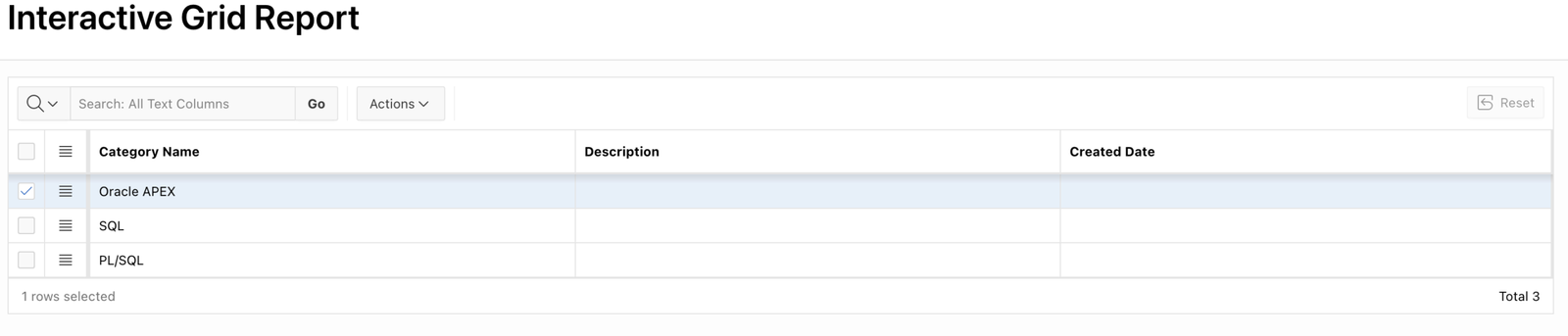
- Interactive Grids
- Cards
- Charts
- Faceted Search
- Dynamic Actions
Example:
A legacy employee maintenance form can become:
✅ Interactive Grid for CRUD operations
✅ Searchable reports
✅ Responsive mobile UI
🔄 Step 4: Convert Triggers to Dynamic Actions
Oracle Forms Trigger Example:
WHEN-BUTTON-PRESSED
BEGIN
   COMMIT;
END;
Oracle APEX Equivalent:
- Button Process
- Dynamic Action
- Execute Server-side Code
📊 Step 5: Modernize Reports
Replace old Oracle Reports with:
- Interactive Reports
- Interactive Grids
- Charts
- PDF Printing
Benefits:
✅ Export to Excel/PDF
✅ Search & Filter
✅ Saved Reports
✅ AI Search (APEX 26.1)
🔐 Step 6: Security & Authentication
APEX supports:
- Database Authentication
- SSO
- OAuth2
- LDAP
- Social Login
You can modernize old login systems easily.
🌐 Step 7: Mobile & Responsive Design
Unlike Oracle Forms, APEX applications automatically adapt to:
- Desktop
- Tablet
- Mobile devices
No additional UI coding required.
Common pitfall: Developers often try to recreate Forms “blocks” one-to-one as APEX forms. Resist this. A Forms block with 40 items is usually better rebuilt as 2–3 focused APEX pages with cleaner UX, not a single sprawling form.
📦 Real-Time Migration Example
Legacy Application
An inventory management system built in Oracle Forms:
- Purchase Entry
- Stock Management
- Reports
- Employee Tracking
Migrated APEX Application
Using Oracle APEX:
✅ Interactive Grid for stock entry
✅ Dashboard with charts
✅ Mobile-friendly UI
✅ REST APIs integration
✅ Faster reporting
✅ Better user experience
⚡ Migration Best Practices
✅ Keep Business Logic in Database
Reuse existing PL/SQL packages wherever possible.
✅ Start Module by Module
Do not migrate everything at once.
Recommended approach:
- Reports
- Master screens
- Transaction screens
✅ Improve UX During Migration
Use:
- Cards
- Charts
- Dynamic Actions
- Theme Roller
to modernize the application.
✅ Optimize SQL Queries
APEX performance heavily depends on optimized SQL and indexes.
Pro tip: Oracle’s free APEX Migration tool (part of SQL Developer) can parse .fmb files and generate a structured inventory report with complexity scores. Run it before committing to a timeline.
🚨 Common Challenges
| Challenge | Solution |
|---|---|
| Complex Forms Triggers | Convert to Dynamic Actions |
| Large Reports | Use Interactive Reports |
| Old UI Design | Use Universal Theme |
| Performance Issues | SQL Optimization |
| Desktop-only workflows | Responsive redesign |
🎯 Final Thoughts
Migrating Oracle Forms applications to Oracle APEX is one of the best modernization strategies for Oracle-based enterprises.
Oracle APEX helps organizations:
✅ Reduce maintenance cost
✅ Modernize UI/UX
✅ Enable mobile access
✅ Improve productivity
✅ Accelerate development
Since both technologies are tightly integrated with Oracle Database, the migration process becomes smoother compared to moving to entirely different platforms.
If you are still running legacy Oracle Forms applications, now is a great time to modernize them with Oracle APEX.

Hi, I’m Ankur Rai, an Oracle APEX Developer with 6+ years of professional experience in building enterprise applications. I specialize in creating scalable and efficient solutions using Oracle APEX, PL/SQL, and SQL to solve real-world business challenges.
I am a 3X Oracle APEX Professional Certified Developer and also an Oracle ACE Associate Member, actively contributing to the Oracle community by sharing knowledge, insights, and best practices. Through my blogs, I aim to help developers learn, grow, and build better Oracle APEX applications together.



i use it once a week when i’m in my firetruck.