

🔹 About
Oracle APEX 26.1 introduces one of the most powerful new features for Interactive Reports:
✅ AI-Powered Natural Language Reporting
Users can now interact with reports using simple English sentences like:
✔ “Show employees from department 10”
✔ “Sort employees by salary descending”
✔ “Only show employees who have manager”
without writing filters manually.
The best part?
🔐 Oracle APEX ensures AI-generated queries remain secure and controlled, helping avoid unnecessary data exposure.
In this blog, we will build an AI Interactive Report using:
- Oracle APEX
- Cohere AI
- Interactive Reports
- Generative AI Services
🚀 What We Will Build
We will create an Interactive Report on the EMP table where users can:
✅ Ask questions in natural language
✅ Apply filters automatically
✅ Sort report data using AI
✅ Use AI safely inside Oracle APEX
🛠️ Tools and Technologies
- Oracle APEX 26.1
- Cohere AI
- Oracle Database
- Interactive Reports
- Natural Language Processing (NLP)
🎯 Why This Feature is Important
Normally users need to:
❌ Open Actions Menu
❌ Add Filters
❌ Add Sorting
❌ Configure Conditions
Now users can simply type:
Show all employees in department 10
and Oracle APEX automatically converts it into report filters.
🚀 Real-Time Example
Examples users can type:
Order employees by salary descending
Only show employees with managers
Show department 10 employees
🔐 Security Benefit
Oracle APEX AI Interactive Reports are safer because:
✅ AI only works within report context
✅ Users cannot access unrelated tables
✅ Queries remain controlled inside report metadata
✅ Sensitive database structure is hidden
This helps reduce accidental data leaks.
🚀 Step 1: Create Generative AI Service
Go to:
Workspace Utilities
    → Generative AI
Click:
Create📌 Configure Cohere AI Service
Fill details like below:
| Setting | Value |
|---|---|
| AI Provider | Cohere |
| Name | cohere |
| Base URL | https://api.cohere.ai/v2 |
| AI Model | command-a-03-2025 |
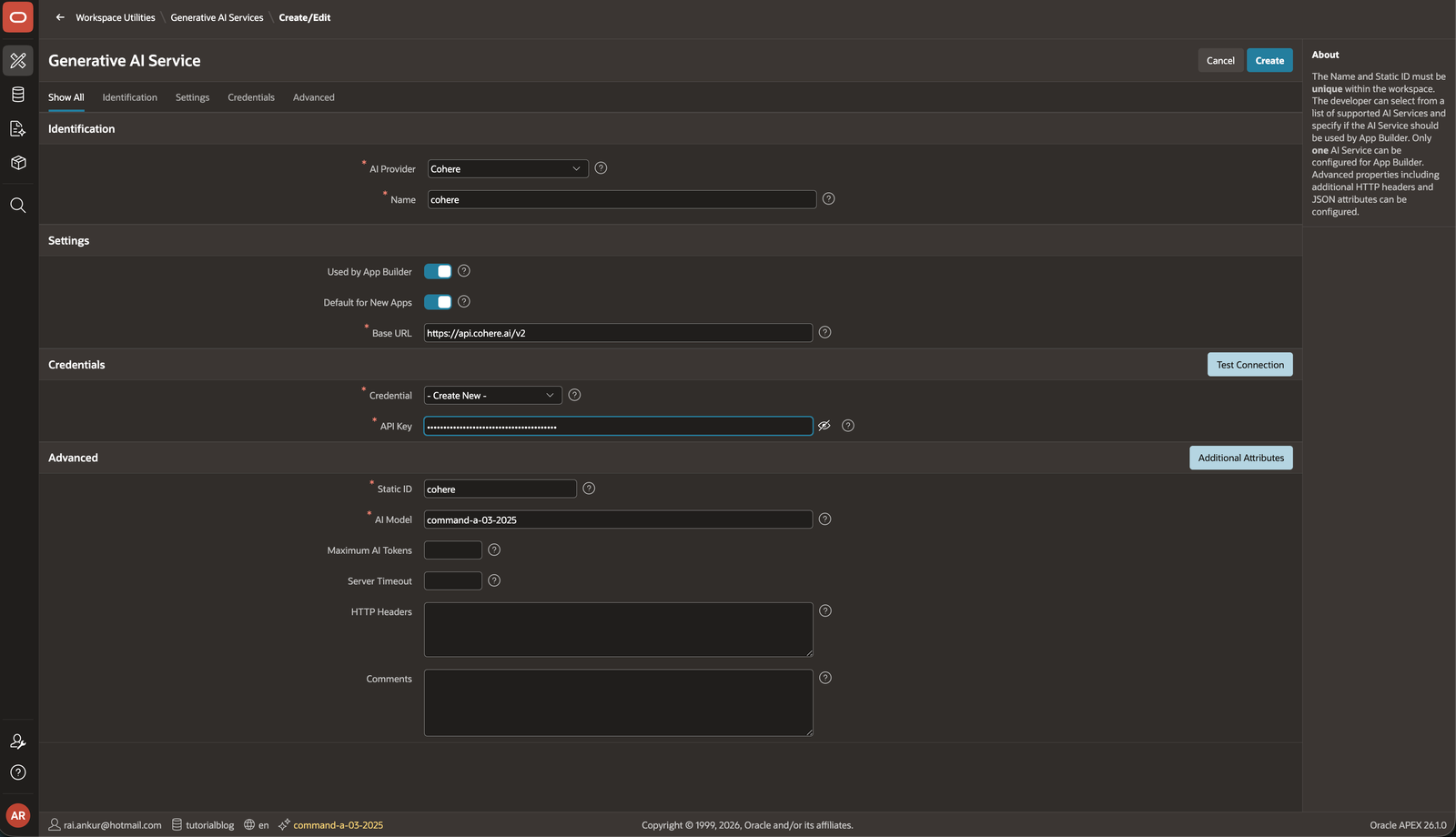
📌 Add Credentials
Create credential with your Cohere API Key.
Example:
Bearer YOUR_API_KEY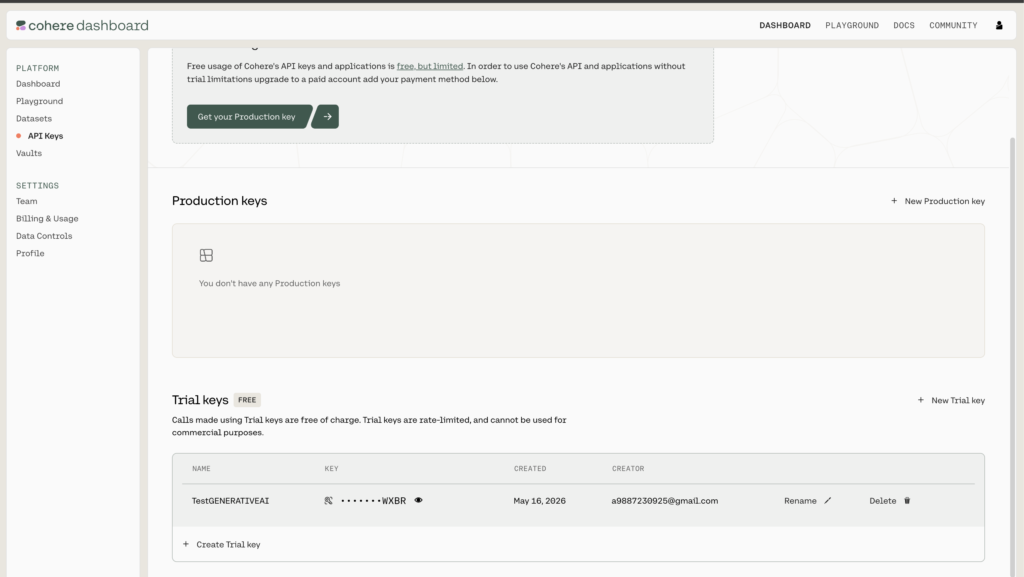
🚀 Step 2: Test AI Connection
Click:
Test ConnectionIf everything is correct:
✅ Connection Successful
🚀 Step 3: Create Interactive Report
Create a new page:
Interactive ReportUse EMP table.
📌 Sample SQL Query
SELECT
    empno,
    ename,
    job,
    mgr,
    hiredate,
    sal,
    comm,
    deptno
FROM emp
🚀 Step 4: Enable AI Feature
Open Interactive Report Attributes.
Go to:
Attributes
    → Generative AI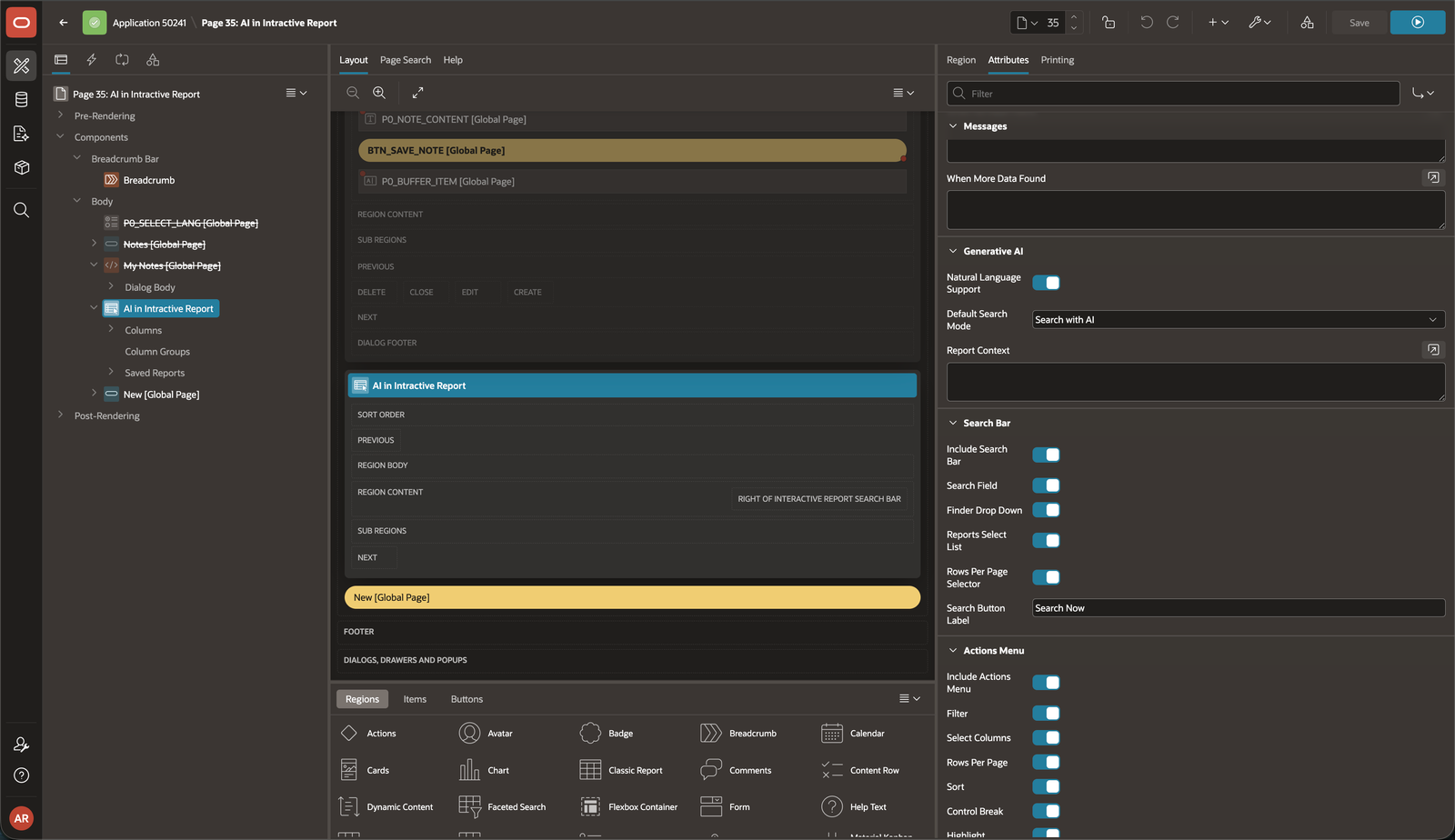
Enable:
✅ Natural Language Support
📌 Set Default Search Mode
Select:
Search with AI📌 Optional Settings
You can also enable:
✅ Search Bar
✅ Finder Drop Down
✅ Reports Select List
✅ Actions Menu
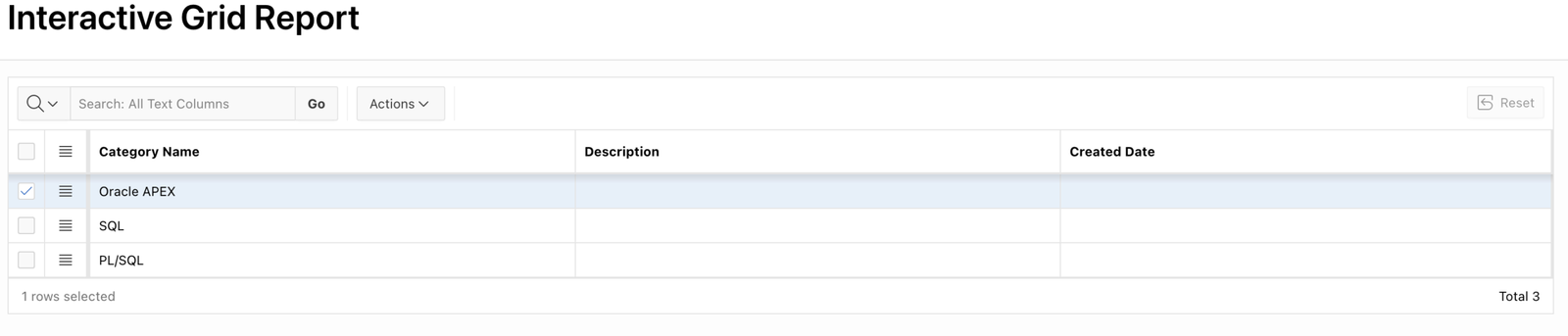
🖼️ Final Output
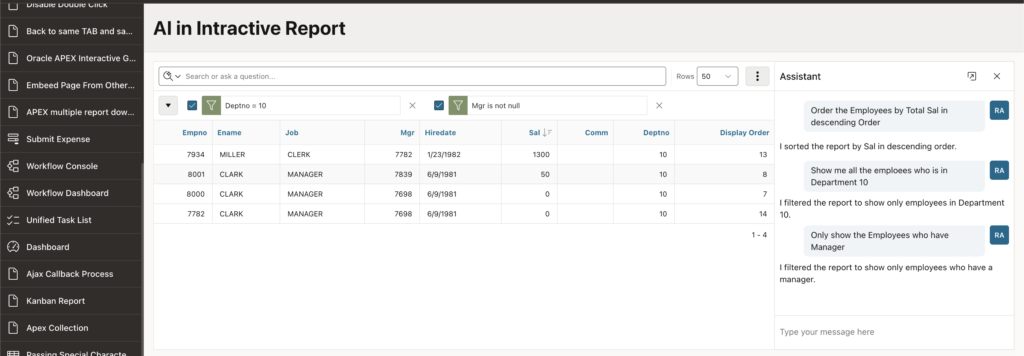
🚀 Example Queries
Users can now type:
📌 Filter Example
Show employees from department 10Result:
✅ AI automatically adds department filter.
📌 Sort Example
Order employees by salary descendingResult:
✅ AI applies sorting automatically.
📌 Condition Example
Show employees who have managerResult:
✅ AI filters records where manager is not null.
🔐 How Oracle APEX Prevents Data Leaks
Oracle APEX AI Reporting works only within:
✔ Report SQL
✔ Available columns
✔ Report metadata
Users cannot:
❌ Access hidden tables
❌ Run arbitrary SQL
❌ Read database schema
❌ Execute backend commands
This makes AI reporting much safer for enterprise applications.
🎯 Benefits of AI Interactive Reports
✅ Faster reporting
✅ Better user experience
✅ No technical knowledge required
✅ Easy filtering and sorting
✅ Modern AI-powered UI
✅ Enterprise-grade security
📌 Best Use Cases
This feature is extremely useful for:
✔ HR Applications
✔ ERP Systems
✔ Finance Dashboards
✔ Approval Systems
✔ Customer Reports
✔ Analytics Portals
⚠️ Important Notes
Before using AI Reports:
✅ Configure AI provider properly
✅ Restrict sensitive columns
✅ Test report queries carefully
✅ Use secure credentials
🚀 Why This Feature is a Game Changer
This feature brings:
✔ AI + Low Code together
✔ Natural language analytics
✔ Better accessibility for non-technical users
Now business users can interact with reports naturally without learning report actions.
🎉 Conclusion
AI Interactive Reports in Oracle APEX 26.1 are one of the most exciting new features for enterprise applications.
With minimal configuration, you can create:
✅ NLP-based reporting
✅ AI-powered filtering
✅ Intelligent sorting
✅ Secure AI experiences
all directly inside Oracle APEX.
This is a huge step toward intelligent low-code applications.

Hi, I’m Ankur Rai, an Oracle APEX Developer with 6+ years of professional experience in building enterprise applications. I specialize in creating scalable and efficient solutions using Oracle APEX, PL/SQL, and SQL to solve real-world business challenges.
I am a 3X Oracle APEX Professional Certified Developer and also an Oracle ACE Associate Member, actively contributing to the Oracle community by sharing knowledge, insights, and best practices. Through my blogs, I aim to help developers learn, grow, and build better Oracle APEX applications together.


is it possible to use local LLMs for this functionality?