1. Introduction
This article explains How to Add Horizontal Scrollbar on Top of Interactive Grid in Oracle APEX. The solution is implemented using a combination of Oracle APEX and CSS.
2. Tools and Technologies
To achieve the desired functionality, the following technologies are used:
- Oracle APEX
- CSS
3. Business Requirement
Users frequently work with wide datasets in Oracle APEX Interactive Grids that contain many columns. By default, the horizontal scrollbar appears only at the bottom of the grid, forcing users to scroll down every time they need to navigate horizontally. This results in reduced productivity, poor usability, and frustration during data review and entry.
To improve user efficiency and experience, the application must provide a horizontal scrollbar at the top of the Interactive Grid, allowing users to scroll horizontally while viewing column headers. This enhancement ensures better visibility, faster navigation, and a more user-friendly interface, especially for reports with a large number of columns.
The solution should be reusable across multiple pages and components within the Oracle APEX application while maintaining security and performance standards.
4. Implementation Steps
Step 1: Go to the Page Designer
Open Oracle APEX and navigate to Application Builder then select the page that contains your Interactive Grid. After that Click on the Interactive Grid region and then under the Appearance section, add the following value in CSS Classes:
emp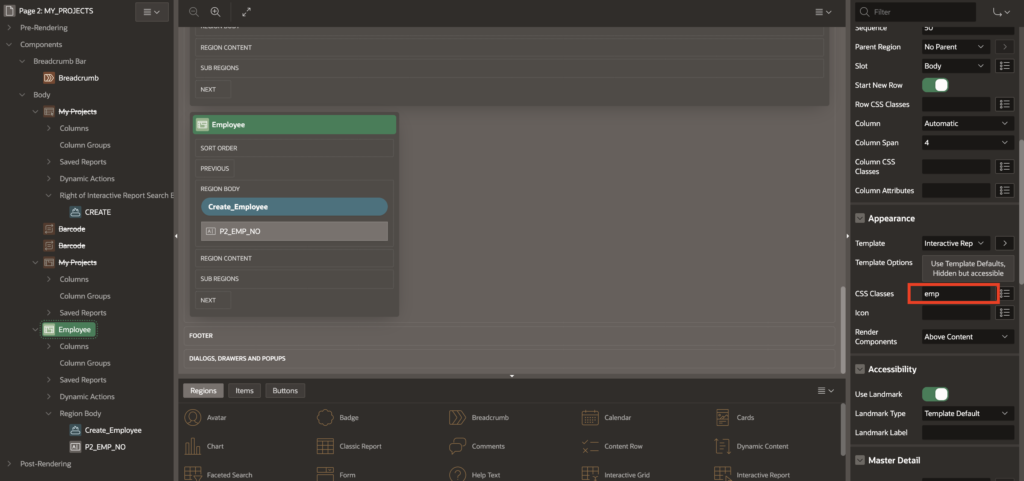
Step 2: Apply Custom CSS
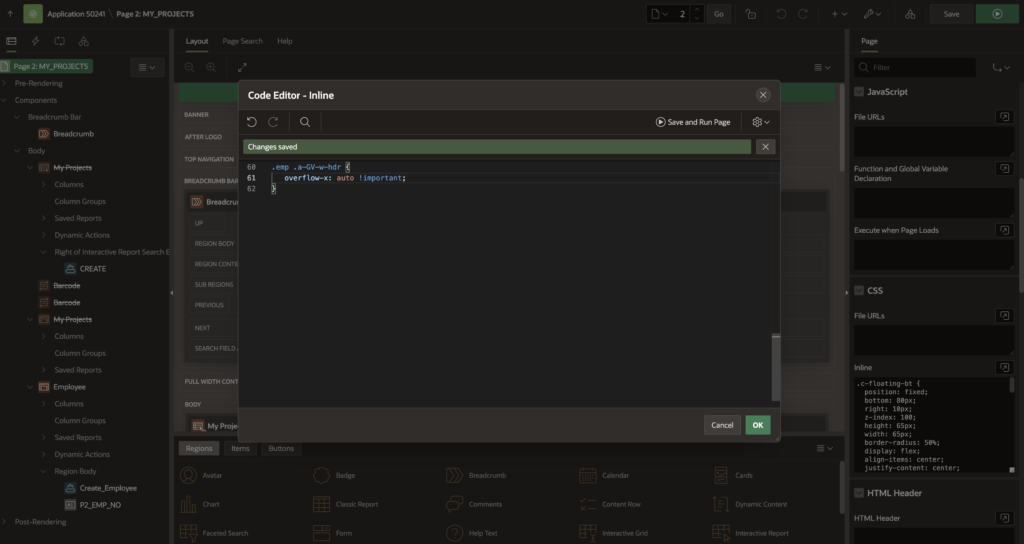
Go to Page Designer → Page → CSS → Inline CSS. And Paste the below CSS snippet and save the page.
.emp .a-GV-w-hdr {
   overflow-x: auto !important;
}
Step 3: Save and Run the page
5. Output
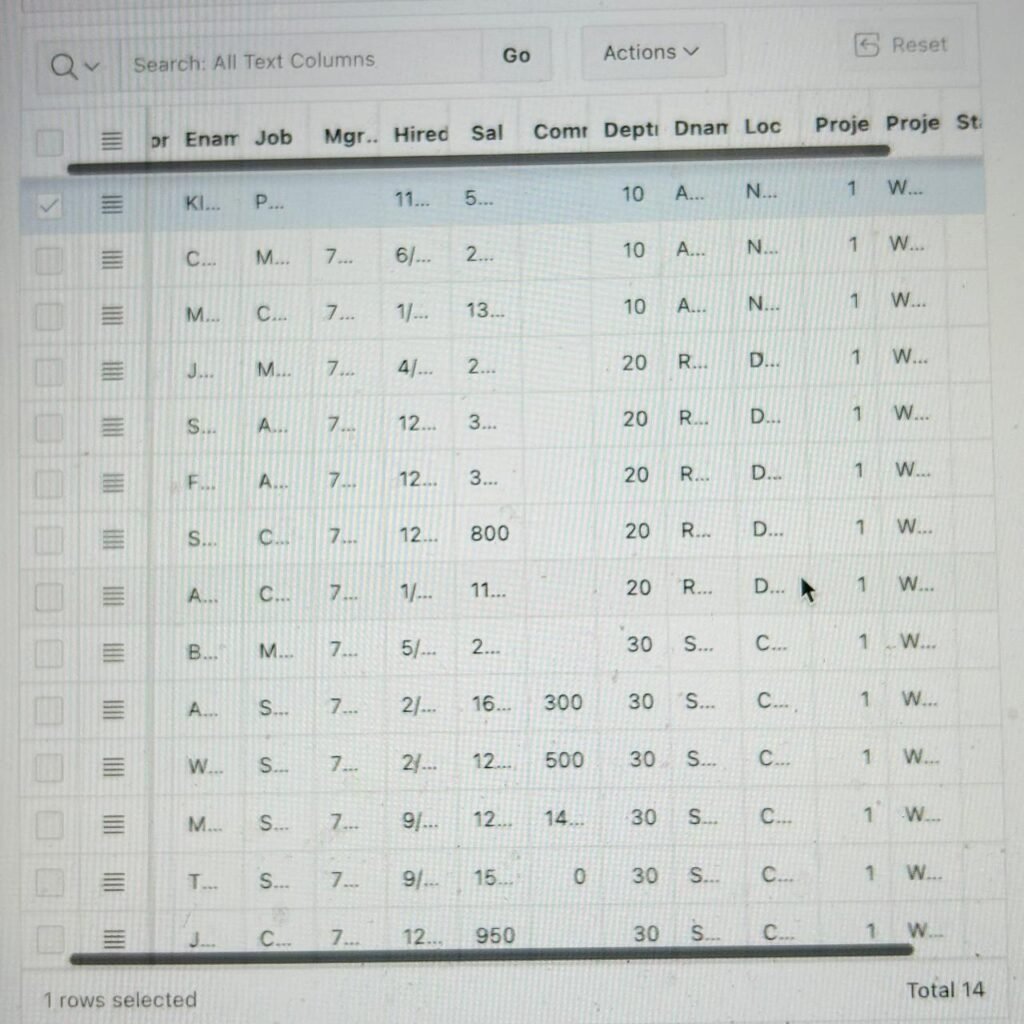
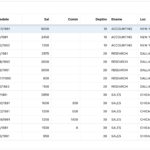
Following the above steps, you can Add Horizontal Scrollbar on Top of Interactive Grid in Oracle APEX. This ensures a smoother and more user-friendly experience.
Thanks for reading! We hope this guide helped you to Add Horizontal Scrollbar on Top of Interactive Grid in Oracle APEX.
Love coding? Me too! Let’s keep in touch – subscribe to my website for regular chats on Oracle APEX, PL/SQL,SQL JavaScript, and CSS.