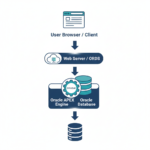
Introduction
In real-world applications, Oracle APEX rarely works in isolation. Modern applications need to talk to other systems—fetch data from external services or expose their own data for mobile apps, third‑party tools, or integrations.
This is where REST APIs come in.
In this blog, we’ll understand:
- What REST APIs are
- How to consume a REST API in Oracle APEX
- How to expose data as a REST API from Oracle APEX
All explained with real-time, practical examples in simple words.
What is a REST API?
A REST API (Representational State Transfer) allows applications to communicate over HTTP using standard methods:
- GET – Fetch data
- POST – Insert data
- PUT – Update data
- DELETE – Remove data
Data is usually exchanged in JSON format.
Real-Time Business Scenario
Scenario 1 – Consume REST API
Your Oracle APEX application needs to fetch employee salary details from an external system (or another APEX app) using Employee Number.
Scenario 2 – Expose REST API
You want to expose employee data from Oracle APEX so that:
- Mobile apps
- Other Oracle APEX apps
- External systems
can consume it securely.
PART 1: Consuming REST APIs in Oracle APEX
Step 1: Create a Sample Page
Create a page with the following items:
- P18_EMPNO – Text Field (Employee Number)
- P18_ENAME – Display Only
- P18_JOB – Display Only
- P18_SAL – Display Only
Add a Search button.
Step 2: Create an AJAX Callback Process
Go to Page Designer → Processes → AJAX Callback
Process Name: GET_EMP_DETAILS
PL/SQL Code:
DECLARE
  l_empno emp.empno%TYPE := apex_application.g_x01;
BEGIN
  apex_json.open_object;

  FOR r IN (
    SELECT ename, job, sal
    FROM emp
    WHERE empno = l_empno
  ) LOOP
    apex_json.write('status', 'SUCCESS');
    apex_json.write('ename', r.ename);
    apex_json.write('job', r.job);
    apex_json.write('salary', r.sal);
  END LOOP;

  apex_json.close_object;
EXCEPTION
  WHEN NO_DATA_FOUND THEN
    apex_json.open_object;
    apex_json.write('status', 'ERROR');
    apex_json.write('message', 'Employee not found');
    apex_json.close_object;
END;
Step 3: Call AJAX Process using JavaScript
Create a Dynamic Action on button click.
JavaScript Code:
apex.server.process(
  "GET_EMP_DETAILS",
  { x01: $v("P18_EMPNO") },
  {
    dataType: "json",
    success: function (pData) {
      if (pData.status === "SUCCESS") {
        $s("P18_ENAME", pData.ename);
        $s("P18_JOB", pData.job);
        $s("P18_SAL", pData.salary);
      } else {
        apex.message.alert(pData.message);
      }
    },
    error: function (err) {
      console.error(err);
    }
  }
);
Result
When user enters Employee Number and clicks Search:
- Data is fetched dynamically
- No page refresh
- Real-time REST-style interaction
PART 2: Exposing REST APIs in Oracle APEX
Step 1: Enable ORDS
Oracle APEX uses ORDS (Oracle REST Data Services) to expose REST APIs.
Ensure ORDS is installed and configured.
Step 2: Create REST Enabled SQL
Go to:
SQL Workshop → RESTful Services → REST Enabled SQL
Enable REST on EMP table:
SELECT empno, ename, job, sal, deptno
FROM emp;
ORDS automatically generates a REST endpoint.
Step 3: Test REST API
Use browser or Postman:
GET /ords/schema/emp/Sample JSON Response:
{
  "items": [
    {
      "empno": 7369,
      "ename": "SMITH",
      "job": "CLERK",
      "sal": 800,
      "deptno": 20
    }
  ]
}
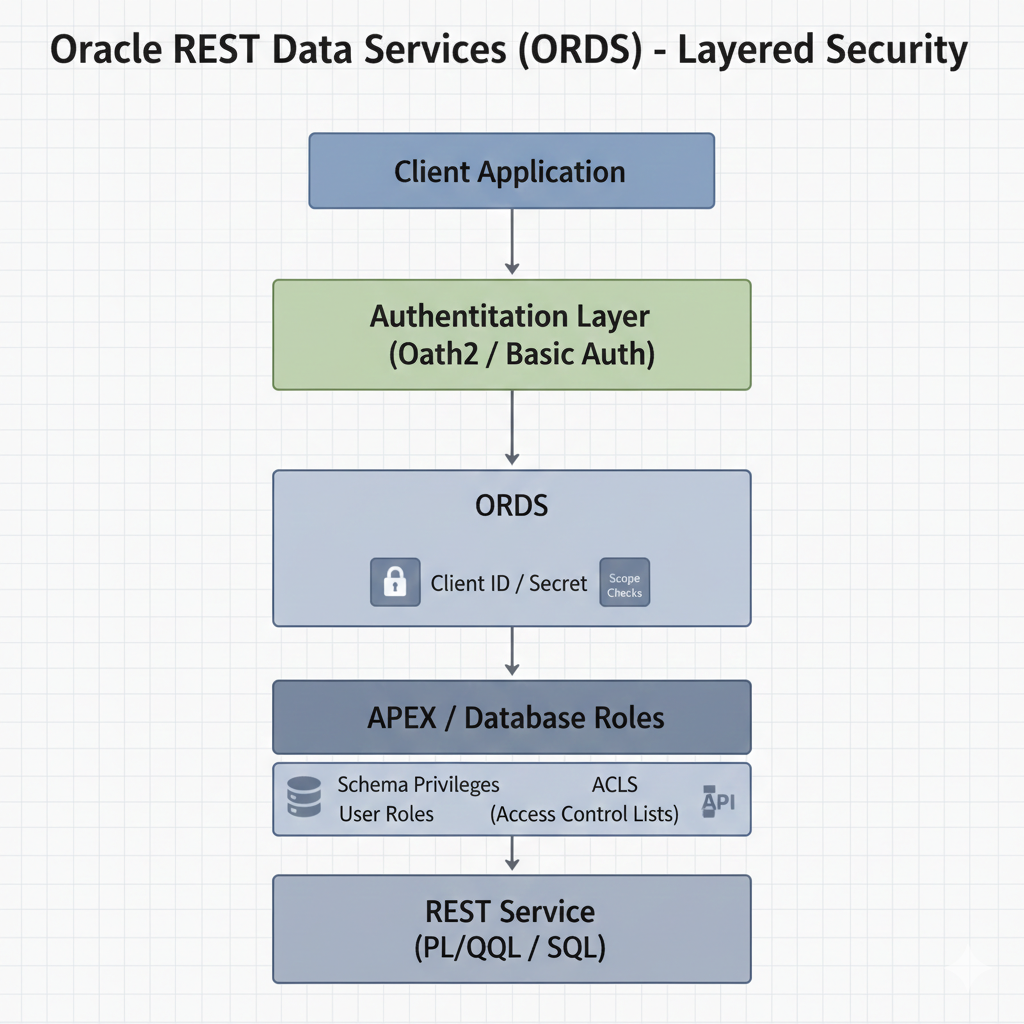
Step 4: Secure REST API
You can secure APIs using:
- OAuth2
- Basic Authentication
- APEX roles
This ensures only authorized users can access your data.
Real-World Use Cases
- Mobile app consuming APEX data
- Integrating Oracle APEX with SAP / Jira / HR systems
- Microservices architecture
- Real-time dashboards
Benefits of REST APIs in Oracle APEX
✔ Seamless system integration
✔ No page reload
✔ Better performance
✔ Modern application design
✔ Easy to maintain
REST API Architecture Diagrams (Visual Guide)
Diagram 1: Consuming REST API in Oracle APEX
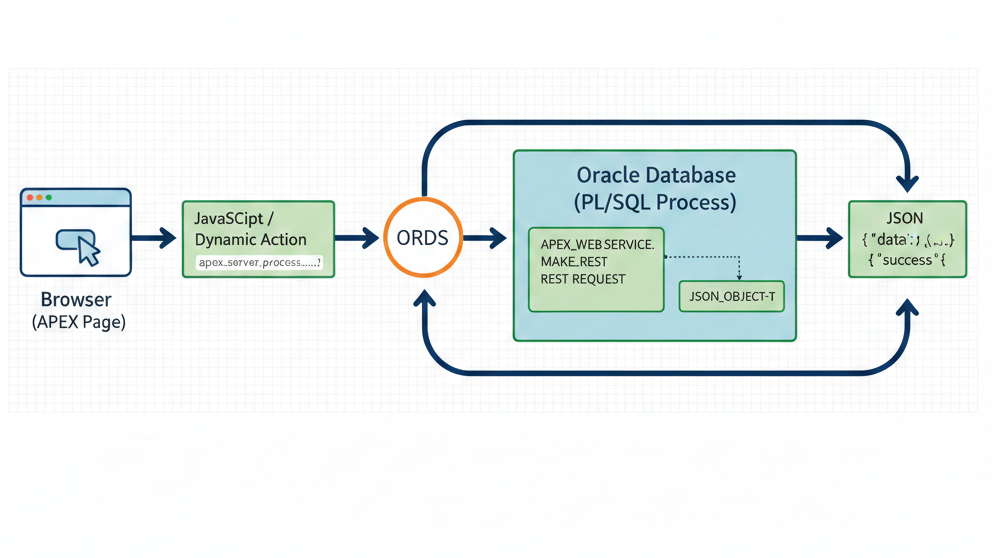
Diagram 2: Exposing REST API from Oracle APEX
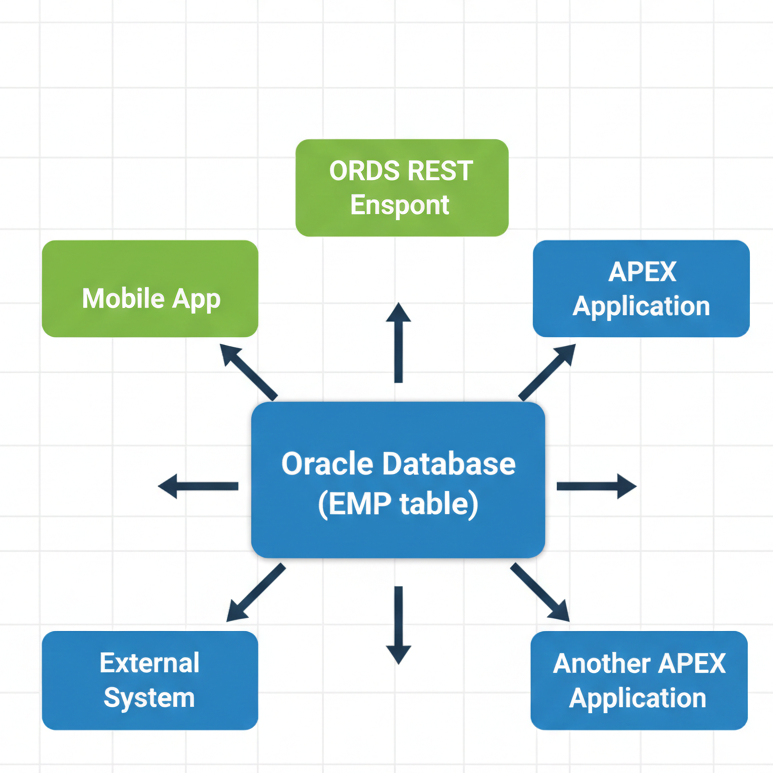
Diagram 3: End-to-End REST API Flow
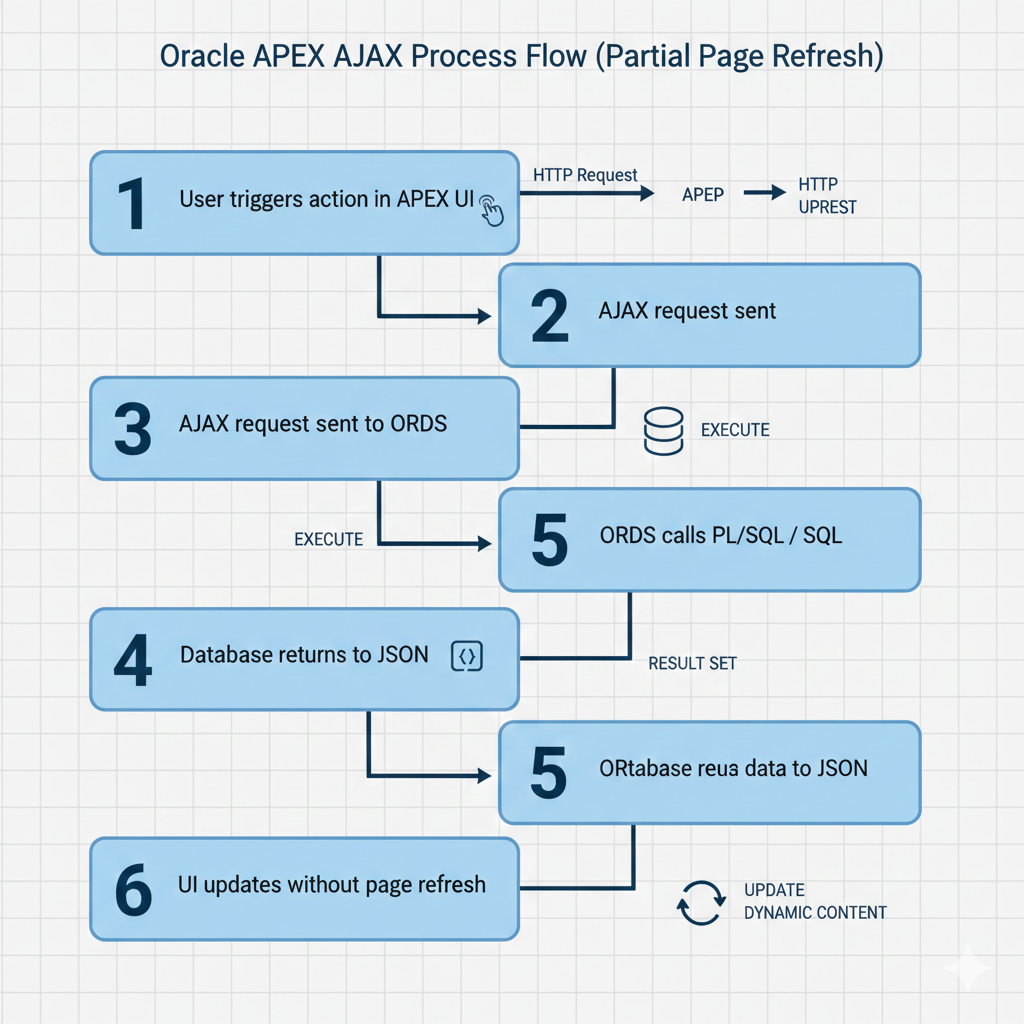
Diagram 4: Security Architecture for REST APIs
Conclusion
Oracle APEX makes working with REST APIs simple and powerful.
- You can consume APIs using AJAX and Web Source Modules
- You can expose APIs using ORDS
- Perfect for real-world enterprise applications
If you are building modern APEX applications, REST APIs are no longer optional—they are essential 🚀
📌 Happy Coding with Oracle APEX 💙.
Love coding? Me too! Let’s keep in touch – subscribe to my website for regular chats on Oracle APEX, PL/SQL,SQL JavaScript, and CSS.