
Introduction
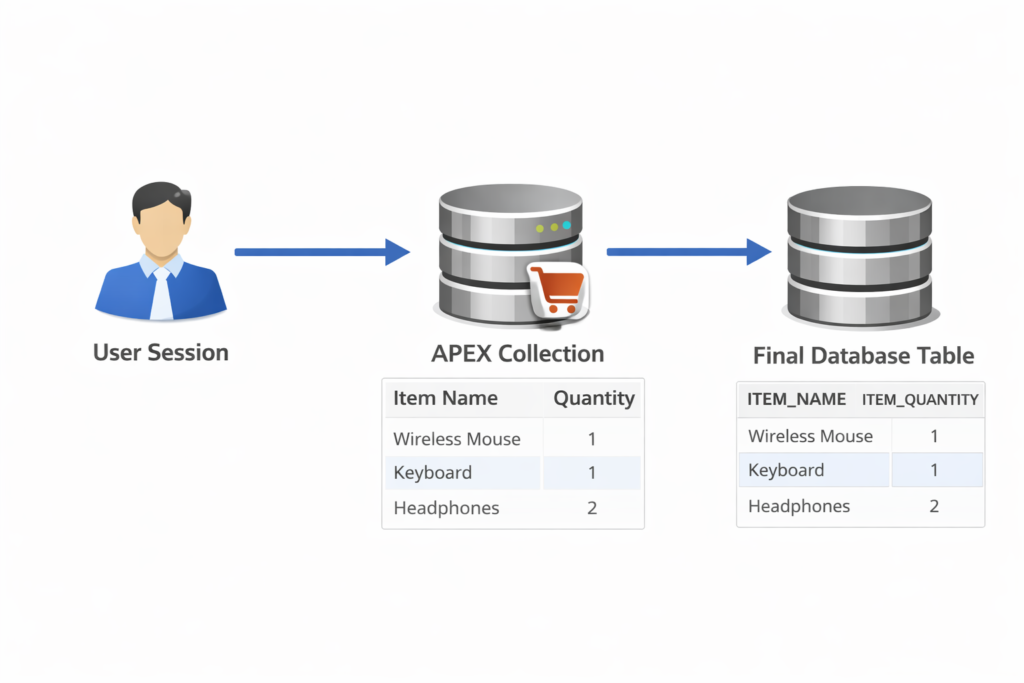
Oracle APEX Collections are temporary, in-memory data structures that live inside a user session. They are extremely powerful when you need to store, manipulate, and use data without immediately committing it to database tables.
Think of Collections as session-based tables that:
- Exist only during the user session
- Don’t require DDL (no CREATE TABLE)
- Are perfect for wizards, carts, approvals, and staging data
In this blog, we’ll explore real-world scenarios, step-by-step usage, and where Collections fit best.
What is an APEX Collection?
An APEX Collection is:
- Identified by a collection name
- Can store up to 50 character columns (C001–C050)
- Includes numeric and date attributes
- Accessible using the view APEX_COLLECTIONS
📌 Best Use Case: Temporary data before final submit.

Scenario 1: Shopping Cart in Oracle APEX
Business Requirement
Users can add multiple products to a cart before placing an order.
Step 1: Create or Truncate Collection
BEGIN
  IF NOT apex_collection.collection_exists('CART_COL') THEN
    apex_collection.create_collection('CART_COL');
  ELSE
    apex_collection.truncate_collection('CART_COL');
  END IF;
END;
Step 2: Add Items to Collection
BEGIN
  apex_collection.add_member(
    p_collection_name => 'CART_COL',
    p_c001 => :P10_PRODUCT_ID,
    p_c002 => :P10_PRODUCT_NAME,
    p_n001 => :P10_PRICE,
    p_n002 => :P10_QTY
  );
END;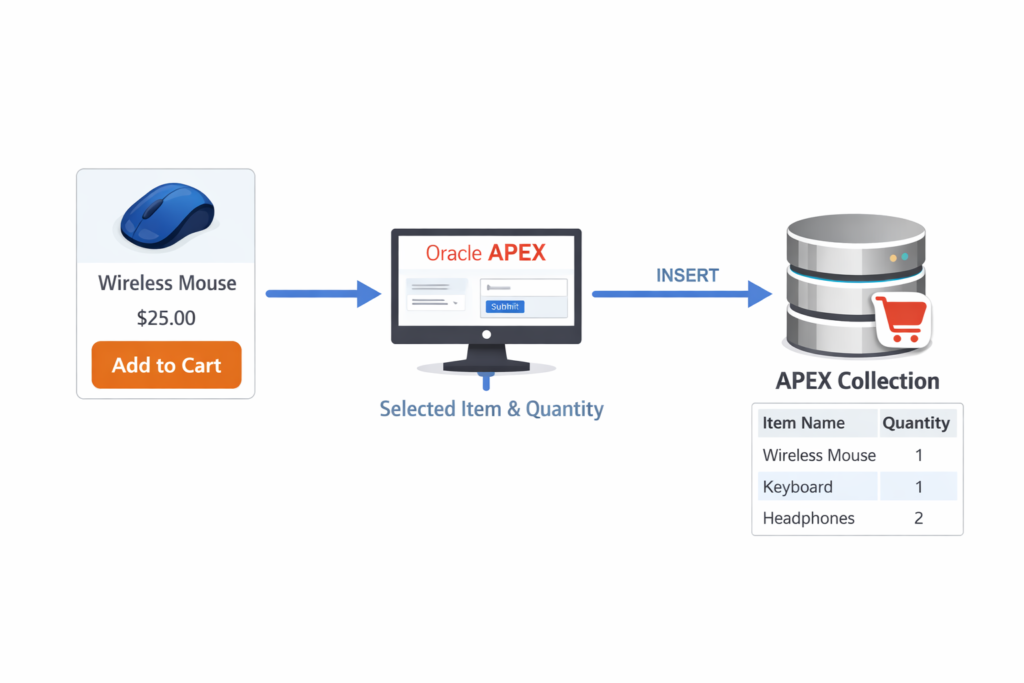
Step 3: Display Cart Using Interactive Report
SELECT
  c001 AS product_id,
  c002 AS product_name,
  n001 AS price,
  n002 AS quantity,
  n001 * n002 AS total
FROM apex_collections
WHERE collection_name = 'CART_COL';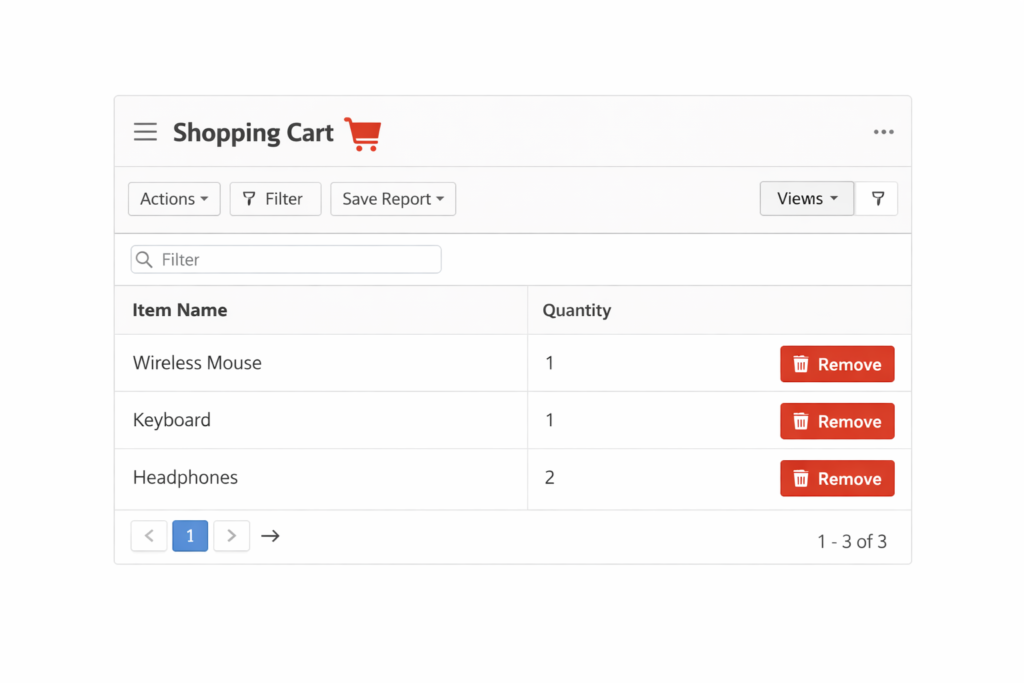
Step 4: Final Submit – Insert into Table
INSERT INTO orders (product_id, qty, price)
SELECT c001, n002, n001
FROM apex_collections
WHERE collection_name = 'CART_COL';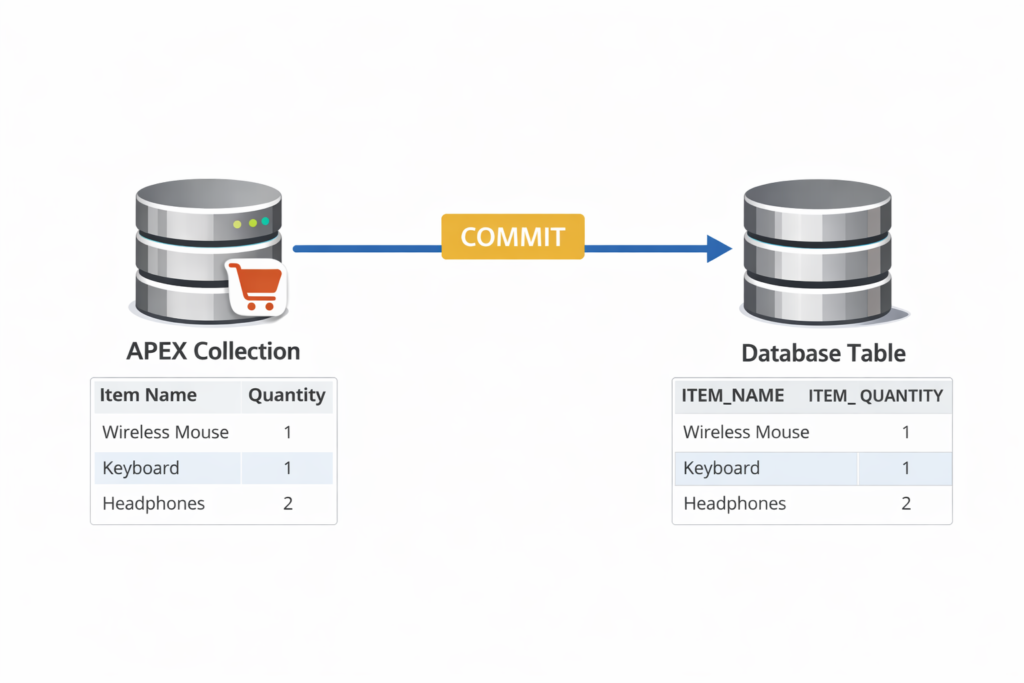
Scenario 2: Multi-Step Wizard Form
Business Requirement
User fills data across multiple pages before final submission.
Step 1: Save Page Data into Collection
apex_collection.add_member(
  p_collection_name => 'EMP_WIZ',
  p_c001 => :P1_EMPNAME,
  p_c002 => :P1_DEPT,
  p_n001 => :P1_SALARY
);
Step 2: Use Collection on Next Page
SELECT c001, c002, n001
FROM apex_collections
WHERE collection_name = 'EMP_WIZ';
Scenario 3: Editable Interactive Grid – Staging Changes
Business Requirement
Validate data before saving to base table.
Solution
- Capture IG changes into a collection
- Validate totals
- Commit only if valid
apex_collection.add_member(
  p_collection_name => 'IG_STAGE',
  p_c001 => :EMP_ID,
  p_n001 => :SALARY
);
Managing Collections
Check if Collection Exists
apex_collection.collection_exists('CART_COL');Delete a Collection
apex_collection.delete_collection('CART_COL');When NOT to Use Collections
❌ Large datasets (performance impact)
❌ Permanent storage
❌ Reporting across users
✔ Use Tables instead.
Collections vs Temporary Tables
| Feature | Collection | GTT |
|---|---|---|
| Session Based | ✅ | ✅ |
| No DDL | ✅ | ❌ |
| APEX Native | ✅ | ❌ |
Best Practices
- Always clean up collections
- Use meaningful collection names
- Don’t overload C-columns
- Validate before final commit
Conclusion
APEX Collections are a hidden superpower in Oracle APEX. When used correctly, they simplify complex flows like carts, wizards, and validations—without touching database tables until needed.
📌 Mastering Collections = Cleaner APEX Architecture
Happy APEXing! 🚀
Love coding? Me too! Let’s keep in touch – subscribe to my website for regular chats on Oracle APEX, PL/SQL,SQL JavaScript, and CSS.