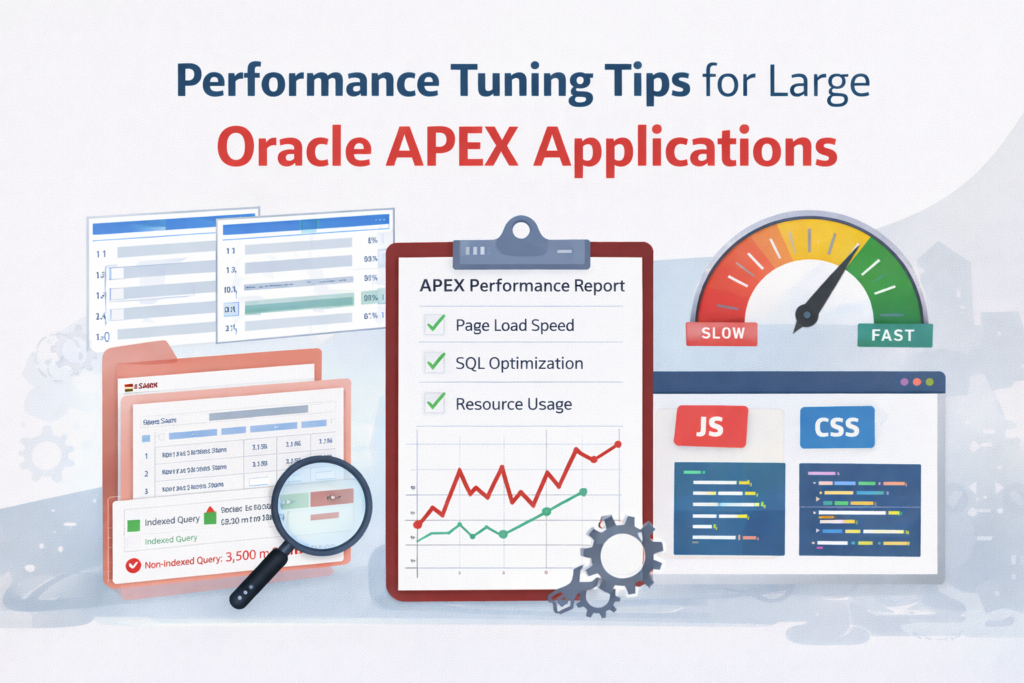

When Oracle APEX applications grow—more users, more data, more pages—performance becomes critical. A slow APEX app frustrates users and gives the impression of poor design, even when functionality is correct.
This step-by-step guide covers practical, real-world performance tuning techniques you can apply to large Oracle APEX applications used in production.
Step 1: Understand Where the Time Is Going
Before tuning anything, you must identify the bottleneck.
What to Check
- Page load time
- Region rendering time
- SQL execution time
- AJAX and Dynamic Action delays
Tools to Use
- APEX Debug Mode
- Browser Developer Tools (Network tab)
- Oracle SQL Monitor / Explain Plan
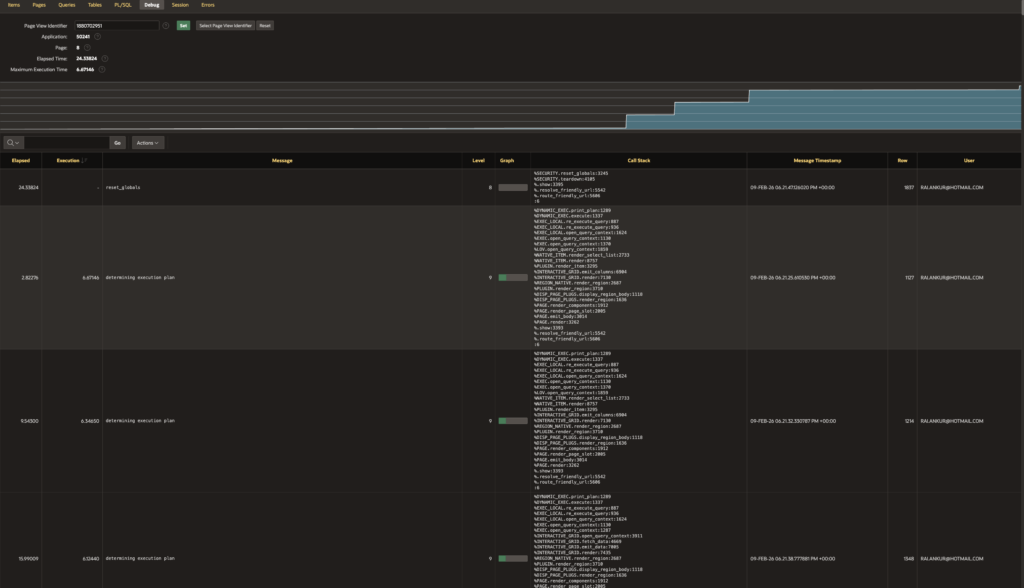
(APEX Builder → Debug → Level 6)Tip: Never guess. Measure first.
Step 2: Optimize SQL Queries (Biggest Impact)
Poor SQL is the #1 reason for slow APEX apps.
Best Practices
- Select only required columns (avoid SELECT *)
- Use proper WHERE clauses
- Avoid functions on indexed columns
- Replace correlated subqueries with JOINs
Bad Example
SELECT * FROM orders;Good Example
SELECT order_id, order_date, status
FROM orders
WHERE status = 'OPEN';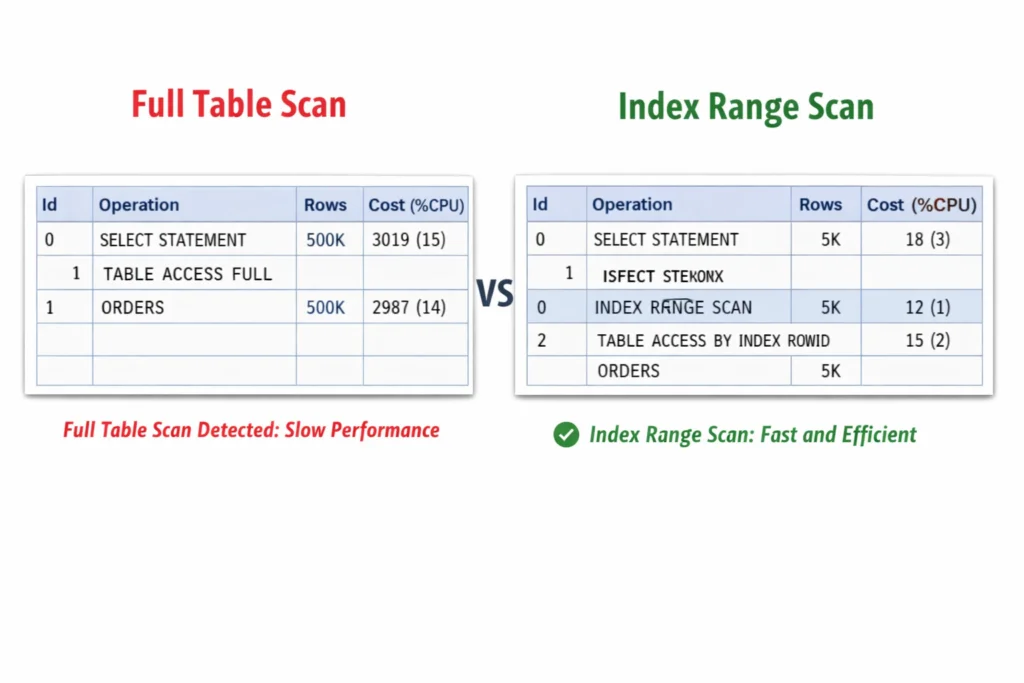
Step 3: Use Indexes Strategically
Indexes dramatically improve report and form performance.
Index Columns Used In:
- WHERE clause
- JOIN conditions
- ORDER BY (when possible)
- Foreign keys
Example
CREATE INDEX idx_orders_status ON orders(status);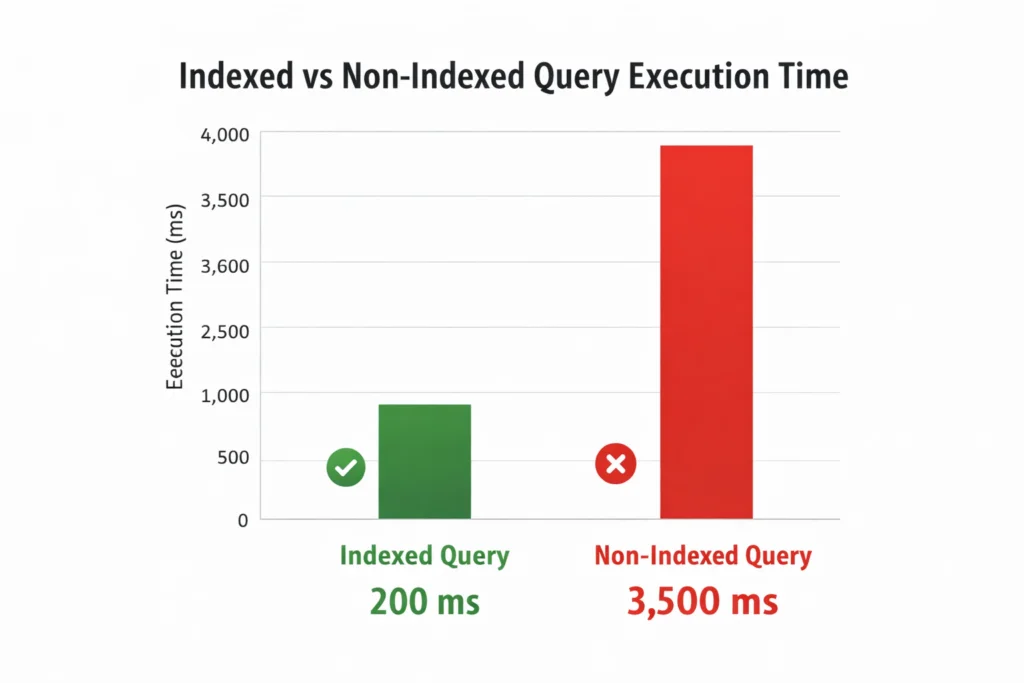
⚠️ Avoid too many indexes on frequently updated tables.
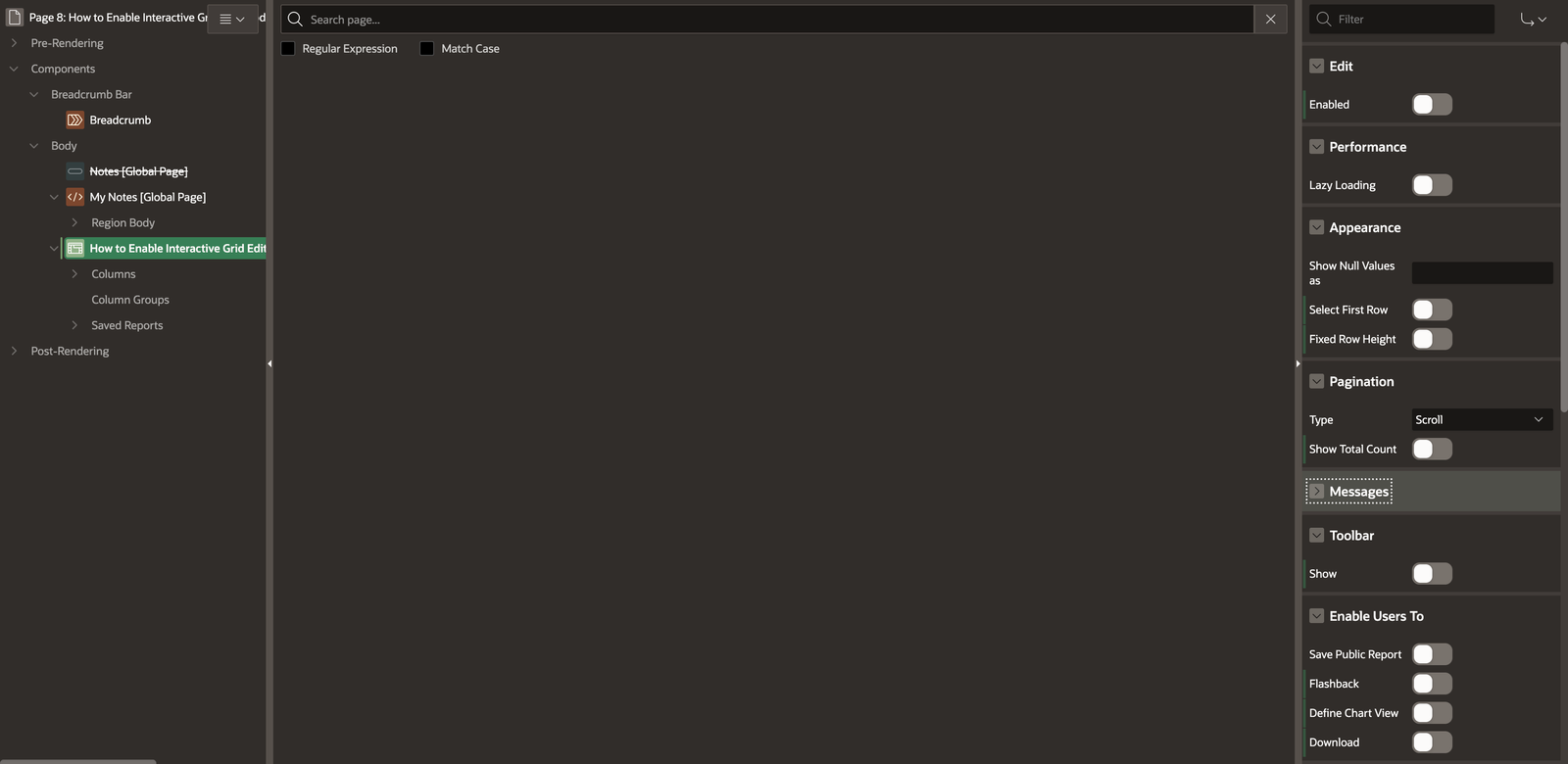
Step 4: Tune Interactive Reports & Interactive Grids
Interactive components are powerful but heavy.
Performance Tips
- Disable unnecessary features (Highlighting, Pivot, Flashback)
- Use server-side pagination
- Limit default rows (e.g., 50–100)
- Avoid complex PL/SQL functions in SELECT
Step 5: Reduce Page and Region Processing
Every page process adds overhead.
What to Do
- Remove unused page processes
- Use conditional processing wisely
- Avoid page-level computations if not required
Example Condition
:P1_STATUS = 'ACTIVE'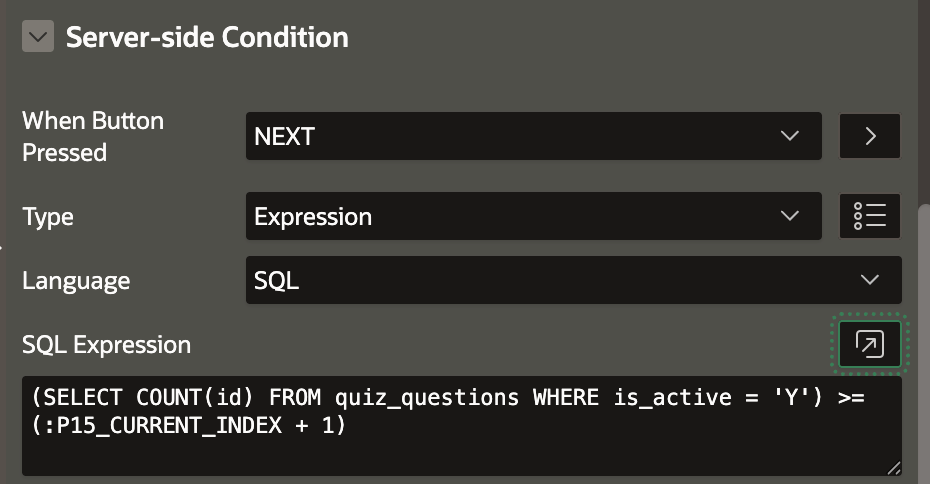
Step 6: Use Session State Properly
Unnecessary session state operations slow applications.
Best Practices
- Use Items to Submit only when required
- Avoid excessive Set Session State
- Prefer client-side JavaScript for UI-only logic
Step 7: Optimize Dynamic Actions & JavaScript
Too many Dynamic Actions can kill performance.
Tips
- Combine similar Dynamic Actions
- Avoid firing on Page Load unless required
- Use event delegation
Bad Practice
- 10 DAs firing on Page Load
Good Practice
- Single DA with conditional logic
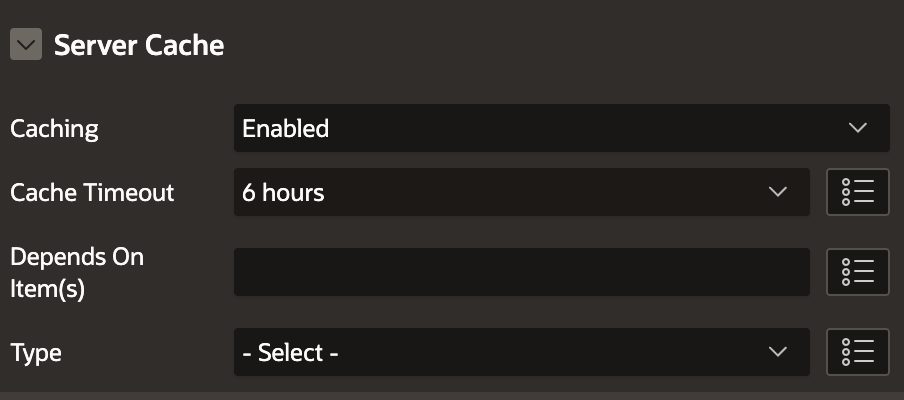
Step 8: Use Caching Effectively
APEX caching can drastically reduce load time.
Enable Caching For:
- Static reports
- Lookup LOVs
- Reference data
Cache Options
- Session-based
- Application-based

Step 9: Optimize PL/SQL Code
Bad PL/SQL = slow pages.
Best Practices
- Avoid loops with SQL inside
- Use BULK COLLECT & FORALL
- Minimize commits
Example
FOR r IN (SELECT * FROM emp) LOOP
  INSERT INTO emp_log VALUES (r.empno);
END LOOP;
➡ Replace with bulk processing.
Step 10: Enable Lazy Loading for Images
Large APEX applications often contain dashboards, reports, and static content with many images. Loading all images on page load increases initial render time.
Why Lazy Load Images
- Faster initial page load
- Reduced network usage
- Better performance on low-bandwidth devices
How to Implement Lazy Loading
Option 1: Native HTML Lazy Loading (Recommended)
<img src="#APP_FILES#report_chart.png" loading="lazy" alt="Report Chart">This works in all modern browsers and requires no JavaScript.
Option 2: Lazy Load in Static Content / Templates
Use loading=”lazy” in:
- Static Content regions
- Custom HTML regions
- Report column HTML expressions
Step 11: Defer JavaScript Loading
JavaScript blocks page rendering if loaded synchronously.
Best Practices for JS Performance
- Load JavaScript only when required
- Avoid global Page Load execution
- Defer non-critical scripts
How to Defer JavaScript in APEX
Application-Level JavaScript
In Shared Components → User Interface Attributes → JavaScript:
<script src="#APP_FILES#custom.js" defer></script>Page-Level JavaScript
Add scripts in Page → JavaScript → File URLs using defer:
<script src="#APP_FILES#page_logic.js" defer></script>Step 12: Optimize and Defer CSS Loading
CSS can also delay page rendering, especially large custom stylesheets.
CSS Performance Tips
- Minimize custom CSS
- Remove unused rules
- Defer non-critical CSS
How to Defer CSS in Oracle APEX
Application-Level CSS
<link rel="stylesheet" href="#APP_FILES#custom.css" media="print" onload="this.media='all'">This technique allows CSS to load without blocking rendering.
Use Theme Roller First
- Prefer Theme Roller over heavy custom CSS
- Reduce overrides
Step 13: Monitor in Production
Performance tuning is not one-time.
Monitor Using
- APEX Activity Log
- Database AWR reports
- User feedback
📷 Image: APEX Activity Log showing slow pages
Final Checklist ✅
- ✔ Optimized SQL
- ✔ Proper indexing
- ✔ Lean page processes
- ✔ Controlled session state
- ✔ Efficient Dynamic Actions
- ✔ Cached static data
Conclusion
Large Oracle APEX applications can scale extremely well—but only when performance is treated as a design requirement, not an afterthought.
If your app is slow:
Start with SQL, measure everything, and simplify aggressively.
About the Author
🔗 Follow for more Oracle APEX real-world guides

Hi, I’m Ankur Rai, an Oracle APEX Developer with 6+ years of professional experience in building enterprise applications. I specialize in creating scalable and efficient solutions using Oracle APEX, PL/SQL, and SQL to solve real-world business challenges.
I am a 3X Oracle APEX Professional Certified Developer and also an Oracle ACE Associate Member, actively contributing to the Oracle community by sharing knowledge, insights, and best practices. Through my blogs, I aim to help developers learn, grow, and build better Oracle APEX applications together.