
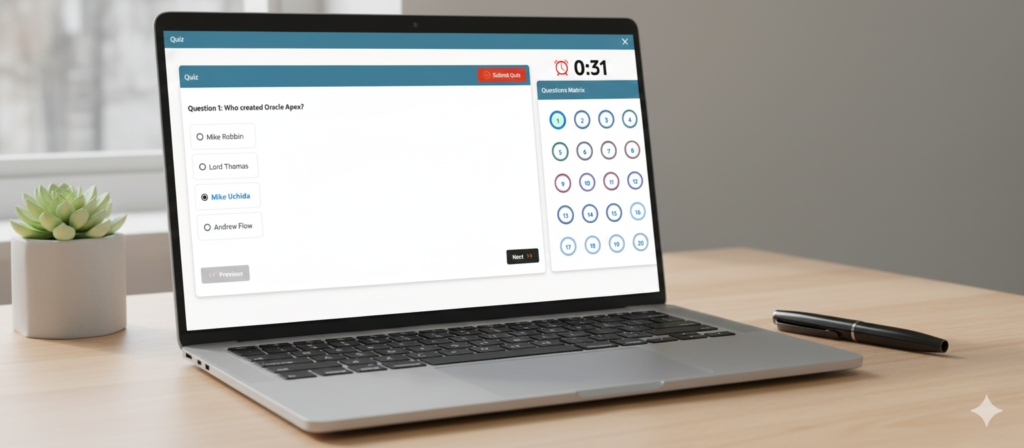
| Question 1: What is Oracle APEX? Answer: Oracle Application Express (APEX) is a low-code, web-based development platform used to build scalable and secure web applications on top of Oracle Database. |
| Question 2: What are the key features of Oracle APEX? Answer: Low-code development, responsive UI, PL/SQL integration, REST API support, Interactive Reports, Charts, Security features, Cloud support. |
| Question 3: How does Oracle APEX differ from other web development frameworks? Answer: APEX is database-centric, low-code, browser-based (no IDE needed), and tightly integrated with Oracle Database. |
| Question 4: What is the architecture of Oracle APEX? Answer: Browser → Web Listener (ORDS/HTTP Server) → APEX Engine → Oracle Database. |
| Question 5: What is a workspace in Oracle APEX? Answer: A logical working area in APEX that contains applications, database schemas, users, and files. |
| Question 6: What is a schema in Oracle APEX? Answer: A schema is a database container that holds database objects like tables, views, procedures, etc. |
| Question 7: What is the use of the Application Builder in Oracle APEX? Answer: It is the main development interface used to create, edit, debug, deploy applications. |
| Question 8: What is a page in Oracle APEX? Answer: A page is a single screen of the application which contains form, report, dashboard, etc. |
| Question 9: What is a region in Oracle APEX? Answer: A section within a page used to display reports, charts, forms, buttons, HTML, etc. |
| Question 10: What is a dynamic action in Oracle APEX? Answer: It allows you to perform client-side behaviors without JavaScript (e.g., hide/show, refresh, AJAX calls). |
| Question 11: What is a report in Oracle APEX? Answer: A report displays data retrieved from database queries in formatted result for the user. |
| Question 12: What is a form in Oracle APEX? Answer: A form allows users to insert, update, delete data in a table. |
| Question 13: What are the different types of reports you can create in Oracle APEX? Answer: There are three types of reports in Oracle APEX – Classic Report, Interactive Report, Interactive Grid Report. |
| Question 14: How to create a table in Oracle APEX? Answer: You can create table by the following steps => SQL Workshop → Object Browser → Create Table. |
| Question 15: What is LOV in Oracle APEX? Answer: List of Values are used for dropdowns, radio buttons, select lists. |
| Question 16: What is a button in Oracle APEX? Answer: A clickable UI element that performs actions like submit, redirect, process, etc. |
| Question 17: What are the validations in Oracle APEX? Answer: Rules that check user input before saving data. |
| Question 18: What is the difference between client-side and server-side validation in Oracle APEX? Answer: Client-side: JavaScript-based. Server-side: PL/SQL based and executed on submission. |
| Question 19: What is dynamic SQL in Oracle APEX? Answer: SQL that is built at runtime using PL/SQL (EXECUTE IMMEDIATE). |
| Question 20: What is a process in Oracle APEX? Answer: A PL/SQL block that runs during page submission (insert/update/delete/business logic). |
| Question 21: How to deploy an APEX Application? Answer: Export the app → Import to target workspace → Run → Grant privileges. |
| Question 22: What is Shared Components in Oracle APEX? Answer: A place to manage reusable components like LOVs, templates, menus, authentication schemes etc. |
| Question 23: What is a theme in Oracle APEX? Answer: The visual layout and UI style of the application. |
| Question 24: How do you create a custom theme in Oracle APEX? Answer: Export CSS & templates → Modify → Import into Shared Components. |
| Question 25: What is navigation menu in Oracle APEX? Answer: List of pages for application navigation. |
| Question 26: How do you manage authentication and authorization in Oracle APEX? Answer:Authentication Schemes: Authentication schemes define how users log in to an APEX application. APEX offers various built-in schemes and allows for custom implementations.Authorization Schemes: Authorization schemes control access to specific components, pages, or even entire applications based on user privileges. |
| Question 27: How do you enable session state management in Oracle APEX? Answer:You can enable session state management by Session State Protection → Enable for page items/processes. |
| Question 28: What are application settings in Oracle APEX? Answer: We can do the application settings by Global variables and configuration values accessed across the application. |
| Question 29: What is the use of Use of Sequence in Oracle APEX? Answer: In Oracle APEX, sequences are primarily used to generate unique, sequential numbers, most commonly for populating primary key columns in database tables. |
| Question 30: How do you connect Oracle APEX to an external database? Answer: Oracle APEX applications are inherently tied to a single Oracle database instance where APEX itself is installed. However, you can access data from external databases using the following methods: Create DB Link OR REST Data Source OR ORDS. |
| Question 31: What are Oracle APEX Collections? Answer: Oracle APEX Collections are in-memory, session-specific data structures that allow developers to temporarily store and manipulate multi-row data within an APEX application. They function similarly to temporary tables but exist within the user’s session state, meaning the data is accessible only to that specific user during their active session. |
| Question 32: What is an Application item and how do you use it in Oracle APEX? Answer: An Application item in Oracle APEX is a session state variable that is not tied to a specific page, meaning it has no user interface and can be accessed across different pages. They are used for storing and maintaining global application-level values and are typically created in Shared Components under the Application Items section. You can use them for things like user preferences, application settings, or flags that need to be shared throughout a user’s session. |
| Question 33: What is a calendar in Oracle APEX? Answer: In Oracle APEX, a calendar is a component that displays events from a database table or SQL query in a user-friendly, visual format like a monthly, weekly, or daily view. |
| Question 34: How do you use a file browse item in Oracle APEX? Answer:Using a File Browse item in Oracle APEX involves several steps to enable users to upload files and for the application to process them. Create the File Browse Item: Navigate to the desired page in Page Designer. Create a new page item and set its “Type” to “File Browse”. Configure the item’s properties, including: Storage Type:Choose how the file will be stored (e.g., BLOB column in a table, APEX\_APPLICATION\_TEMP\_FILES). Allowed File Extensions: Restrict the types of files users can upload. Maximum File Size: Set a limit on the size of uploaded files. |
| Question 35: What is the Oracle APEX listener? Answer: The Oracle APEX listener is a Java-based web application that acts as a bridge between a web browser and the Oracle Application Express (APEX) engine in an Oracle database. |
| Question 36: What are some of the most common data types in Oracle APEX? Answer:Oracle APEX, being a low-code development platform built on the Oracle Database, primarily utilizes the standard Oracle Database data types for storing and manipulating data. The most common data types encountered in Oracle APEX applications include: VARCHAR2 / NVARCHAR2: Used for storing variable-length character strings. `VARCHAR2` is for single-byte or multi-byte character data, while `NVARCHAR2` is specifically for Unicode character data.NUMBER: Used for storing numeric values with specified precision and scale, allowing for both integers and decimal numbers. DATE / TIMESTAMP:`DATE` stores date and time information (year, month, day, hour, minute, second). `TIMESTAMP` provides more granular time information, including fractional seconds and optional time zone information. CLOB / NCLOB: Used for storing large character objects (up to 4GB), suitable for lengthy text, documents, or XML data. `NCLOB` is for Unicode character large objects.BLOB: Used for storing large binary objects (up to 4GB), such as images, audio files, or other binary data. CHAR / NCHAR: Used for storing fixed-length character strings. `CHAR` is for single-byte or multi-byte characters, while `NCHAR` is for fixed-length Unicode characters. ROWID: Represents the unique physical address of a row in its table. While not typically used for direct data storage, it’s fundamental in database operations and can be seen in some advanced APEX scenarios. |
| Question 37: What is a report link in Oracle APEX? Answer: A report link in Oracle APEX is a clickable element within a report that, when selected, directs the user to another APEX page, a different report, a URL, or a specific saved report. |
| Question 38: How do you use page items for conditional processing? Answer:In Oracle APEX, page items are frequently used in Server-side Conditions to control the rendering or processing of various components based on their values. |
| Question 39: What is the use of the APEX IDE? Answer:The Oracle APEX IDE is a web-based, low-code development platform used for quickly building and deploying scalable, secure web and mobile applications that are often database-centric. |
| Question 40: How do you manage application security in Oracle APEX? Answer:1. Authentication: Establishing User Identity: Configure authentication schemes (e.g., APEX accounts, LDAP, Oracle Identity Cloud Service, custom schemes) to verify user identity. Strong Password Policies: Define and enforce password complexity rules, expiration, and lockout policies in Shared Components > Security Attributes. Multi-Factor Authentication (MFA): Integrate MFA through custom authentication schemes or leverage services like IDCS for enhanced security. 2. Authorization: Access Control Lists (ACLs): Create and manage ACLs to control access to applications, pages, and specific components (e.g., buttons, regions, items) based on user roles or privileges. Authorization Schemes: Define authorization schemes (e.g., “Must Not Be Public User,” “User Is Administrator”) and apply them to application components to restrict access. 3. Session Management: Session State Protection: Enable session state protection to prevent tampering with session variables and protect against URL manipulation. Secure Session Cookies: Ensure session cookies are properly configured and secured (e.g., using HTTPS). |
| Question 1: What is the difference between a classic report and an interactive report in Oracle APEX? Answer:Interactive reports allow end-users to customize the report at runtime (e.g., filtering, sorting, changing columns, creating charts), while classic reports have a static layout with limited customization (basic sorting and keyword search) primarily controlled by the developer. |
| Question 2: How do you implement a master-detail relationship in Oracle APEX? Answer:Implementing a master-detail relationship in Oracle APEX typically involves creating a page where a “master” report or form displays parent data, and a “detail” report or form displays associated child data based on the selected master record.Steps to implement a master-detail relationship using the Create Page Wizard:Start the Create Page Wizard:Navigate to the Application Builder in Oracle APEX.Select your application and click “Create Page.”Choose the “Master-Detail Form” page type.Configure the Master-Detail Relationship:Select Master Table: Choose the table or view that will serve as the master (parent) data source (e.g., Departments).Select Detail Table: Choose the table or view that will serve as the detail (child) data source (e.g., Employees).Define Master-Detail Relationship: Specify the foreign key relationship between the master and detail tables. This typically involves selecting the primary key column from the master table and the corresponding foreign key column from the detail table. Select Display Options: Configure options for displaying the master and detail data, such as using Interactive Grids, setting columns, and enabling editing.Create the Page:Review the configuration details to ensure they align with your requirements. Click “Create” to generate the master-detail page. |
| Question 3: How do you handle large data sets in Oracle APEX applications? Answer:Handling large datasets in Oracle APEX applications requires a multi-faceted approach focusing on database optimization, efficient data loading, and effective presentation to the user.1. Database-Level Optimizations:Partitioning: Implement table partitioning for large tables to improve query performance and manageability, especially for time-based or range-based data.Indexing: Ensure appropriate indexes are in place on frequently queried columns to accelerate data retrieval. Consider index compression for very large indexes.Materialized Views: Use materialized views to pre-aggregate or pre-join data from complex queries, reducing the load on the transactional tables during report generation.Database Tuning: Optimize database parameters and instance configuration for performance, including memory allocation and I/O settings.2. Efficient Data Loading and Processing:Background Processes: Execute data loading processes for large files in the background to avoid blocking the user interface and browser.APEX_DATA_PARSER: Utilize APEX_DATA_PARSER for efficient parsing and loading of large files (CSV, XLSX) directly within APEX, reducing manual data entry.External Tables: For very large files, consider using external tables to access data directly from files on the database server, then load into your APEX tables.Asynchronous Processing: For bulk operations or complex data transformations, process data asynchronously using database jobs or Oracle Integration Cloud (OIC) to offload the work from the APEX application thread.3. User Interface and Reporting:Pagination and Filtering: Implement pagination and robust filtering options in interactive reports and grids to display only relevant subsets of data to the user at a time.Server-Side Processing: Configure interactive grids and reports for server-side processing to handle data retrieval and sorting on the database, minimizing client-side load.Lazy Loading: Implement lazy loading for components that display large amounts of data, loading only what is visible in the viewport.Data Visualization Tools: For complex analysis of large datasets, consider integrating with external data visualization tools like Oracle Analytics Cloud (OAC) or Power BI, which are designed for handling and presenting large data volumes.Custom Exports: For large data exports, consider creating custom export processes that generate files in the background and notify the user when ready for download, preventing browser timeouts. |
| Question 4: Explain how to create custom forms in Oracle APEX. Answer:Creating custom forms in Oracle APEX involves utilizing the App Builder to design pages that allow users to interact with data. Here’s a general outline of the process:Access App Builder:Navigate to your Oracle APEX Workspace.Click on the “App Builder” icon.Select the application where you want to create the form, or create a new one.Create a New Page:Click the “Create Page” button.Choose “Form” from the available page types under the “Component” tab.Define Page Properties:Page Number: Assign a unique integer for the page.Name: Provide a descriptive name for the form page. This will also be used for the page title.Page Mode: Select the desired mode (e.g., Normal, Modal Dialog).Table/View: Select the database table or view that the form will interact with. APEX will automatically generate form items based on the columns of this source.Primary Key: Specify the primary key column(s) of the selected table/view.Include Report (Optional): If desired, you can choose to create an associated report page that links to this form for editing records.Customize Form Items:After page creation, you will be directed to the Page Designer. In the “Rendering” pane (left side), expand the “Body” section and locate the form region.You can modify individual form items (e.g., text fields, select lists, date pickers) by selecting them and adjusting their properties in the “Property Editor” (right side). This includes:Appearance: Change labels, templates (e.g., Required – Floating), and display types.Source: Define how item values are populated (e.g., database column, static value).Validation: Add client-side or server-side validations to ensure data integrity.Conditions: Control when items are displayed or editable.Configure Processes:In the “Processing” pane, you’ll find automatically generated processes for “Form – Initialization” and “Form – Automatic Row Processing (DML)”.Form – Initialization: This process retrieves data for existing records based on the primary key.Form – Automatic Row Processing (DML): This process handles the insertion, update, and deletion of data in the underlying table.You can add custom processes (e.g., PL/SQL code, computations) to implement specific business logic before or after form submission.Create Validations:In the “Processing” pane, right-click “Validations” and select “Create Validation”.Define validation rules (e.g., SQL Expression, Item in Expression) to enforce data constraints.Specify an error message and the associated item(s).Add Buttons and Actions:Add buttons (e.g., Save, Cancel, Delete) to the form region.Configure their actions to submit the page, redirect to another page, or execute specific processes. |
| Question 5: What is a RESTful Web Service in Oracle APEX, and how do you use it? Answer:A RESTful Web Service in Oracle APEX refers to the ability to create, publish, and consume web services that adhere to the Representational State Transfer (REST) architectural style. These services enable communication between different systems or applications over HTTP, using standard REST principles. Key Characteristics:Resource-Based: Services are modeled as a set of resources, each identified by a Uniform Resource Identifier (URI).Standard Operations: Resources are manipulated using a small set of standard HTTP methods (GET, POST, PUT, DELETE) for retrieving, creating, updating, and deleting data.Stateless: No client context is stored between requests, making services highly scalable and maintainable.Resource Representation: Responses are typically in formats like JSON or XML, providing details about the resource or operation.How to Use RESTful Web Services in Oracle APEX:Creating RESTful Services (Publishing):Navigate to SQL Workshop > RESTful Services.Create a Module to group related services.Define Resource Templates within the module, specifying the URI path for your resources.Create Handlers (GET, POST, PUT, DELETE) for each resource template to define the actions and associated SQL queries or PL/SQL code for manipulating the data.Example: A GET handler for /employees/{id} could retrieve employee details based on the provided ID.Consuming RESTful Services:REST Data Sources: APEX allows direct integration of REST data sources in components like Classic Reports, Interactive Reports, Charts, and Calendars. Navigate to Shared Components > REST Data Sources.Create a new REST Data Source, providing the base URL of the external REST service.Configure authentication details (e.g., Web Credentials for API keys, OAuth).Define the resource path and parameters for the specific endpoint you want to consume. |
| Question 6: How do you implement pagination in a report? Answer:You can implement pagination through the report attributes → Pagination Type = Ranged/Row Ranges X to Y. |
| Question 7: What are dynamic actions in Oracle APEX, and how do you use them to improve user experience? Answer:Dynamic Actions in Oracle APEX are a declarative, low-code tool for defining client-side interactivity by specifying actions that run in response to events, like a button click or a field change. They improve user experience by enabling dynamic behavior such as showing/hiding elements, validating input, or calculating values on the fly, which makes applications more responsive and intuitive without requiring complex JavaScript. |
| Question 8: How do you implement a cascading LOV (List of Values)? Answer:Implementing a cascading List of Values (LOV) in Oracle APEX involves creating a dependency between two or more select list items, where the options displayed in one LOV are filtered based on the selection made in a “parent” LOV.Steps to Implement a Cascading LOV:Create the Parent LOV Item:Create a page item (e.g., P1_PARENT_ITEM) of type “Select List” on your APEX page.Define its List of Values source (e.g., SQL Query, Static Values, Shared Component LOV). This LOV should populate the initial set of options.Create the Child LOV Item:Create another page item (e.g., P1_CHILD_ITEM) of type “Select List” on the same page.Define its List of Values source using a SQL query that incorporates a WHERE clause to filter results based on the parent item’s value.Crucially, in the “List of Values” section of the child item’s attributes, locate the “Cascading LOV Parent Item(s)” attribute.Enter the name of the parent item (e.g., P1_PARENT_ITEM) in this field. If there are multiple parent items, separate them with commas. |
| Question 9: How can you create a dynamic navigation menu in Oracle APEX? Answer:Creating a dynamic navigation menu in Oracle APEX primarily involves defining a List component based on a SQL query that retrieves menu items from a database table.Steps to create a dynamic navigation menu:Create a Table for Navigation Data.Create a table to store your navigation menu items. This table should include columns for:NAV_ID: Unique identifier for each menu item.NAV_NAME: The display label for the menu item.PAGE_NO: The target APEX page number for the menu item.PARENT_ID: To establish hierarchical relationships, linking child items to their parent.ICON_IMG: (Optional) To store the icon class for the menu item.LEVEL: (Optional) To define the hierarchical level of the menu item. |
| Question 10: How can you handle file uploads in Oracle APEX? Answer:Handling file uploads in Oracle APEX primarily involves using the File Browse item type and storing the uploaded files in the database, typically in a BLOB (Binary Large Object) column.Here’s a breakdown of the process:Prepare your Database Table:Create a table to store your file information. This table should include a BLOB column for the file’s binary data, and other columns like FILENAME, MIMETYPE, FILESIZE, and UPLOAD_DATE for metadata. CREATE TABLE MY_FILES ( ID NUMBER GENERATED BY DEFAULT ON NULL AS IDENTITY, FILENAME VARCHAR2(255), MIMETYPE VARCHAR2(255), FILE_DATA BLOB, FILESIZE NUMBER, UPLOAD_DATE DATE, CONSTRAINT MY_FILES_PK PRIMARY KEY (ID) );Create a Form Page in APEX:In your APEX application, create a page (e.g., a form page) where users will upload files.Add a File Browse item to this page. In the item’s properties, map it to the BLOB column in your table (e.g., P1_FILE_DATA mapped to MY_FILES.FILE_DATA).You can also add other items to capture metadata like FILENAME if needed, but APEX often handles this automatically with the File Browse item. |
| Question 11: How can you implement custom authentication in Oracle APEX? Answer:Implementing custom authentication in Oracle APEX involves creating a custom authentication scheme that leverages a PL/SQL function to validate user credentials.Steps to Implement Custom Authentication:Create a User Table (Optional but Recommended):If not using an existing user directory, create a table to store user information, including usernames, hashed passwords, and any other relevant user attributes. CREATE TABLE users ( id NUMBER GENERATED BY DEFAULT ON NULL AS IDENTITY, username VARCHAR2(100) UNIQUE NOT NULL, password VARCHAR2(255) NOT NULL, salt VARCHAR2(255), -- For secure password hashing status VARCHAR2(20) DEFAULT 'ACTIVE' );Create a PL/SQL Authentication Function.Develop a PL/SQL function that takes the username and password as input and returns TRUE if the credentials are valid, and FALSE otherwise. This function will contain your custom authentication logic, such as comparing the provided password with a stored hashed password. CREATE OR REPLACE FUNCTION authenticate_user( p_username IN VARCHAR2, p_password IN VARCHAR2 ) RETURN BOOLEAN IS l_stored_password VARCHAR2(255); l_salt VARCHAR2(255); BEGIN SELECT password, salt INTO l_stored_password, l_salt FROM users WHERE username = UPPER(p_username); -- Implement your password verification logic here -- For example, using a hashing function with the stored salt IF l_stored_password = your_password_hashing_function(p_password, l_salt) THEN RETURN TRUE; ELSE RETURN FALSE; END IF; EXCEPTION WHEN NO_DATA_FOUND THEN RETURN FALSE; -- User not found END authenticate_user; /Create a Custom Authentication Scheme in APEX:Navigate to your APEX application’s Shared Components.Under Security, select Authentication Schemes.Click Create and choose Based on a pre-configured scheme from the gallery.Select Custom as the Scheme Type.Provide a Name for your authentication scheme.In the Authentication Function Name field, enter the name of your PL/SQL authentication function (e.g., AUTHENTICATE_USER).Configure Application to Use the Custom Scheme:Go to your application’s Shared Components and select Authentication Schemes.Choose your newly created custom authentication scheme and set it as the Current authentication scheme for your application. |
| Question 12: What is the use of “Conditional Rendering” in Oracle APEX? Answer:Conditional Rendering in Oracle APEX allows for the dynamic control of the display and execution of various components within an application based on specific conditions. This means that regions, items, buttons, tabs, processes, computations, and validations can be shown, hidden, or executed only when certain criteria are met.Key uses of Conditional Rendering:Controlling UI Element Display: You can show or hide entire regions, individual page items, buttons, or tabs based on conditions like user roles, data values, or the state of other page items. For example, an “Edit” button might only appear if the user has administrator privileges, or a specific input field might only be visible if a checkbox is selected.Dynamic Page Processing: Conditions can be applied to processes, computations, and validations to determine whether they should execute. This enables more intelligent and efficient page processing. For instance, a validation might only run if a particular form field contains a value, or a computation might only occur if a specific condition is met, preventing unnecessary database calls or operations.Enhancing User Experience: By dynamically adjusting the user interface and application logic, conditional rendering creates a more tailored and intuitive experience for users. It ensures that users only see and interact with relevant information and functionality at any given time.Implementing Business Logic: Complex business rules can be enforced through conditional rendering. For example, a workflow step might only become available after previous steps are completed and approved, or certain fields might become mandatory based on selections made in other fields. |
| Question 13: How do you use AJAX in Oracle APEX? Answer:In Oracle APEX, AJAX is primarily used through AJAX Callbacks to perform server-side operations without a full page refresh. This allows for dynamic and interactive user interfaces. Here’s how to use AJAX callbacks in Oracle APEX: 1. Define the AJAX Callback Process:Page-Specific AJAX Callback:In Page Designer, navigate to the Processing tab.Right-click on Ajax Callback and select Create Process.Define your PL/SQL code within this process. This code will execute on the server when the AJAX call is made.2. Invoke the AJAX Callback from the Client-Side (JavaScript): You typically use JavaScript to trigger the AJAX callback. The apex.server.process function is the recommended way to do this. apex.server.process( "YOUR_AJAX_CALLBACK_PROCESS_NAME", // The name of your AJAX Callback process { x01: "value1", // Pass data to PL/SQL using x01-x10 pageItems: "#P1_ITEM1, #P1_ITEM2" // Submit page items to session state }, { success: function(pData) { // Handle the successful response from the server console.log("Success:", pData); // Example: Update a page item apex.item("P1_DISPLAY_ITEM").setValue(pData.returnedValue); }, error: function(jqXHR, textStatus, errorThrown) { // Handle errors console.error("Error:", textStatus, errorThrown); }, dataType: "json" // Specify the expected data type (e.g., "json", "xml", "text") } ); |
| Question 14: What is a “Session State” in Oracle APEX? Answer:In Oracle APEX, “Session State” refers to the mechanism that allows an application to maintain data and user-specific information across multiple page requests within a single user session. Since HTTP, the underlying protocol for web applications, is inherently stateless, APEX uses session state to introduce stateful behavior.Here’s a breakdown of what session state entails:Persistence across Page Views: When a user navigates between pages in an APEX application, session state ensures that values entered on one page (e.g., in a form field) can be accessed and used on subsequent pages or by different components within the application.Unique Session ID: Each user’s session is assigned a unique identifier (Session ID). This ID is used by the APEX engine to store and retrieve the relevant data for that specific user’s session in the database.Storage in the Database: APEX stores session state values in database tables, providing a secure and reliable way to manage this data on the server side. This contrasts with client-side storage methods, which can be less secure.Managing Session State Values: Developers can get and set session state values for page items and application items using various methods, including PL/SQL code, computations, and processes. These values can then be referenced in SQL queries, reports, and other application components.Clearing and Purging: Session state can be managed by clearing the cache for specific pages or the entire application, effectively resetting item values. Additionally, administrators can purge old or inactive sessions to optimize database resources. |
| Question 15: What is the role of the “Application Express Instance” in Oracle APEX? Answer:The “Application Express Instance” in Oracle APEX refers to the entire installation of Oracle Application Express within an Oracle database. It serves as the foundational environment where all APEX applications are developed, deployed, and run. |
| Question 16: How do you modify session state in Oracle APEX? Answer:In Oracle APEX, session state stores the values of page items and application items for a user’s session. Modifying session state can be achieved through various methods:1. Using the APEX_UTIL.SET_SESSION_STATE Procedure:This PL/SQL procedure is used to programmatically set the value of an application-level or page-level item in the current session. APEX_UTIL.SET_SESSION_STATE( p_name => 'ITEM_NAME', p_value => 'NEW_VALUE', p_commit => TRUE );2. Through Page Item Submissions:When a page is submitted, the values of page items are automatically updated in session state. This is the most common way to modify session state for interactive elements.3. In Dynamic Actions:Dynamic Actions can be configured to set session state values using actions like “Set Value” or by executing PL/SQL code that utilizes APEX_UTIL.SET_SESSION_STATE.4. Using URL Parameters:You can pass values to page items in the URL using the f?p syntax. For example, f?p=APP_ID:PAGE_ID:SESSION_ID::NO:ITEM_NAME:ITEM_VALUE.5. In Page Processes or Computations:PL/SQL processes or computations executed during page rendering or submission can modify session state by assigning values to page items or by using APEX_UTIL.SET_SESSION_STATE.6. Runtime Developer Toolbar (for debugging/development):While running an APEX application in development mode, the Runtime Developer Toolbar provides a “Session” option to view and manually override session state values for debugging purposes. This is not for production use. |
| Question 17: What are “Websheet” applications in Oracle APEX, and when would you use them? Answer:Websheets is a quick and easy way to get content on the web. Whether that content is text, images, reports or charts, it all can be integrated into a websheet application. Most importantly, both the content and the structure are controlled by its users. If you have the data you need within your database, expose it in a report or include that data on a page. If you need to manage your own data, use a data grid (which can then be referenced in page reports). |
| Question 18: What are APEX plugins, and how do you develop them? Answer:Oracle APEX (Application Express) plugins are reusable, custom components that extend the functionality of APEX applications beyond the built-in features. They allow developers to introduce new item types, region types, processes, dynamic actions, authentication schemes, or authorization schemes, enabling highly customized and specialized application behaviors.Developing APEX Plugins:Developing an APEX plugin generally involves the following steps:Define the Plugin in APEX:Navigate to Shared Components > Plugins in your APEX application.Click “Create” and choose to create from scratch.Provide a unique Name and Internal Name for your plugin.Select the Type of plugin (e.g., Item, Region, Process, Dynamic Action, Authentication Scheme, Authorization Scheme). |
| Question 19: How do you implement a custom search feature in Oracle APEX? Answer:Below is the steps to implement Custom Search in Oracle APEX:1. Create a New Blank PageCreate an application and configure your search settings.On the Application Home page, click Create Page.UnderComponent, selectBlank Page.Fill in the page details:Page Number: Enter any unique page number.Name:Example –Manual Search Page.This will automatically set the page title (you can change it later from Page Designer).Page Mode:SelectNormal.Navigation: Keep the default values and ensure navigation is enabled.ClickCreate Page.2. Create a Search Input FieldGo to the Rendering tab.Right-click onBreadcrumb→Create Page Item.A new item will be created. Select it and update the following properties:Identification → Name: Example – P12_SEARCH_FIELD (use your page number).Label:SearchAdvanced → Warn on Unsaved Changes:Set toIgnoreClick Save.3. Create a Search RegionIn the Rendering tab, right-click Body → Create Region.Select the new region and update its properties:Identification → Title:Example –Projects and TasksIdentification → Type:SelectSearchClick Save.Region AttributesGo to the Attributes tab and set:Settings → Search Page Item:SelectP12_SEARCH_FIELDSettings → Results per Page:Example –104. Add Search SourcesSearch Source 1In Rendering → Search Sources, select New.Update properties:Name:Search ProjectsSearch Configuration: Choose an existing configuration (e.g., Search Projects)Search Source Right-click onSearch Sources→Create Search SourceSelect the new source and set:Name:Search Project TasksSearch Configuration: Choose an existing configuration (e.g., Search Project Tasks)5. Run and Test the PageClickSave→Run PageEnter any search keyword (e.g., apps) and view the results. |
| Question 20: What is the APEX API, and how do you use it to interact with Oracle APEX applications programmatically? Answer:The Oracle APEX API refers to a collection of PL/SQL packages and JavaScript APIs that allow programmatic interaction with Oracle APEX applications and their underlying data. It provides methods for tasks such as managing applications, pages, components, and data, as well as interacting with web services.Using the APEX API to Interact Programmatically:PL/SQL Packages: Oracle APEX offers a rich set of PL/SQL packages for backend interactions.APEX_APPLICATION: Provides information about the current APEX application, session, and page.APEX_UTIL: Offers utility functions for managing users, groups, and application-level settings.APEX_ITEM: Used for generating form elements dynamically within PL/SQL.APEX_WEB_SERVICE: Enables interaction with external web services (REST or SOAP) from within APEX. This allows you to consume or expose data and functionality from other systems.APEX_MAIL: Facilitates sending emails from your APEX application.APEX_JSON: Provides functionality for working with JSON data, including parsing and generation. DECLARE l_clob CLOB; BEGIN l_clob := APEX_WEB_SERVICE.MAKE_REST_REQUEST( p_url => 'https://api.example.com/data', p_http_method => 'GET' ); -- Process the returned CLOB data END;JavaScript APIs: APEX also provides a comprehensive set of JavaScript APIs for client-side interactions.apex.server: Used for making AJAX calls to APEX server-side processes, enabling dynamic updates without full page reloads.apex.item: Provides methods to interact with page items, such as getting and setting values, or triggering events.apex.message: Used for displaying messages to the user within the APEX UI.apex.navigation: Offers functions for navigating between pages or opening URLs.apex.region: Allows interaction with APEX regions, such as refreshing or showing/hiding them. apex.server.process('GET_EMPLOYEE_DATA', { x01: 'some_parameter_value' }, { success: function(pData) { // Process the returned data console.log(pData); }, error: function(jqXHR, textStatus, errorThrown) { // Handle error console.error(errorThrown); } }); |
| Question 21: How can you improve performance in Oracle APEX applications? Answer:Improving performance in Oracle APEX applications involves optimizing various aspects, from database interactions to front-end rendering.1. Database and SQL Optimization:Efficient SQL Queries: Write well-tuned SQL queries, utilizing appropriate indexes, avoiding full table scans where possible, and using bind variables for session state references (e.g., :APP_USER instead of V(‘APP_USER’)) to reduce parsing overhead and enable better plan caching.PL/SQL Optimization: Refactor complex PL/SQL logic into packages and procedures to reduce dynamic parsing and improve code reusability and maintainability.Minimize Context Switching: Reduce unnecessary switching between APEX and PL/SQL contexts within your application logic.2. APEX Application Design and Features:Region Caching: Utilize region caching for static or infrequently changing content, such as dashboard reports, to reduce database queries and improve page load times.Build Options: Employ build options to conditionally include or exclude components during development, aiding in performance testing and identifying bottlenecks.Static Files: Upload static files (CSS, JavaScript, images) to your web server and enable browser caching for these files to reduce network traffic and server load.Minimize Page Items: Only include necessary page items and consider using dynamic actions to load data only when needed.3. Monitoring and Troubleshooting:APEX Debug Mode: Utilize APEX Debug Mode to analyze processing times for regions, computations, and AJAX calls, providing insights into performance bottlenecks.Workspace Administration Reports: Monitor application performance, including page rendering times, through reports available in Workspace Administration. APEX Dictionary Views: Query views like APEX_WORKSPACE_ACTIVITY_LOG to gain detailed insights into application activity and identify slow-running pages or components.Database Monitoring Tools: Employ database monitoring tools (e.g., AWR, ADDM) to identify and address database-level performance issues.4. Web Server and Infrastructure:GZIP Compression: Enable GZIP compression for responses from the database access descriptor and virtual images directory to reduce network bandwidth usage.Browser Caching: Configure web servers to enable browsers to cache static files from the virtual images directory for an extended period.5. General Best Practices:Order of Files: Place CSS at the top of the page and JavaScript at the bottom to improve perceived page load speed.Error Handling: Implement robust error handling to prevent unhandled exceptions from impacting performance.Regular Updates: Schedule regular updates for Oracle APEX and the underlying database to benefit from performance enhancements and bug fixes. |
| Question 22: How do you implement custom error handling in Oracle APEX? Answer:Implementing custom error handling in Oracle APEX involves creating a PL/SQL function that APEX calls whenever an error occurs within your application. This allows you to centralize error management, provide user-friendly messages, and log errors for debugging.Steps to Implement Custom Error Handling:Create an Error Handling Function.Create a PL/SQL function that accepts an apex_error.t_error record as input and returns an apex_error.t_error_result record. This function will contain your custom logic for handling different error types. CREATE OR REPLACE FUNCTION apex_error_handling_example ( p_error IN apex_error.t_error ) RETURN apex_error.t_error_result IS l_result apex_error.t_error_result; l_constraint_name VARCHAR2(255); BEGIN l_result := apex_error.init_error_result (p_error => p_error); -- Customize error messages based on error type IF p_error.is_internal_error THEN -- Mask internal errors for security IF NOT p_error.is_common_runtime_error THEN l_result.message := 'An unexpected internal application error has occurred. Please contact support.'; -- Optionally log the original error for debugging END IF; ELSIF p_error.ora_sqlcode = -1 THEN -- Unique constraint violation l_constraint_name := apex_error.extract_constraint_name(p_error => p_error); IF l_constraint_name = 'YOUR_UNIQUE_CONSTRAINT_NAME' THEN l_result.message := 'The value you entered already exists. Please enter a unique value.'; ELSE l_result.message := 'A data integrity error occurred. Please check your input.'; END IF; -- Add more ELSIF blocks for other specific error codes or conditions END IF; RETURN l_result; END; /Assign the Function in Application Properties.Navigate to your APEX application in the APEX Builder:Go to Shared Components > Application Definition Attributes.In the Error Handling section, enter the name of your custom error handling function (e.g., apex_error_handling_example) in the Error Handling Function attribute.Handle Custom Errors within Processes/Validations (Optional):For specific, controlled errors within your application logic (e.g., in PL/SQL processes or validations), you can use apex_error.add_error to add messages to the APEX error stack. BEGIN -- Your PL/SQL logic IF :P1_ITEM IS NULL THEN apex_error.add_error ( p_message => 'Please enter a value for the item.', p_display_location => apex_error.c_inline_with_field_and_item, p_page_item_name => 'P1_ITEM' ); END IF; EXCEPTION WHEN OTHERS THEN -- Handle other exceptions or re-raise them to be caught by the global handler RAISE; END; |
| Question 23: What is the role of “Authorization Schemes” in Oracle APEX? Answer:In Oracle APEX, the role of “Authorization Schemes” is to control access to application components based on a user’s privileges. They act as a security layer, determining whether a user can view or use specific parts of an application, such as a page, region, button, or even a full application. By assigning an authorization scheme to a component, the application can decide to show or hide that component based on the scheme’s success or failure, which is often determined by a SQL query or a PL/SQL function. |
| Question 24: What is the difference between “Public” and “Private” reports in Oracle APEX? Answer:The main difference is who can view and manage the reports. A public report is visible to all users, but only the person who created it can save, rename, or delete it. All other users can only view it and save a copy under a new name. A private report is accessible only to the user who created it, who has full control over viewing, saving, renaming, and deleting it. Public reportsVisibility: Visible to all users.Management: Only the user who created the report can save, rename, or delete it.Other users: Can view the report and save their own copy with a new name. Private reportsVisibility: Visible only to the user who created it.Management: The creator has full control to view, save, rename, or delete it. |
| Question 25: What is an “Index” in Oracle APEX, and how do you optimize reports using indexes? Answer:An “Index” in Oracle APEX is a fundamental database object used to improve the speed of data retrieval (queries) from tables. It is conceptually similar to an index in a physical book: instead of scanning the entire book to find information, you look up the topic in the index to find the exact page number. In technical terms, an Oracle index is an ordered list of values from one or more columns in a table, with physical pointers to the location of the corresponding data rows. When you query a table, Oracle can use this pre-sorted index to quickly jump to the relevant data, rather than reading every single row in the table. Types of Index in Oracle APEXOracle Database provides several indexing schemes that can be used within an APEX application: B-Tree Indexes: The default and most common type, suitable for a wide range of queries including exact match and range searches, especially in OLTP (Online Transaction Processing) systems with high DML activity.Bitmap Indexes: Best for columns with a small number of distinct values (low cardinality), typically in data warehousing or decision support systems. Updates to tables with bitmap indexes can lock the entire table, making them less suitable for high-concurrency OLTP applications.Function-Based Indexes: Built on expressions or the values returned by a function. They precompute the value and store it in the index, improving performance for queries that filter or sort on that specific function or expression (e.g., an index on UPPER(email_address) for case-insensitive searches).Composite Indexes: Indexes on multiple columns in a table, useful for queries that reference all or the leading columns in the index.Unique Indexes: Automatically created when you define a PRIMARY KEY or UNIQUE constraint, enforcing data integrity by ensuring no duplicate values in the indexed columns.Index-Organized Tables (IOTs): The table data itself is stored within the B-tree index structure, ordered by the primary key. This is ideal for quick primary key lookups but less common for general-purpose reporting on other columns.Reverse Key Indexes: Reverses the bytes of the index key to distribute inserts across many blocks, helping avoid “hot spots” in Oracle Real Application Clusters (RAC). |
| Question 26: What is an APEX item, and how does it differ from page items? Answer:An application item is a global variable that persists for the entire user session and is not associated with a specific user interface element, while a page item is a variable tied to a specific page and often represented by an HTML form control like a text field or checkbox. The key differences are that application items act as global placeholders without a visual component, making them ideal for storing values that need to be accessed across multiple pages, whereas page items are page-specific, have UI properties, and are typically used for user input or display. |
| Question 27: How do you use “PL/SQL Dynamic Actions” in Oracle APEX? Answer:In Oracle APEX, “PL/SQL Dynamic Actions” allow you to execute PL/SQL code on the server-side in response to client-side events, such as a button click, item change, or page load. This enables dynamic behavior and interaction without requiring a full page submission. |
| Question 28: How do you use “Flashback” queries in Oracle APEX? Answer:Oracle APEX leverages Oracle Database’s Flashback Query feature to allow users to view or recover data as it existed at a past point in time. This is particularly useful for auditing, data recovery from accidental changes, or comparing data over time.Using Flashback Queries in Oracle APEX:Enabling Flashback Archive (Optional but Recommended).For long-term data retention and more comprehensive flashback capabilities, enable Flashback Archive for the tables you want to query. This stores historical data in a separate archive. ALTER TABLE your_table FLASHBACK ARCHIVE; |
| Question 29: What are the types of Oracle APEX authentication schemes available? Answer:Oracle APEX authentication schemes include preconfigured options like Application Express Accounts, Database Accounts, and HTTP Header Variable, as well as external options such as LDAP, SAML, and Social Sign-In. Developers can also create a completely Custom authentication scheme to define their own logic. Preconfigured and built-in schemes Application Express Accounts: Authenticates users against accounts created and managed directly within the APEX user repository.Custom Authentication: Allows you to build a completely custom scheme from the ground up, giving you full control over the authentication process.Database Accounts: Verifies users by authenticating them against their credentials in the database schema accounts.HTTP Header Variable: Authenticates users based on a variable that is set in an HTTP header, typically by a web server or external identity provider.Open Door Credentials: Provides a built-in login page that can be used to grant access to anyone, without requiring specific credentials. External and enterprise-level schemesLDAP Directory: Connects to a central LDAP server, such as Microsoft Active Directory, to authenticate users against the corporate directory.SAML Sign In: Delegates authentication to a Security Assertion Markup Language (SAML) identity provider.Social Sign-In: Supports authentication through common social media platforms like Google and Facebook, as well as other OpenID Connect and OAuth2 providers (e.g., Microsoft Azure).Oracle Application Server Single Sign-On Server: Integrates with Oracle Application Server Single Sign-On for centralized authentication. |
| Question 30: How do you integrate Oracle APEX with Oracle E-Business Suite? Answer:Integrating Oracle APEX with Oracle E-Business Suite (EBS) involves several key steps to enable seamless interaction between the two systems.1. Environment Prerequisites:EBS and Database Versions: Ensure compatible versions of Oracle EBS (e.g., 12.2.7+) and the Oracle Database (e.g., 19c+) where APEX will be installed.APEX and ORDS: Install and configure Oracle APEX and Oracle REST Data Services (ORDS). ORDS acts as the bridge between HTTP requests from the browser and the database. It can be deployed on a separate WebLogic Server, Apache Tomcat, or in standalone mode. 2. Database Setup:APEX Installation: Install APEX within the same database server where Oracle EBS is installed.Custom APEX Schema: Create a dedicated custom schema (e.g., XX_APEX) for APEX development and associate it with an APEX workspace.Edition-Based Redefinition (EBR): For EBS 12.2 instances, enable EBR for the custom APEX schema. 3. Secure Data Access:Views for Read Access: Create secure views in the EBS APPS schema to expose necessary EBS data to the custom APEX schema for read-only access. Grant READ privileges on these views to the APEX schema. CREATE OR REPLACE VIEW xx_apex_ebs_user ( user_id, user_name, email_address ) AS SELECT user_id, user_name, email_address FROM fnd_user; GRANT READ ON xx_apex_ebs_user TO XX_APEX;APIs for Data Manipulation: Create PL/SQL packages or use existing public APIs in the APPS schema to handle data updates and transactions from APEX. Direct updates to EBS tables from APEX are generally not recommended. CREATE OR REPLACE PACKAGE BODY xx_apex_sample_apis AS PROCEDURE apex_update_email ( p_username IN VARCHAR2, p_owner IN VARCHAR2, p_email_address IN VARCHAR2 ) IS BEGIN fnd_user_pkg.updateuser( x_user_name => p_username, x_owner => p_owner, ... ); END; END;4. Authentication and Authorization:EBS-Integrated Authentication: If using EBS authentication (e.g., OAM or custom authentication), configure the APEX application to leverage this. This often involves creating an APEX authentication scheme that calls a function in the APPS schema to validate EBS credentials.Profile Options: Update the FND: APEX URL profile option in EBS to point to the correct APEX URL.5. Integration and Deployment:APEX Applications: Develop APEX applications that interact with EBS data and functionality through the established views and APIs.Deployment: Deploy ORDS on a separate application server for better performance and manageability.Important Considerations:Licensing: Ensure your Oracle database license (ASFU or Full Use) supports the use of APEX for custom applications within the EBS database.Security: Implement robust security measures, including restricted grants, secure views, and API-driven data manipulation.Architecture: Consider the recommended architecture of installing APEX in the same database as EBS but deploying ORDS on a separate application server. |
| Question 31: How do you use “JavaScript” in Oracle APEX for custom functionality? Answer:Oracle APEX allows the integration of JavaScript to add custom functionality and enhance the user experience. Here’s how you can use JavaScript in Oracle APEX:1. Page-Specific JavaScript:HTML Header: For JavaScript code specific to a single page, you can add it directly to the “HTML Header” attribute within the Page Attributes. This is suitable for functions or scripts that only need to execute on that particular page.Function and Global Variable Declaration: In the Page Definition, under the “JavaScript” section, you can define functions and global variables in the “Function and Global Variable Declaration” area. These are accessible from anywhere on the current page.2. Application-Level JavaScript:External JavaScript Files: For reusable JavaScript code across multiple pages, create external .js files and upload them as “Static Application Files” or “Static Workspace Files.” You can then reference these files in your page’s HTML Header or in the “File URLs” section of the Page Attributes. This promotes code reusability and maintainability.Application-Level JavaScript Editor: APEX provides a JavaScript editor at the application level where you can define functions within the AppModule class. These functions are then available throughout the entire application.3. Dynamic Actions:Execute JavaScript Code: The “Execute JavaScript Code” dynamic action allows you to run JavaScript code in response to various events (e.g., button clicks, item changes). You can directly enter JavaScript code into the “Code” attribute of this dynamic action.JavaScript Initialization Code: Many APEX components (e.g., charts, Interactive Grids) have a “JavaScript Initialization Code” attribute. This allows you to customize the component’s behavior during initialization by providing a JavaScript function that modifies its options.4. Interacting with APEX Items:$v() and apex.item().getValue(): These functions retrieve the value of a page item.$s() and apex.item().setValue(): These functions set the value of a page item.apex.page.submit(): This function submits the page, optionally with specific request values. |
| Question 32: How do you work with RESTful services in Oracle APEX? Answer:Working with RESTful services in Oracle APEX primarily involves two aspects: consuming external REST APIs and creating your own RESTful services within APEX.1. Consuming External REST APIs:Create a REST Data Source:Navigate to Shared Components > Data Sources > REST Data Sources.Click Create and choose to create from scratch or from a URL.Provide a name, URL endpoint, and specify the authentication method if required (e.g., Simple HTTP, OAuth2).Click Discover to let APEX analyze the API and generate a data profile.Integrate with APEX Components:Reports and Forms: Use the created REST Data Source as the source for Interactive Reports, Classic Reports, Forms, or other data-driven components.Processes: Utilize PL/SQL code in APEX processes to make calls to the REST Data Source, retrieving or sending data as needed.Dynamic Actions: Trigger calls to the REST Data Source based on user interactions using Dynamic Actions.2. Creating Your Own RESTful Services in APEX (using ORDS):Enable RESTful Access for your Schema:Go to SQL Workshop > RESTful Services > ORDS Based RESTful Services.Click Register Schema with ORDS and enable RESTful access for your schema, providing an alias if desired.Define RESTful Service Modules:In SQL Workshop > RESTful Services, click Create.Create a Module to group related services, defining a base path.Create Resource Templates and Handlers:Within a module, create Resource Templates to define the URI structure (e.g., /employees/).For each template, create Resource Handlers to define the HTTP methods (GET, POST, PUT, DELETE) and their corresponding logic (e.g., SQL query, PL/SQL code).GET: Use a SQL query to retrieve data.POST: Use PL/SQL to insert data.PUT: Use PL/SQL to update data.DELETE: Use PL/SQL to delete data. |
| Question 33: What is the difference between a “Page Process” and “Dynamic Action” in Oracle APEX? Answer:A page process runs at a specific point during page rendering or submission (client-to-server), typically for server-side logic like DML, PL/SQL execution, or data fetching, and is triggered by page events. In contrast, a dynamic action runs on the client-side in response to user interactions like button clicks or item changes, providing immediate feedback without a full page submission. Dynamic actions are executed client-side and can trigger server-side processes, but their primary purpose is to handle user interactions directly in the browser. |
| Question 34: How do you create a custom report template in Oracle APEX? Answer:Creating a custom report template in Oracle APEX allows for tailored presentation of data beyond the standard options. The process involves modifying or creating a new template within the APEX environment.Steps to create a custom report template:Navigate to Shared Components: From the Workspace home page, click the App Builder icon, select your application, and then click Shared Components.Access Templates: Under the “User Interface” section, click Templates.Initiate Template Creation: Click the Create button.Select Template Type: Choose the type of template you want to create (e.g., Report, Pagination, etc.) and click Next. For a custom report template, select “Report”.Choose Creation Method:From Scratch: This option allows you to define all aspects of the template from the beginning.As a Copy of an Existing Template: This is often the preferred method, as it allows you to start with a predefined template (like a Universal Theme report template) and then modify its HTML, CSS, and substitution strings to achieve your desired look and feel. Select an existing template to copy and click Next.Define Template Details:Provide a Name for your custom template.Modify the Template Definition (HTML) and Column Templates as needed. This is where you insert your custom HTML, CSS classes, and APEX substitution strings (e.g., #COLUMN_VALUE#, 34, #PAGINATION_NEXT#) to control the layout and display of your report data and pagination elements.Configure any other relevant attributes such as Pagination Template, Next Page Template, Previous Page Template, etc., if you are creating a report template with pagination. |
| Question 35: How do you implement custom URL redirection in Oracle APEX? Answer:Custom URL redirection in Oracle APEX can be implemented using various methods, depending on the specific requirement and the point in the application lifecycle where the redirection is needed.1. Branches:Branches are a common and flexible way to implement redirections in APEX. They execute based on server-side conditions and can redirect to another page within the application, a specific URL, or a URL constructed dynamically.Page or URL (Redirect) Branch: This type of branch redirects the user to a specified page or URL. It can be configured with server-side conditions to determine when the redirection should occur, for example, based on user roles, item values, or specific business logic.Before Header Branches: These branches execute before the page header is rendered, making them suitable for early redirections, such as directing users to different landing pages after login based on their roles.2. Dynamic Actions:Dynamic actions allow for client-side redirection based on events and conditions.Redirect to URL: A dynamic action can be configured to execute a “Redirect to URL” action, which can be a static URL or a URL built using JavaScript or PL/SQL expressions. This is useful for interactive redirections triggered by user actions like button clicks or item changes.3. PL/SQL Code:For more complex or programmatic redirections, PL/SQL code can be used.APEX_UTIL.REDIRECT_URL: This procedure allows you to programmatically redirect the user to a specified URL from within a PL/SQL process or function. It also includes an option to stop further APEX engine processing after the redirect.OWA_UTIL.REDIRECT_URL: This is a lower-level procedure that can also be used for redirection, often in conjunction with APEX_APPLICATION.STOP_APEX_ENGINE to ensure proper termination of APEX processing. |
| Question 36: How do you debug Oracle APEX applications? Answer:Debugging Oracle APEX applications involves several key methods and tools to identify and resolve issues:1. Using the Developer Toolbar:Enable Debug Mode: While running your application, click the “Debug” button on the Developer Toolbar. This enables debug mode for the current session.Debug Levels: Select the desired debug level (Info, App Trace, Full Trace) to control the verbosity of the debug log. “Full Trace” provides the most detailed information, including SQL queries, PL/SQL execution, and component rendering.View Debug Output: After running a page in debug mode, click “View Debug” on the Developer Toolbar to see the detailed debug log.2. Enabling Debug Mode via URL:Append &p_debug=YES (or &p_debug=LEVEL6 for App Trace, &p_debug=LEVEL9 for Full Trace) to your application’s URL to enable debug mode for a specific request.3. Utilizing the APEX_DEBUG Package:Custom Debug Messages: Integrate calls to APEX_DEBUG.MESSAGE or APEX_DEBUG.LOG_LONG_MESSAGE within your PL/SQL code to log custom messages at various debug levels.View Custom Messages: These custom messages will appear in the debug log alongside the standard APEX engine messages.4. Monitoring Session Activity:Active Sessions: Navigate to “Monitor Activity” > “Active Sessions” in the APEX development environment.Session Details: Click on a session ID to view its details, including the debug level. You can change the debug level for an active session here to capture more detailed information, especially for processes like APEX_AUTHENTICATION.CALLBACK that might not be captured by the Developer Toolbar debug.5. Other Debugging Techniques:Reviewing Session State: Examine the current session state for your application by clicking the “Session” link on the Runtime Developer Toolbar.SQL Tracing and TKPROF: Enable SQL tracing and use the TKPROF utility to analyze the generated trace files for performance bottlenecks in SQL queries.Oracle APEX Advisor: Utilize the APEX Advisor to check the integrity and quality of your application.Isolate Problems: If a page is problematic, try removing controls and components one at a time to narrow down the source of the issue. |
| Question 37: What is the difference between “Page Items” and “Application Items” in Oracle APEX? Answer:In Oracle APEX, “Page Items” and “Application Items” both store session state values, but they differ significantly in their scope and purpose:Page Items:Scope: Page-specific. Page items are defined within a particular page and their values are typically relevant only to that page.User Interface: Have associated user interface properties and are rendered on the page as interactive elements like text fields, select lists, checkboxes, date pickers, etc.Purpose: Primarily used for user input, displaying data relevant to a specific page, and managing page-level state.Examples: A text field for entering a customer’s name on a customer details page (e.g., P1_CUSTOMER_NAME), a select list for choosing a product on an order form (e.g., P2_PRODUCT_ID).Application Items:Scope: Application-wide. Application items are defined at the application level and their values can be accessed and modified from any page within the application.User Interface: Do not have user interface properties and are not directly rendered on any page. They function as “hidden” variables.Purpose: Used to store global variables or session state information that needs to be accessible across multiple pages or throughout the entire application. They are often used for settings, user preferences, or data that is consistently referenced.Examples: Storing the current user’s ID (e.g., G_USER_ID), a global application setting (e.g., APP_THEME), or a flag indicating a specific application state.FeaturePage ItemsApplication ItemsScopePage-specificApplication-wideUser InterfaceRendered on the page (visible)Not rendered on the page (hidden)PurposeUser input, page-level data, page-level stateGlobal variables, application-wide session stateNamingTypically prefixed with the page number (e.g., P1_ITEM_NAME)Often prefixed with G_ or APP_ (e.g., G_USER_ID) |
| Question 38: What is a “List of Values” (LOV), and how can you create a dynamic LOV in Oracle APEX? Answer:A “List of Values” (LOV) in Oracle APEX is a defined set of values used to populate page items, typically in the form of select lists, radio groups, or checkboxes. LOVs standardize data entry by presenting users with a predefined set of options, ensuring data integrity and consistency. Each entry in an LOV consists of a “display value” (what the user sees) and a “return value” (what APEX stores).Creating a Dynamic LOV in Oracle APEX:Dynamic LOVs retrieve their values from a data source, such as a database table, a SQL query, a REST Enabled SQL connection, or a REST Data Source. This allows the list to change based on the underlying data. |
| Question 39: How do you set up multi-language support in Oracle APEX? Answer:Setting up multi-language support in Oracle APEX involves several key steps to ensure your application can be presented in different languages based on user preferences.1. Prepare the Application for Translation:Globalization Attributes: Navigate to Shared Components > Globalization Attributes. Set “Application Language Derived From” to “Item Preference (Use item containing preference)”. This tells APEX to look for a specific application item to determine the language.Create Application Item: Go to Shared Components > Application Logic > Application Items and create a new item named FSP_LANGUAGE_PREFERENCE. This item will store the user’s selected language. 2. Define Application Languages:Shared Components > Application Translation > Define Application Languages: Create entries for all the languages your application will support, specifying their language codes (e.g., en for English, fr for French, es for Spanish).3. Implement Language Switching:Navigation Bar Entries: Create navigation bar entries or buttons that allow users to switch languages. Each entry should set the FSP_LANGUAGE_PREFERENCE item to the corresponding language code.Process on Login Page (Optional): If you want to set the language based on user preference at login, create a PL/SQL process on the login page (Page 9999) that sets FSP_LANGUAGE_PREFERENCE based on a page item (e.g., P9999_LANGUAGE).4. Translate Application Components:Export and Import XLIFF: Go to Shared Components > Application Translation > Translate Application. Export the XLIFF file for your application. This file contains all translatable strings.Translate Strings: Use a translation tool or a text editor to translate the strings within the XLIFF file into your target languages.Import Translated XLIFF: Import the translated XLIFF files back into APEX for each language. |
| Question 40: How do you configure application-level settings for Oracle APEX applications? Answer:Application-level settings in Oracle APEX applications are configured primarily through Application Settings and Application Items, both managed within the Shared Components of an application.1. Application Settings:Purpose: Application Settings allow developers to define application-specific configuration options, such as API keys, default values for various features, or flags to enable/disable certain functionalities.Configuration Steps:Navigate to the Workspace home page and click App Builder. Select the desired application.On the Application home page, click Shared Components.Under Application Logic, select Application Settings.Click Create Setting to define a new setting, or select an existing one to Edit or Delete.When creating or editing, specify the Name, Value, whether the Value Required, Valid Values (comma-separated), and whether to Keep Value On Upgrade. |