1. Introduction
Oracle APEX provides built-in support for OAuth 2.0 authentication, making it easy to integrate external identity providers like GitHub. By configuring a GitHub OAuth application and linking it with APEX authentication schemes, users can log in using their GitHub accounts seamlessly. This blog demonstrates a step-by-step setup for enabling GitHub Sign-In in Oracle APEX.
2. Tools and Technologies
To achieve the desired functionality, the following technologies are used:
- Oracle APEX
- Github Developer Application
- Web Credentials (APEX)
3. Business Requirement
In today’s applications, users expect quick and secure authentication without managing multiple usernames and passwords. Integrating GitHub Sign-In in Oracle APEX allows organizations to:
- Enable single sign-on (SSO) for developers and technical users
- Improve security using OAuth 2.0 standards
- Reduce user onboarding time
- Leverage trusted third-party identity providers
This approach is especially useful for developer portals, internal tools, SaaS dashboards, and technical communities built using Oracle APEX.
4. Implementation Steps
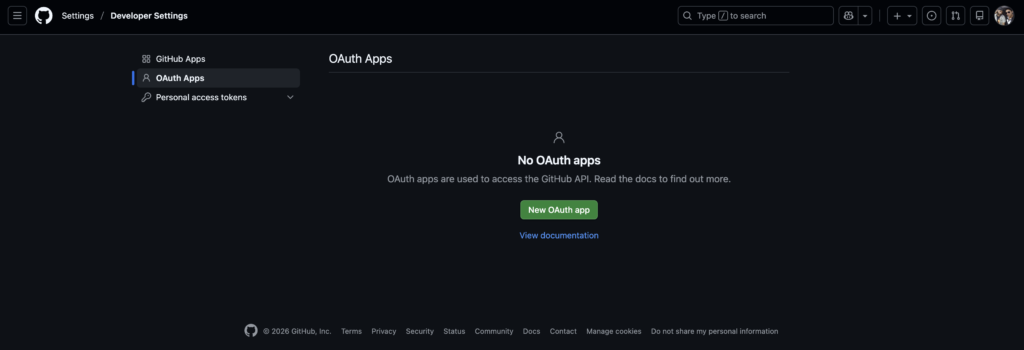
Step 1: Create a GitHub Developer (OAuth) Application.
- Log in to your GitHub account
- Navigate to:
- Settings → Developer Settings → OAuth Apps
- Click New OAuth App
- Provide the required details:
- Application Name: Your App Name
- Homepage URL: Your APEX application URL
- Authorization Callback URL: APEX redirect URL
- Save the application
- Note down:
- Client ID
- Client Secret
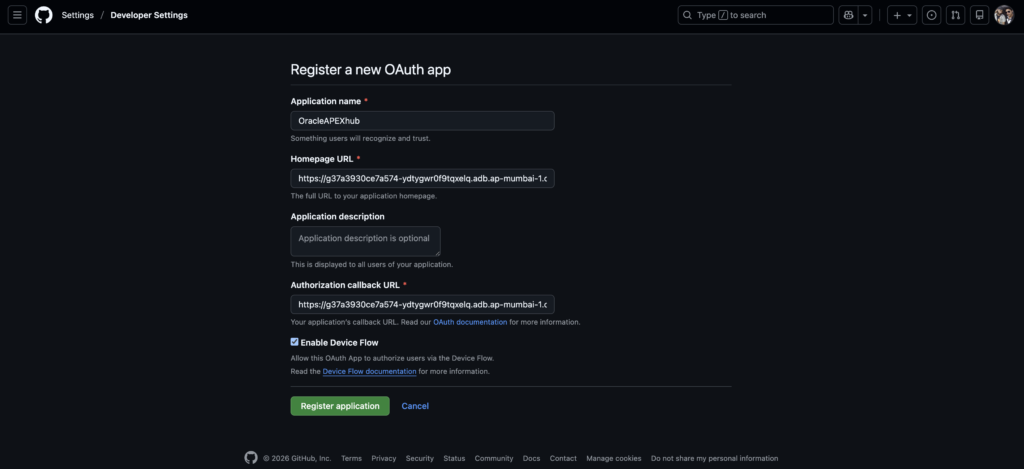
Use the following URL as the Authorized Redirect URI:
For Free Workspace APEX Application:
https://apex.oracle.com/pls/apex/apex_authentication.callbackFor Cloud APEX Application:
https://g37a3930ce7a574-ydtygwr0f9tqxelq.adb.ap-mumbai-1.oraclecloudapps.com/ords/apex_authentication.callbackThese credentials will be used in Oracle APEX.
Step 2: Set Up Web Credentials in Oracle APEX.
- Log in to your Oracle APEX Workspace
- Navigate to:
- App Builder → Workspace Utilities → All Workspace Utilities → Web Credentials
- Create a new Web Credential
- Enter:
- Client ID (from GitHub)
- Client Secret (from GitHub)
- Save the Web Credential
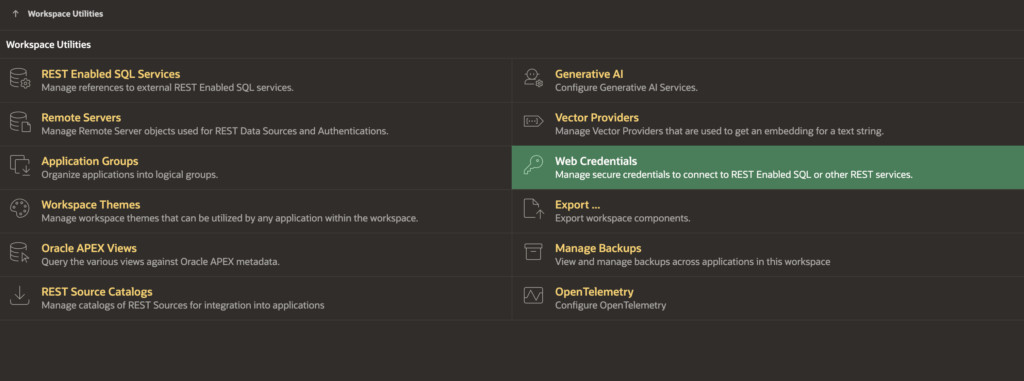
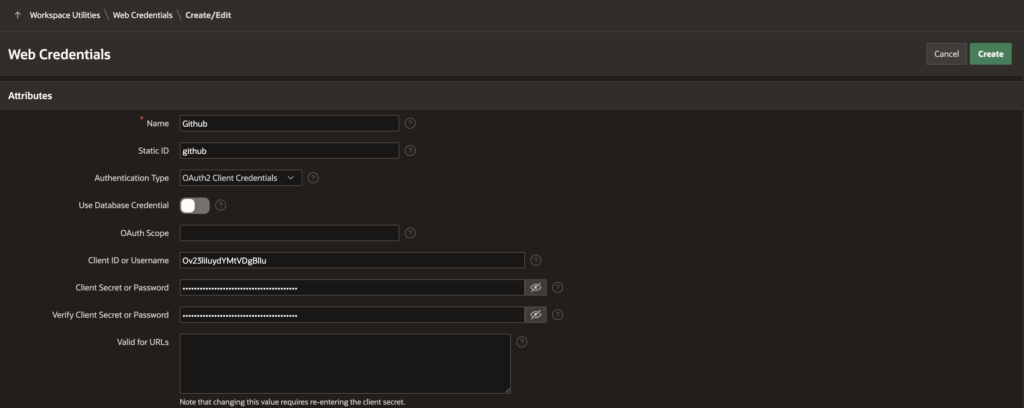
This securely stores your GitHub OAuth credentials in APEX.
Step 3: Configure GitHub Authentication Scheme in APEX.
- Go to:
- Your Application → Shared Components → Authentication Schemes
- Click Create (or modify an existing scheme)
- Choose Social Sign-In / OAuth 2.0
- Configure the following endpoints:
- Authorization Endpoint URL
https://github.com/login/oauth/authorize - Token Endpoint URL
https://github.com/login/oauth/access_token - User Info Endpoint URL
https://api.github.com/user - Scope
user - Username Attribute
email - Associate the previously created Web Credential
- Enable the switch “Enable Authentication Scheme”
- Set this scheme as Current if required
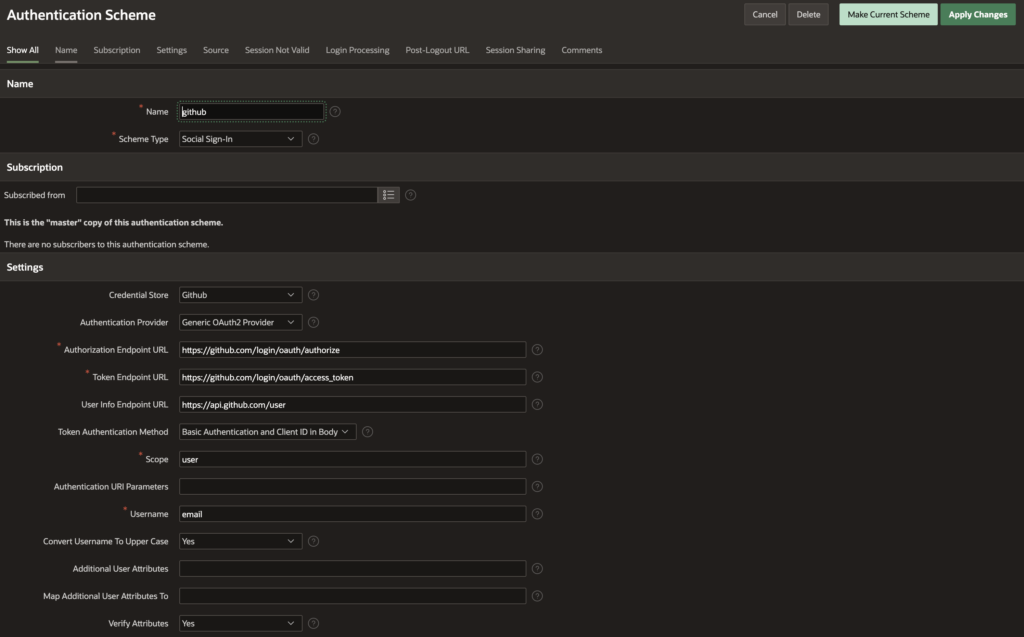
Step 4: Enable Session Support.
Ensure that the authentication scheme has session enabled, allowing APEX to maintain user login state after successful authentication.
Step 5: Implement GitHub Sign-In Button on Login Page.
- Navigate to:
- Your Application → Login Page
- Create a new Button (e.g., Login with GitHub)
- In Button Behavior:
- Action: Redirect to Page in this Application
- Target Page: Home Page
- In Advanced → Request, set:
(Replace Github with the exact name of your authentication scheme)
This triggers GitHub authentication when the button is clicked.
APEX_AUTHENTICATION=github5. Final Output
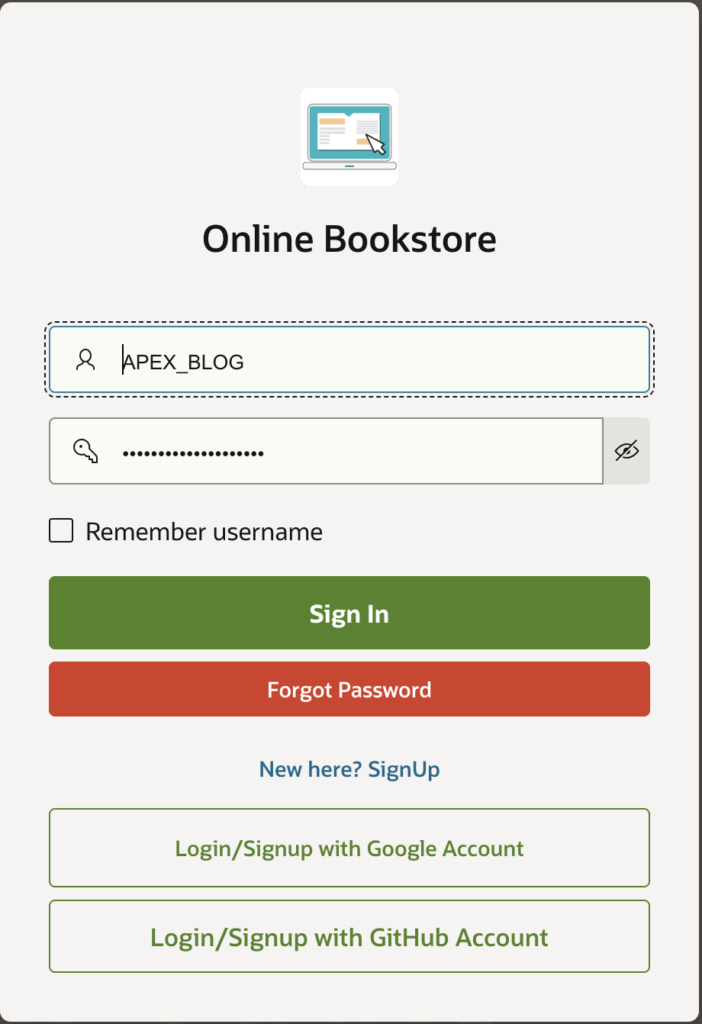
Once configured, users can log in to your Oracle APEX application using their GitHub account. After successful authentication, they are redirected to the home page with a valid APEX session.
✔ Secure OAuth-based authentication
✔ Improved user experience
✔ Modern login approach for APEX apps
🏁 Conclusion
Integrating GitHub Sign-In with Oracle APEX is a powerful way to modernize authentication while maintaining enterprise-grade security. With minimal configuration and no custom OAuth code, APEX enables seamless integration with GitHub’s identity platform.
This setup is ideal for applications targeting developers, internal teams, and technical users.
If you like this article Please share with your friends and family members to appreciate or work and help others.
Happy APEXING 🚀
Love coding? Me too! Let’s keep in touch – subscribe to my website for regular chats on Oracle APEX, PL/SQL,SQL JavaScript, and CSS.