1. Overview
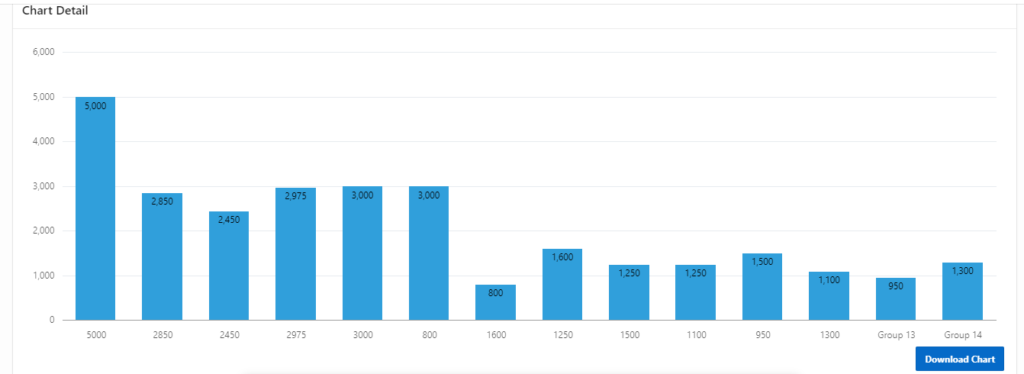
In this post, you’ll learn how to download a chart created in Oracle APEX as an image file using JavaScript.
You might wonder — why would I need to download a chart as an image?
A common use case is when you want to share the chart via email or include it in a document. Converting the chart to an image makes it easy to distribute outside of APEX.
2. Tools & Technologies Used
To implement this functionality, the following technologies are used:
- Oracle APEX (with Dynamic Actions)
- JavaScript
3. Use Case
The goal is to enable users to download a chart as an image from an Oracle APEX page — making it easier to export and share visual data representations.
4. Implementation Steps
🔹 Step 1: Create the Chart
- Add a chart region to your APEX page.
- Assign a Static ID to the chart. For example:
MY_CHART. 
🔹 Step 2: Create Button to download Chart
🔹 Step 3: Create Dynamic Action to download Chart.
- Event: Click
- Selection Type: Button
- Button: Button_Name
- Action: Execute Javascript Code
Use JavaScript to enable the chart to be downloaded as an image. You can add this script in a Dynamic Action.
javascript:saveJetChart('MY_CHART');🔹 Step 4: Add Below Javascript code in Function and Global Variable Declaration.
function saveJetChart(regionId) {
    // get jet chart region
    var svg = document.querySelector('#'+regionId+'_jet > svg'),
        svgString = new XMLSerializer().serializeToString(svg),
        chartTitle = $('#'+regionId+'_heading').text();
    let {
        width,
        height
    } = svg.getBBox();
    // create an empty canvas
    var canvas = document.createElement('canvas');
   canvas.width = width;
   canvas.height = height;
    var ctx = canvas.getContext("2d");
    // fill the svg current transparent background with white
    ctx.fillStyle = "#ffffff";
    ctx.fillRect(0, 0, canvas.width, canvas.height);
    // create a blob image
    var DOMURL = self.URL || self.webkitURL || self;
    var img = new Image();
    var svg = new Blob([svgString], {
        type: "image/svg+xml;charset=utf-8"
    });
    var url = DOMURL.createObjectURL(svg);
    // when the image is fully created convert to base64 jpg
    img.onload = function() {
      ctx.drawImage(img, 0, 0);
        var jpg = canvas.toDataURL('image/jpeg', 1.0);
         var link = document.createElement("a");
             document.body.appendChild(link); // for Firefox
             link.setAttribute("href", jpg);
             link.setAttribute("download", chartTitle+'.jpg');
             link.click();
        // call an AJAX callback passing the base64 string
    };
    img.src = url;
}
🔹 Step 5: Now we have create Download APEX Chart as IMAGE format using java script in Oracle Apex which will provide the functionality like download chart in the image format. If any further customization’s are needed in this then, we can design accordingly by having this design as a base.
5. Conclusion
With this approach, you can allow users to download APEX charts as image files directly from the application — making data sharing more flexible and accessible. You can also build on this foundation for further customizations based on your application’s needs.
Thanks for reading! We hope this guide helped you implement chart download functionality in Oracle APEX.
Love coding? Me too! Let’s keep in touch – subscribe to my website for regular chats on Oracle APEX, PL/SQL,SQL JavaScript, and CSS.